Platform
One module, separate workspaces, one sign-in
A group that runs three brands, or an agency translating for several clients, needs their strings kept apart and their people kept in. Workspaces give each brand or client its own projects, members and settings inside one subscription, and single sign-on means your team reaches them with the company account they already use.
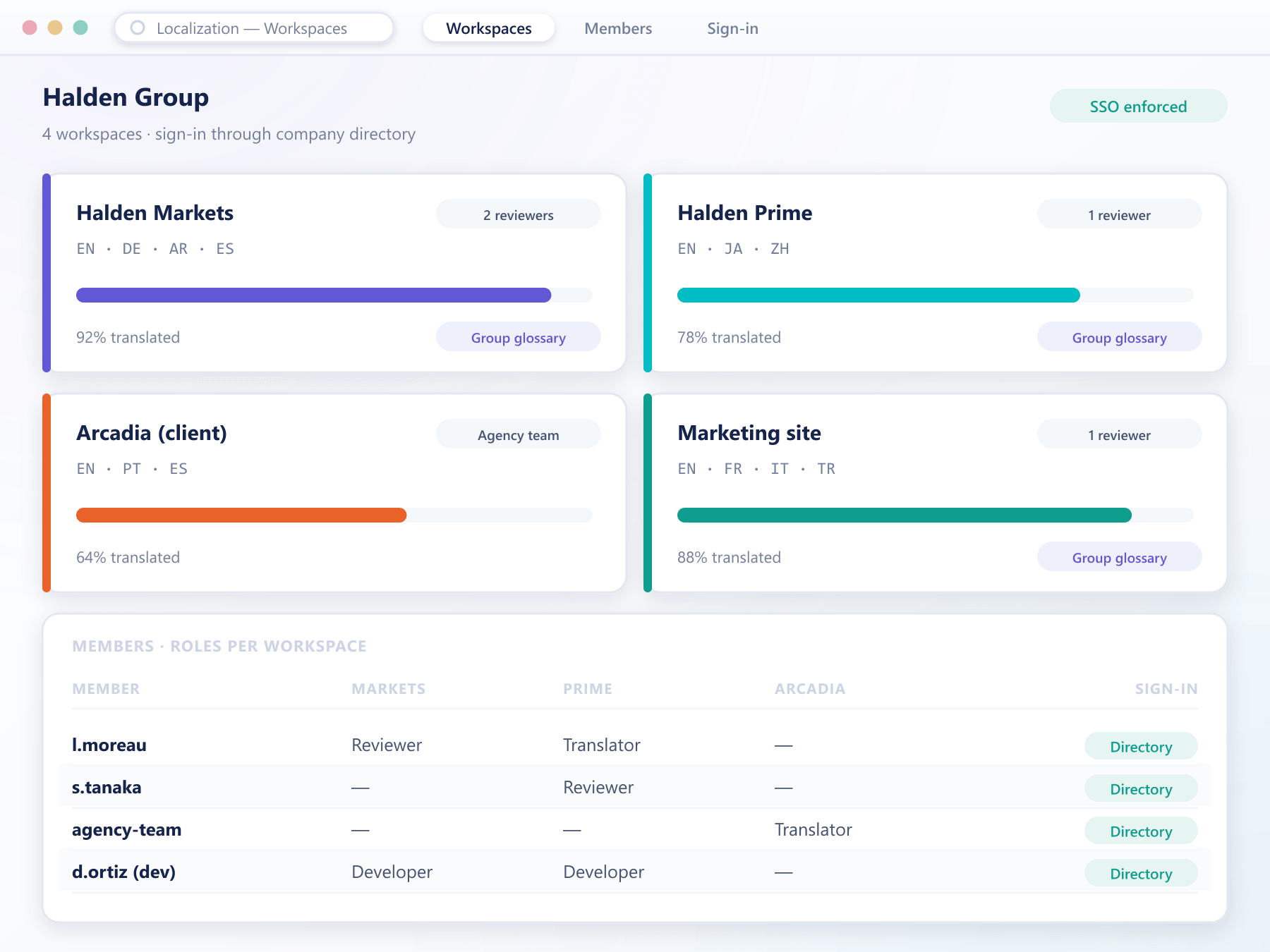
What a workspace holds
Separated where it matters, shared where it helps
Each workspace is a boundary for content and access. What crosses that boundary is your decision, not a side effect.
Isolated projects
Keys, translations, history and delivery endpoints belong to one workspace. A translator working on one brand never sees another brand's unreleased copy.
Shared terminology on purpose
A group-wide glossary can be shared into several workspaces, so a product name is translated the same way everywhere while each brand keeps its own tone.
Members per workspace
Invite translators, reviewers and developers to the workspaces they need, with roles set per workspace rather than once for the whole account.
Single sign-on
Your team signs in through your company identity provider, and removing someone there removes their access to every workspace at once.
Settings per workspace
Languages, review rules and delivery targets are configured per workspace, so a regulated brand can require two reviewers while a marketing site does not.
One view for the owner
The account owner sees progress, usage and members across every workspace, without needing to join each one.
Setting one up
From one account to many brands
Connect sign-in
Link your identity provider once. New members arrive through it rather than with a separate password.
Create workspaces
One per brand, client or product line, each with its own languages and delivery endpoints.
Share what should match
Attach the group glossary to the workspaces that should use it, and leave the rest independent.
Invite the right people
Add members to the workspaces they work on, with roles that fit what they do there.
Workspace questions
Before you split the account
4 short answers to what teams ask before a demo.
Usually not. One workspace is the default, and it behaves exactly as the module always has. Workspaces become useful once there is a second brand, a white-label client or an outside agency involved.
Yes. Membership is per workspace, so the same person can be a translator in one and a reviewer in another, and only sees the content of the workspaces they belong to.
Providers that support the standard enterprise sign-in protocols. The connection is set up once for the account and then applies to every workspace.
Each workspace keeps its own delivery endpoints. When a project moves into a new workspace, its endpoint moves with it, so running applications keep receiving their strings.
Still have a question?
A specialist will answer it directly, with your set-up in mind.
Ask a specialistMap your brands to workspaces
Tell us how your brands, clients and teams are organised and we will set up a test account with a workspace for each.