MultiPrimeX Product
One trading platform for every market you plan to open
TradeX pairs a matching engine with a multi-asset terminal, mobile clients and a broker console. Spot, margin and derivatives run on the same deployment, under your brand, administered from one screen.
Deployed under your brand
One administration console
Full trading API
0+
Orders matched per second
Indicative0+
Live markets configurable
Indicative<10 ms
Median matching latency
IndicativeThe trading surface
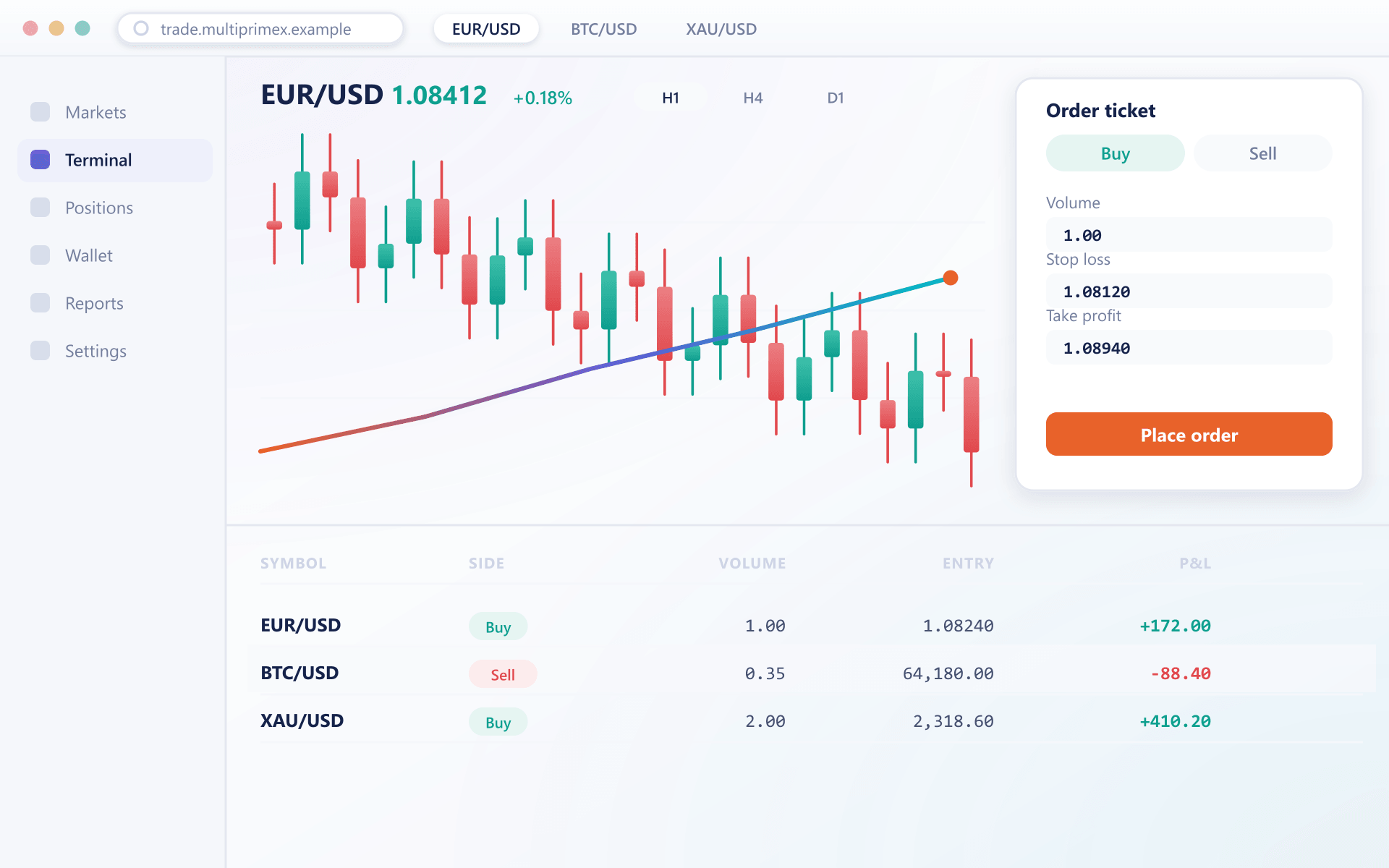
A terminal your clients do not have to be taught
Every widget is a real part of the workspace, not a mockup. Traders arrange them once and the layout follows their account across devices.
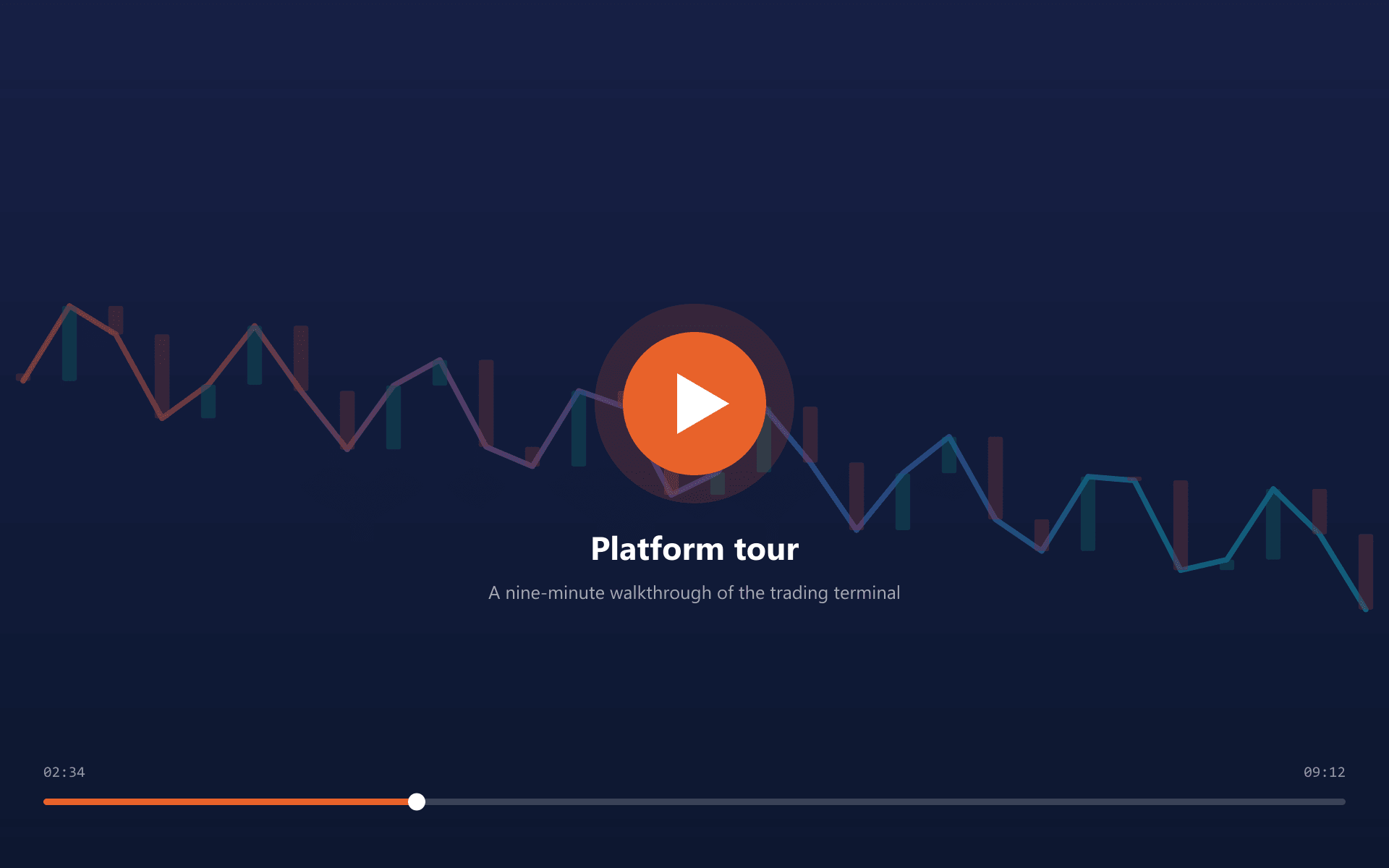
Find any instrument in two keystrokes
Markets are grouped by asset class and searchable by symbol, name or base currency. Favourites pin to the top of the list and sync with the account rather than the browser.
Search across every enabled asset class at once
Favourites and recents stored on the account
Two minute tour
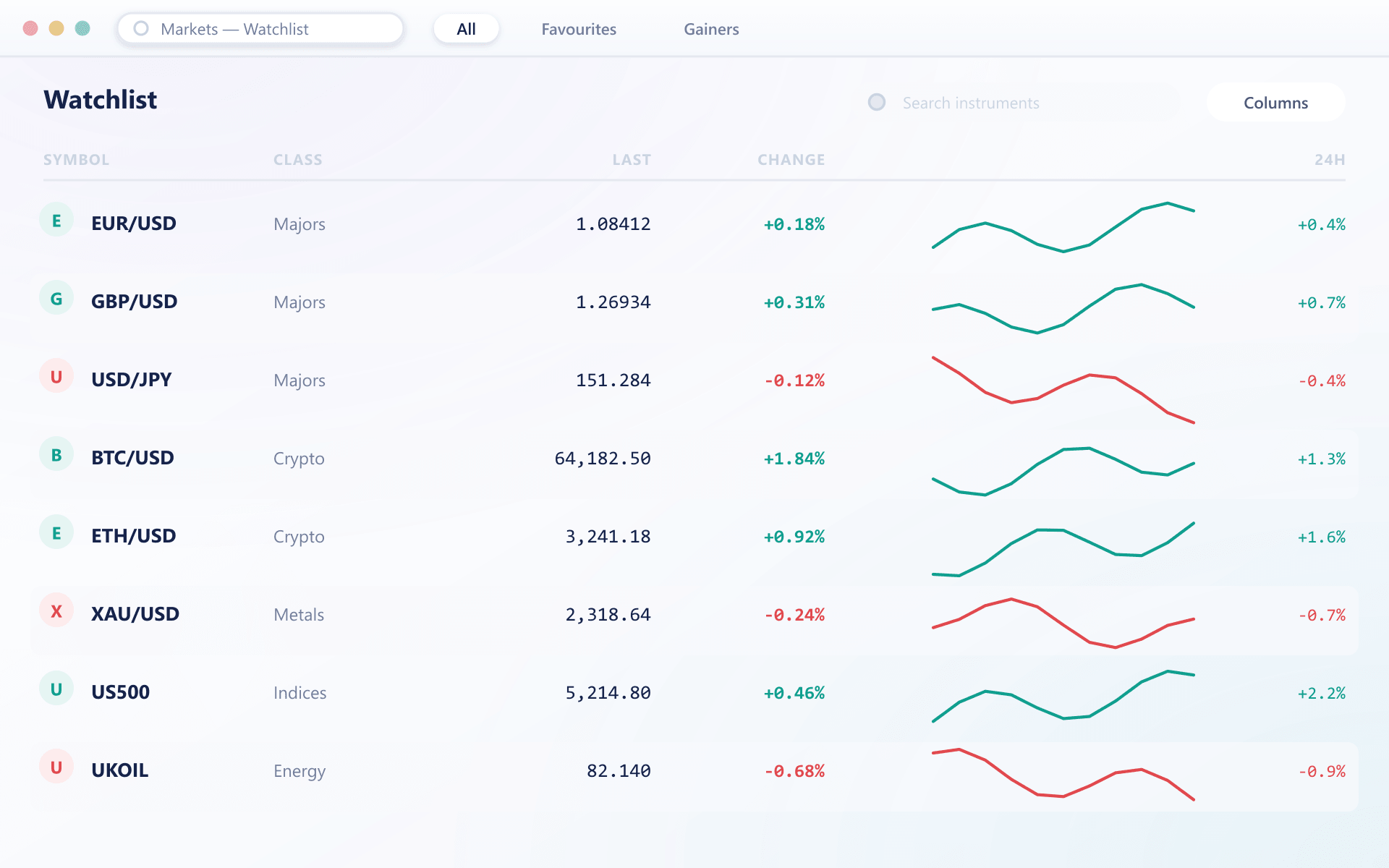
See TradeX the way a trader sees it
A short walkthrough of the terminal, the order ticket and the broker console, recorded on a real deployment rather than a design file.
The trader side
Workspace, order ticket, chart and positions in a single session.
The broker side
Instrument setup, fee schedules and risk limits in the console.
The handover
What your team administers once the deployment is live.
Market insights
Context on the instrument, next to the order ticket
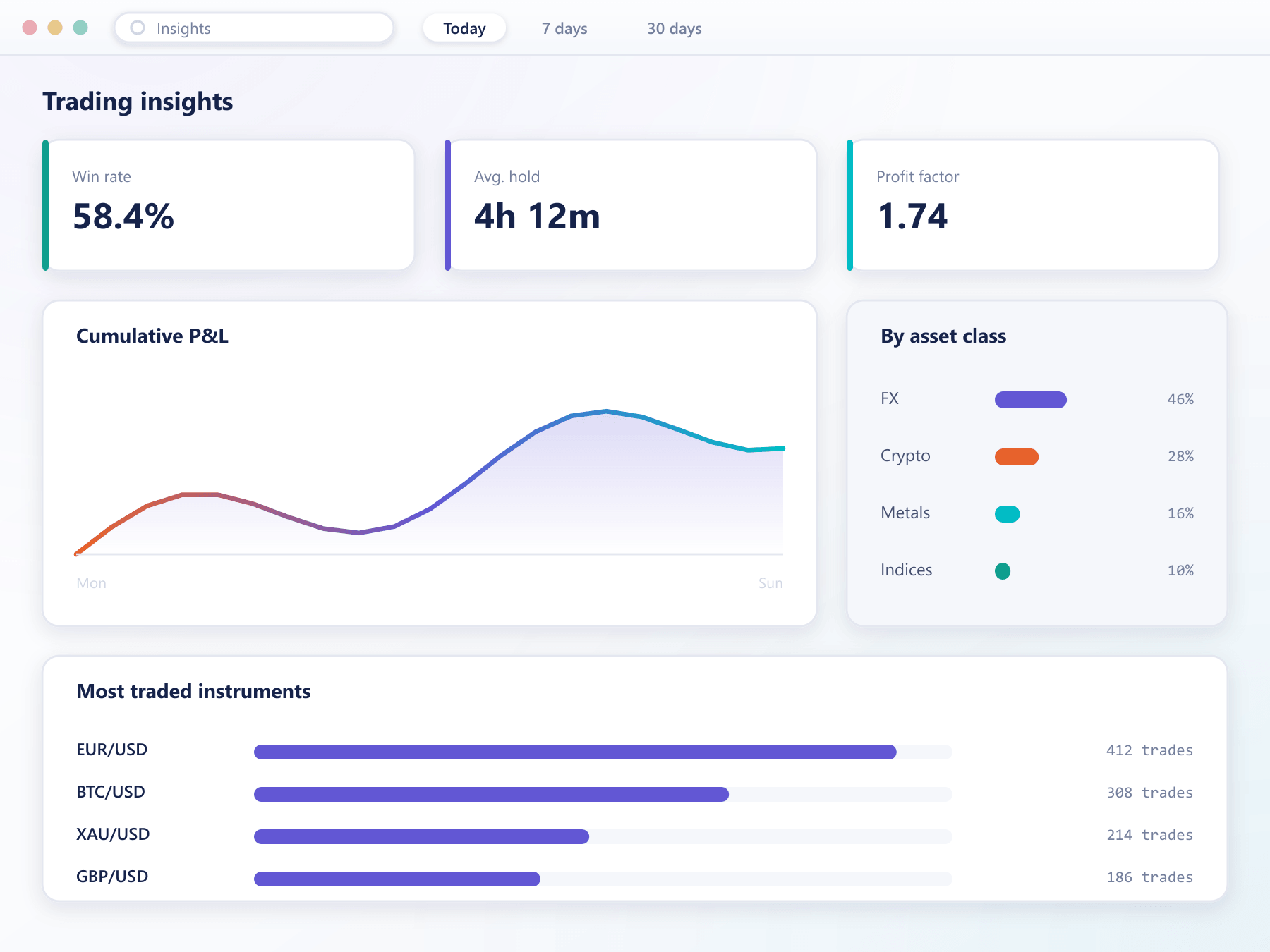
An insights panel summarises what is moving an instrument so a trader does not leave the terminal to find out. Everything it shows is derived from the market data already flowing through the platform.
Momentum reading
A single composite score for the instrument, with the inputs listed so it can be argued with.
Range projection
Expected trading range over the selected horizon, based on realised volatility.
Signal drivers
Which inputs moved the reading — volume, volatility, spread or order-book imbalance.
Key metrics
Session high and low, traded volume, open interest and funding where applicable.
Mobile apps
The full account journey on a phone
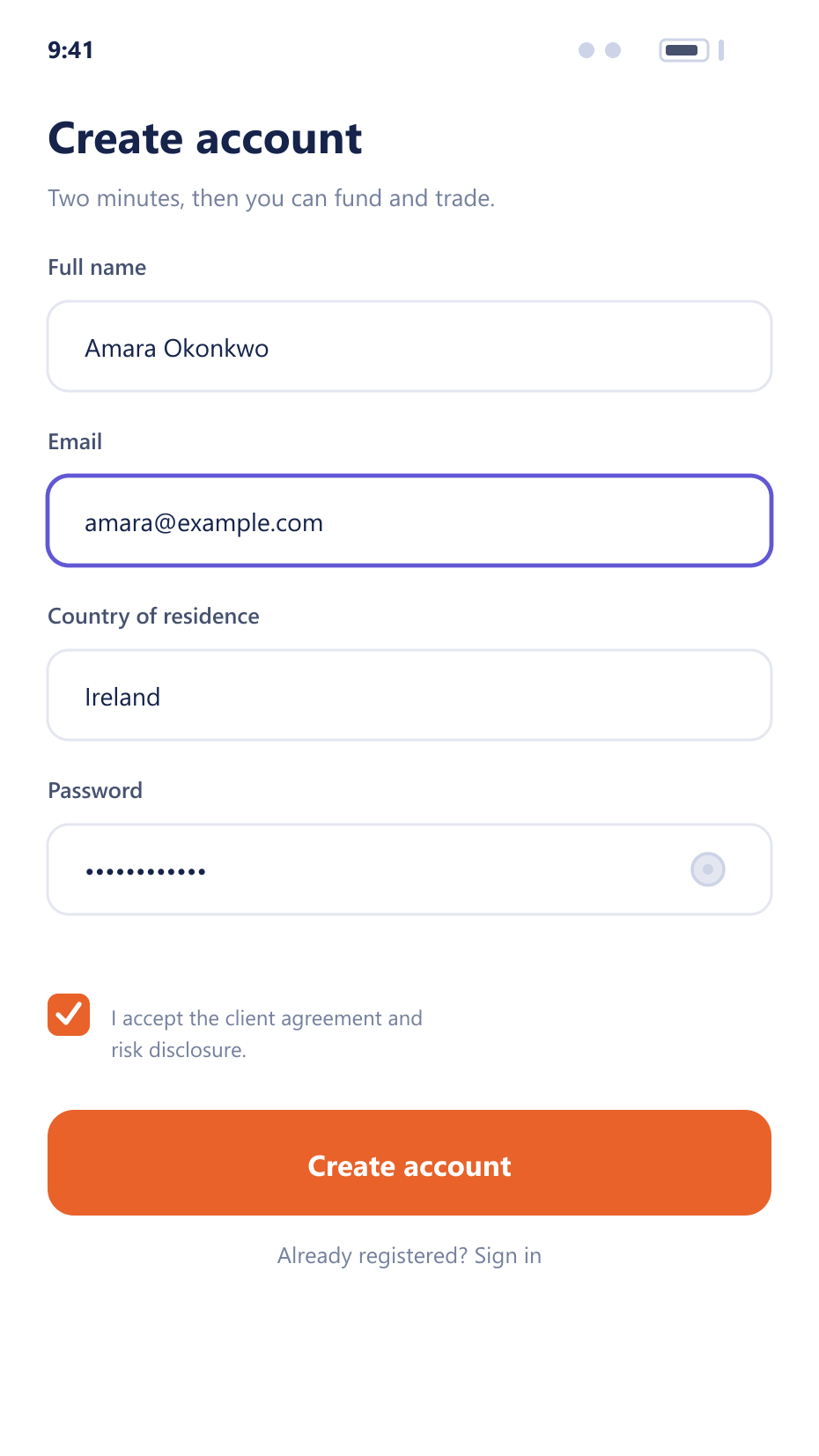
Signup through withdrawal, in your branding. The mobile clients talk to the same API as the web terminal, so nothing is a reduced second version.
Signup that does not lose people
A short form, immediate verification and a working account before any document is requested. Trading permissions unlock as verification levels are reached.
Business models
One platform, configured for the desk you are running
The same deployment supports several business models. What changes is the instrument set, the margin model and which console modules you switch on.
Currency pairs, metals and indices on margin
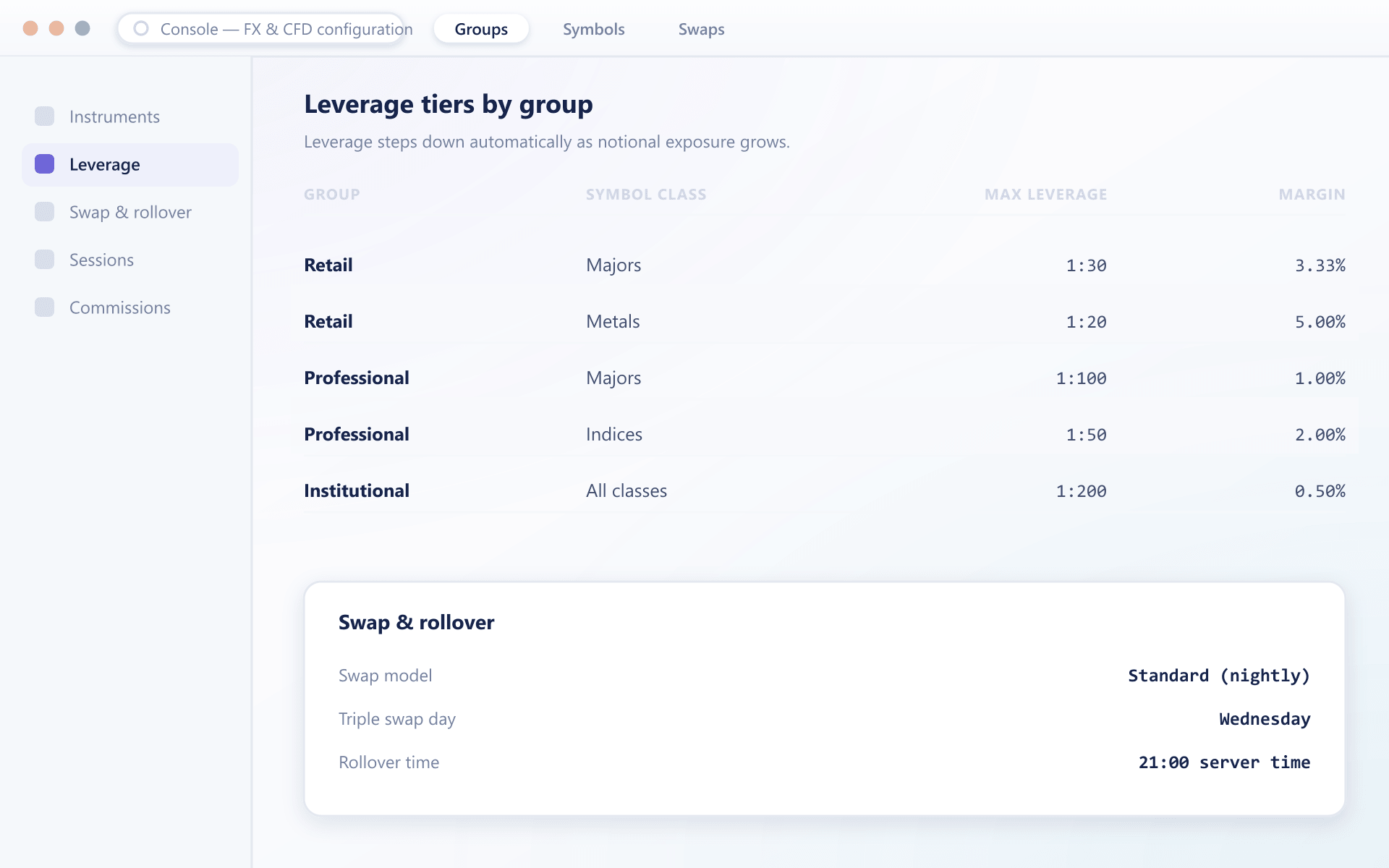
Leverage tiers per client group, swap and rollover configuration, and hedging through your liquidity connection. The classic margin desk, without a separate platform for each product line.
Leverage tiers by group
Swap, rollover and dividend handling
Cross-margin collateral
Idle balances that actually do something
Any funded balance can be treated as collateral with a haircut you set, which changes the economics for both sides of the desk.
What the broker gets
Collateral policy is set per asset and per client group: which balances qualify, at what haircut, and what happens as the margin level deteriorates.
Per-asset haircuts and eligibility
Staged margin call and liquidation thresholds
Exposure visible per client and in aggregate
What the trader gets
A balance held in one currency can support a position quoted in another, so opening a trade does not force a conversion at an inconvenient moment.
No forced conversion to open a position
Digital assets usable as collateral
One margin figure across the whole account
See TradeX running, not rendered
We will open a live environment configured with the instruments, leverage tiers and fee schedule you plan to launch with.
Liquidity connectivity
Bring your own liquidity, or take ours
TradeX consumes pricing over FIX and standard venue APIs. Aggregate several sources, route by instrument, and keep the book you already have.
Coverage
Eleven asset classes on the same engine
Each class has its own market structure, margin treatment and settlement rules. None of them needs a separate deployment.
Forex
Major, minor and exotic currency pairs on margin.
Crypto spot
Order-book trading with wallet-backed settlement.
Crypto CFD
Leveraged digital asset exposure without custody.
Perpetual futures
Rolling contracts with configurable funding.
Metals
Precious and industrial metals as margin instruments.
Indices
Cash and futures-based index exposure.
Energy
Oil, gas and power contracts.
Commodities
Agricultural and soft commodity contracts.
Equities
Single-name shares, cash or contract for difference.
ETFs
Exchange traded funds alongside single names.
Non-deliverable forwards
Cash-settled forwards on restricted currencies.
Getting live
From signed contract to first trade in about a week
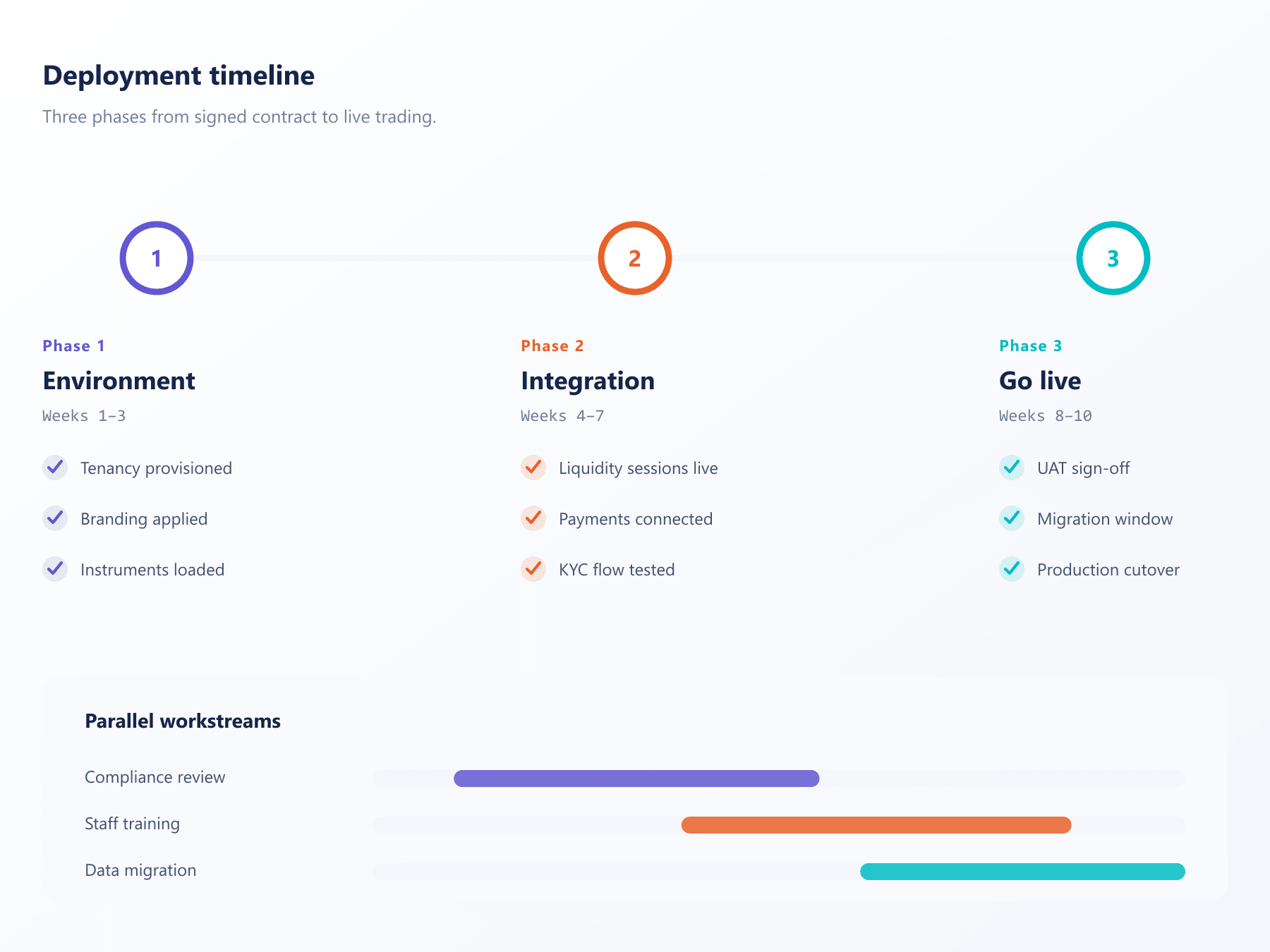
Deployment is a sequence we have run many times. These are the three phases and what each one actually involves on your side.
- 01
Days 1–2 · Environment up
Your instance is provisioned, your domain and certificates are attached and the branding pack is applied. Your team receives console access on day two.
- 02
Days 3–5 · Configuration
Instruments, trading hours, leverage tiers, fee schedules and client groups are entered. Liquidity connections are established and pricing is validated against your expectations.
- 03
Days 5–7 · Tailoring and handover
Payment routes, verification provider and reporting exports are wired in. We run through the console with your operations team and hand over the runbook.
The part that surprised us was configuration. Adding an instrument used to be a change request with a lead time. Now it is something our operations desk does before lunch.
Head of Trading Operations
Multi-asset brokerage, EMEA
Dynamic leverage
Leverage that steps down as exposure grows
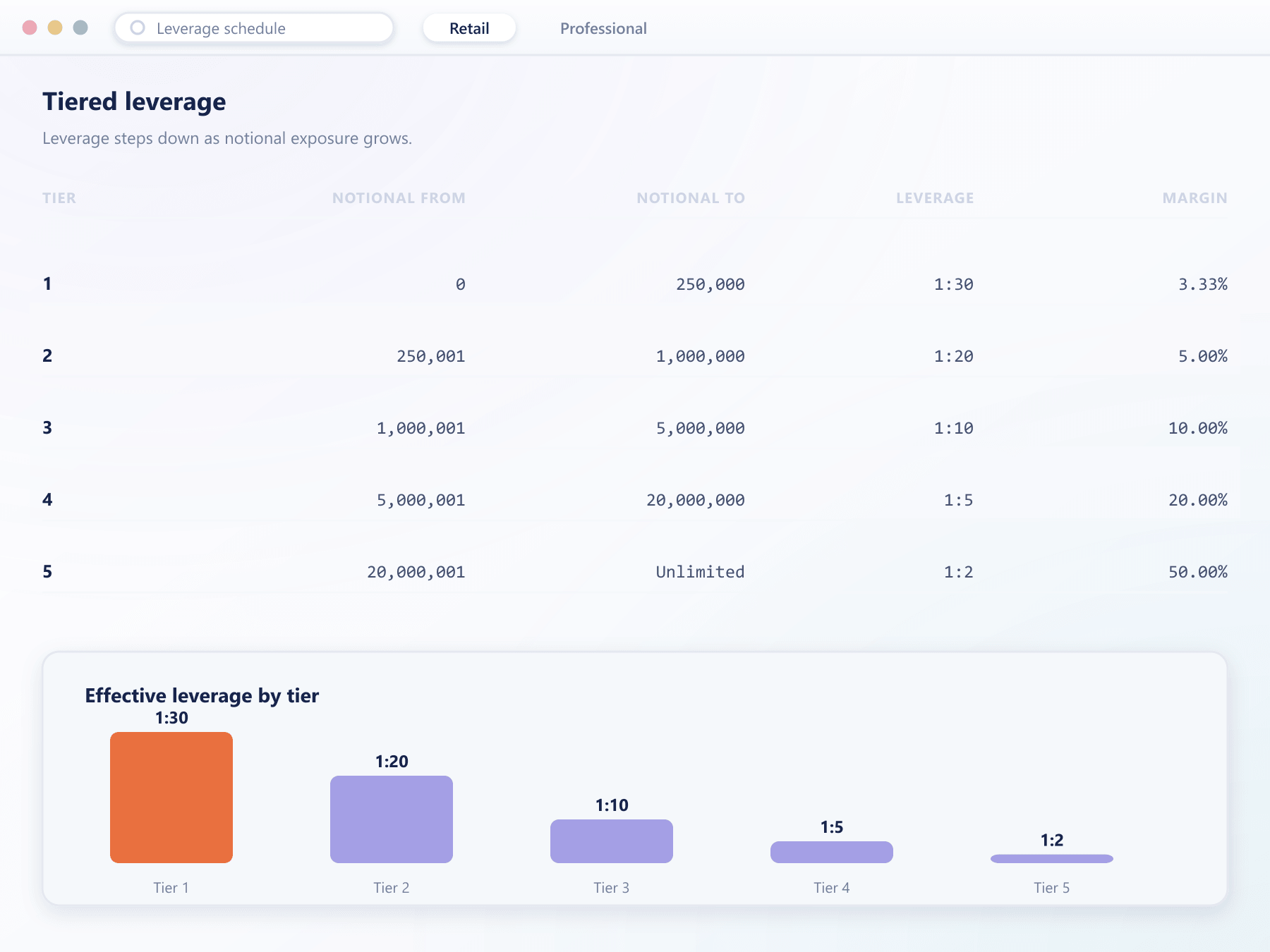
Rather than one leverage figure per account, TradeX applies a schedule: as a position crosses configured notional bands, the effective leverage steps down automatically.
Bands per instrument
Each instrument carries its own notional bands and leverage steps.
Applied at validation
The margin requirement is computed at submission, so a trade that would breach a band is caught before it opens.
Visible to the trader
The ticket shows the effective leverage and margin requirement for the size being entered.
Hosting and reliability
Managed infrastructure, not a server you inherit
TradeX runs as a managed deployment on cloud infrastructure we operate. Patching, scaling and monitoring are ours; configuration is yours.
Provisioned for you
Your environment, domain and certificates are set up as part of onboarding. There is no infrastructure project to run in parallel.
Scales with load
Matching, market data and API capacity scale with volume, so a listing event or a volatile session does not become an incident.
Monitored continuously
Health checks, alerting and failover run against a published availability target, with an incident channel your operations team can reach directly.
Copy trading
Turn your best traders into a product
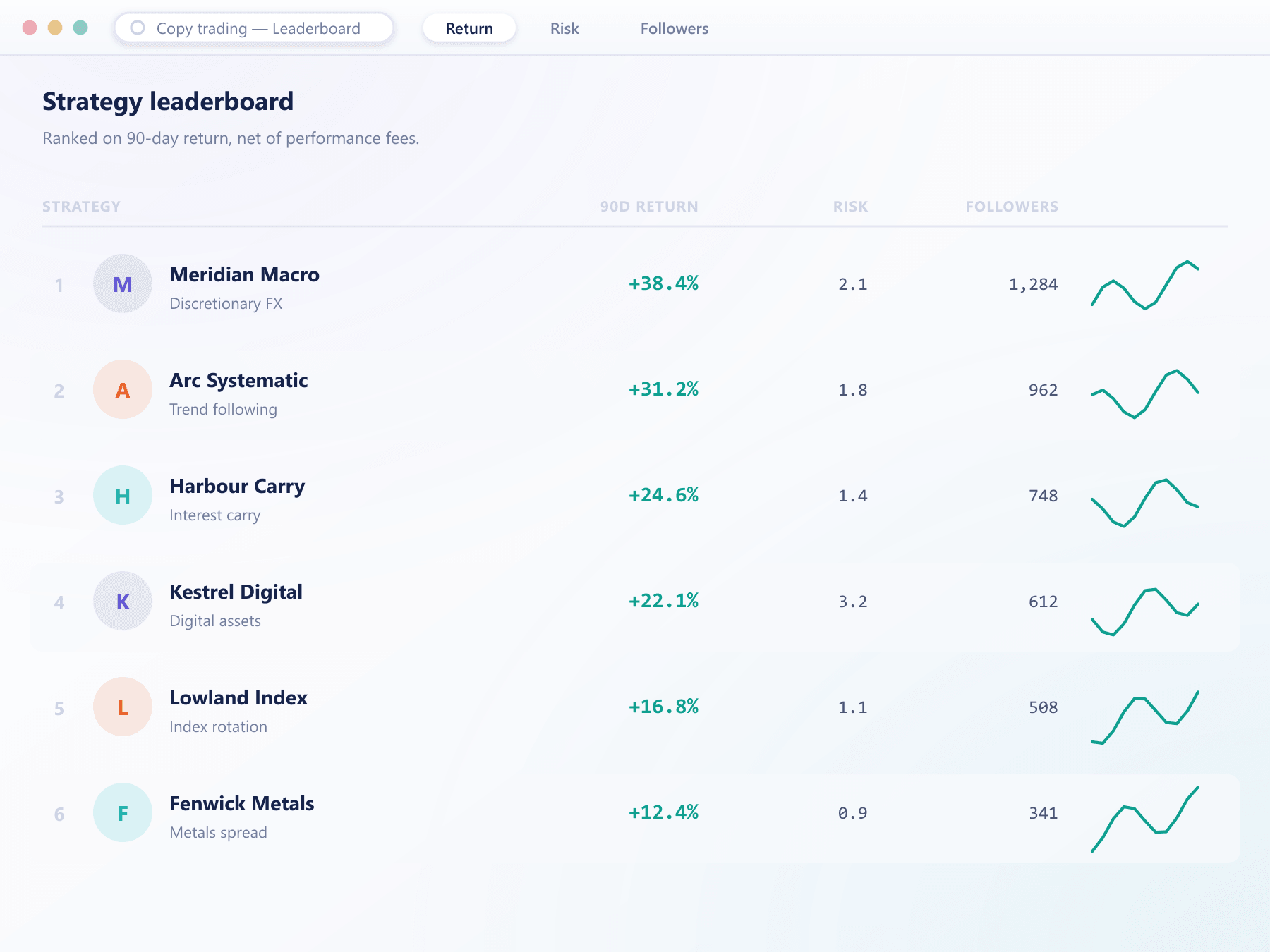
The copy trading module plugs into the same accounts and the same engine, so a strategy leader is an ordinary account with followers attached.
Strategy marketplace
Leaders publish a strategy with a live track record built from real fills, not self-reported numbers.
Automatic replication
Follower orders are sized proportionally and submitted through the same validation path as any other order.
Revenue you configure
Performance fees, management fees and your own share are set per strategy and settled automatically.
Risk limits on both sides
Followers cap their exposure and drawdown; you cap what any single strategy can do to the book.
Introducing brokers
A partner programme that runs itself
Referral tracking, commission calculation and payouts are part of the platform, so growth does not become a spreadsheet.
- 01
Apply
Partners apply through your client area and are approved by your team with the tier you choose.
- 02
Get links
Each partner receives tracked links and materials in your branding, with attribution that survives the signup flow.
- 03
Refer
Referred clients are attached to the partner at registration and stay attached through the account lifecycle.
- 04
Earn
Commission accrues per qualifying trade and is visible to both the partner and your desk in real time.
Commission models
Per-lot, spread share, revenue share or a hybrid, configured per tier.
Partner dashboard
Live referral counts, volume and accrued commission, with export.
Multi-level structures
Sub-partner hierarchies with commission that flows up the tree.
APIs and documentation
Everything the terminal does, the API does
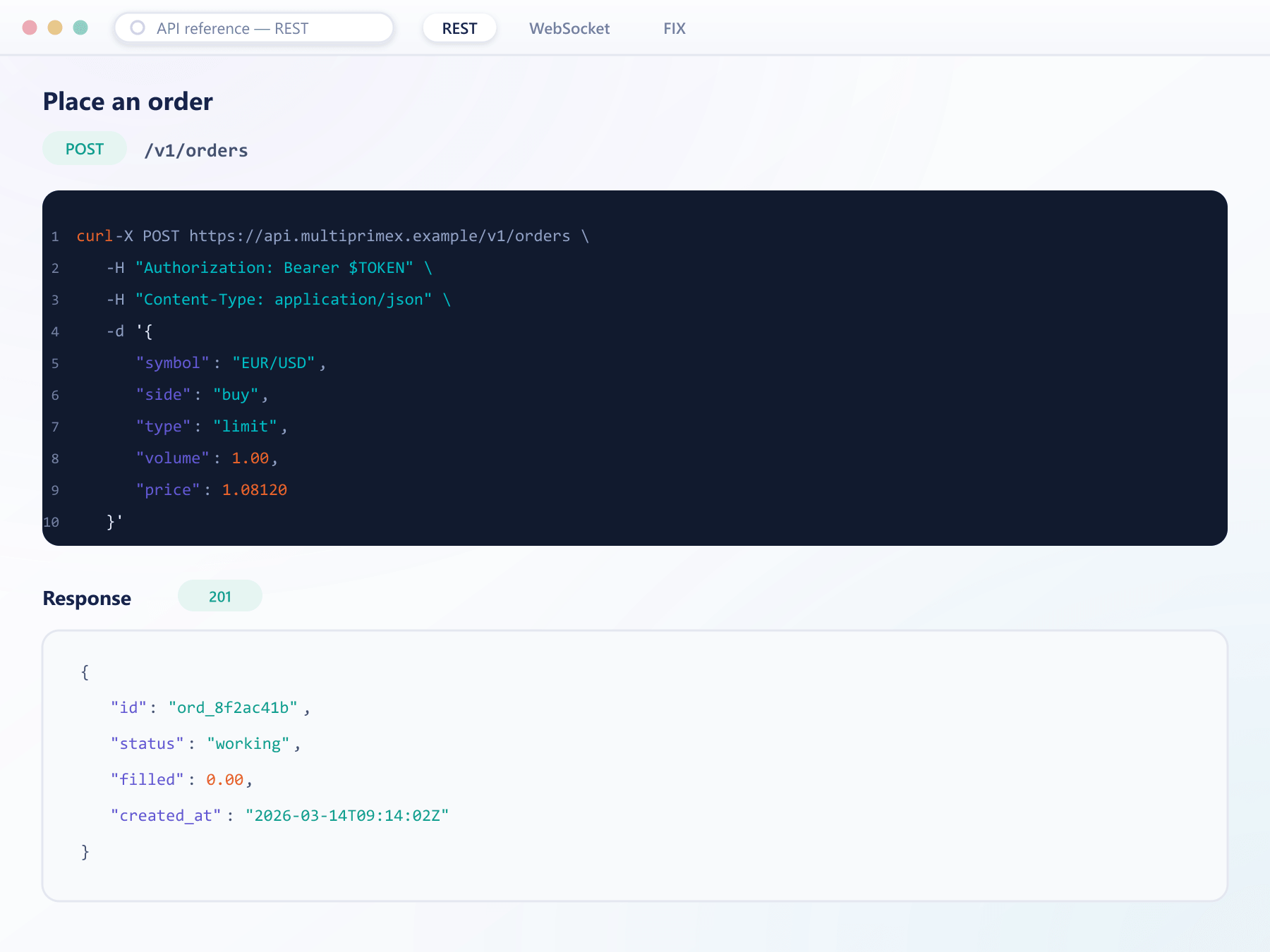
The web terminal is a client of the same public API your integrators will use. There is no privileged internal interface, which is why the documentation stays accurate.
REST and streaming
Request-response for account and configuration, streaming for prices, orders and fills.
FIX connectivity
Standard FIX sessions for institutional clients and liquidity connections.
Versioned and documented
Published reference with schemas, examples and a changelog per release.
Algorithmic trading
Programmatic access your clients set up themselves
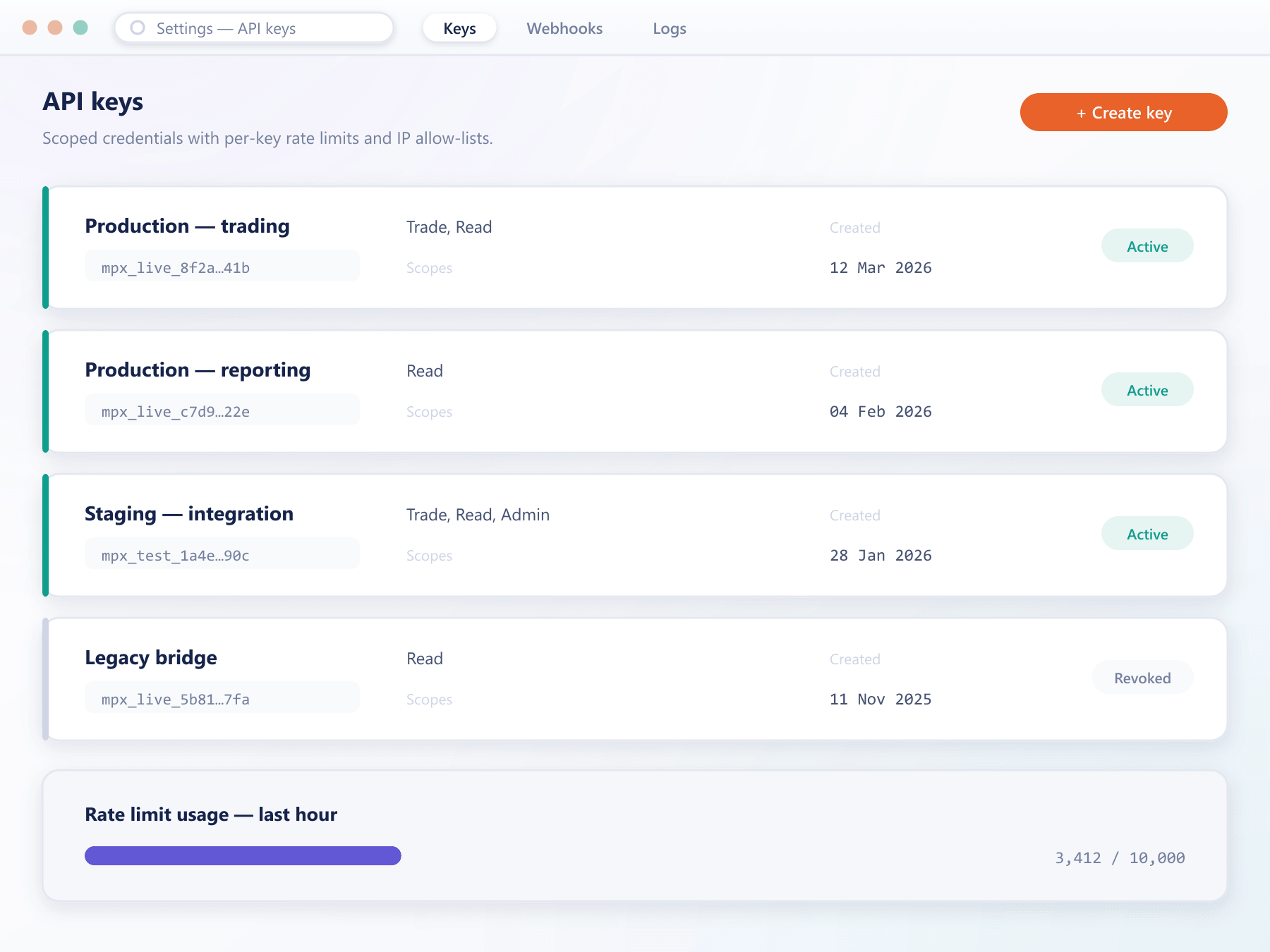
Traders issue their own API credentials from the client area, scope them, and revoke them without contacting support.
Self-service tokens
Create, scope and revoke API keys from the account, with an audit trail on every change.
Scoped permissions
Read-only, trading or withdrawal scopes are granted separately per key.
Rate limits per key
Limits are applied per credential, so one misbehaving script cannot degrade an account.
Sandbox environment
A separate environment with test balances for integration work before going live.
Integrations
Connects to what you already run
Payments, verification, support and analytics are integrations rather than rewrites. If you have a provider, we connect it.
Explore the platform
Every part of TradeX, documented
The platform is grouped by who uses it. Traders live in the terminal; brokers live in the console. Pick a section to see what each side gets.
FAQ
TradeX: common questions
6 short answers to what teams ask before a demo.
TradeX is the MultiPrimeX multi-asset trading platform: a matching engine, a web trading terminal, mobile apps and a broker console that you configure and launch as one stack under your own brand.
Forex, CFDs on indices, metals, energy and commodities, single-name equities and ETFs, spot digital assets and crypto derivatives including perpetual futures, all on the same engine. Which instruments a client sees is set per client group.
FX and CFD brokers, crypto brokers and firms launching a first brokerage that want their own trading terminal instead of a licensed third-party platform, with instruments, fees, margin and risk controlled from one console.
Yes. The domain, logo, colours, typography, email templates and app store listings are yours, and clients see no reference to the underlying provider.
Pricing and hedging run through liquidity connections configured per instrument, with BridgeX available in between for aggregation and routing. Accounts, funding and verification connect to BrokerOS or your own CRM through the trading API and FIX.
It is delivered as managed infrastructure: isolated deployments, tested failover and patching handled for you. The price depends on the modules, environments and volume you need, and the pricing page sets out the tiers and the factors behind a quote.
Still have a question?
A specialist will answer it directly, with your set-up in mind.
Ask a specialistPut TradeX in front of your team
We run the walkthrough on a live environment using the instruments, leverage tiers and fee schedule you plan to launch with. No slide deck.