Accounts
Balances your back office does not have to reconstruct
Every balance in TradeX is the sum of its ledger entries, not a number that is updated in place. Available, reserved and total are tracked separately per currency, and every movement carries the event that caused it.
Available
What the client can commit to a new order or withdrawal right now.
Reserved
What resting orders, open margin and pending withdrawals have already claimed.
Total
The sum of the two, and the figure a statement reports.
See it live
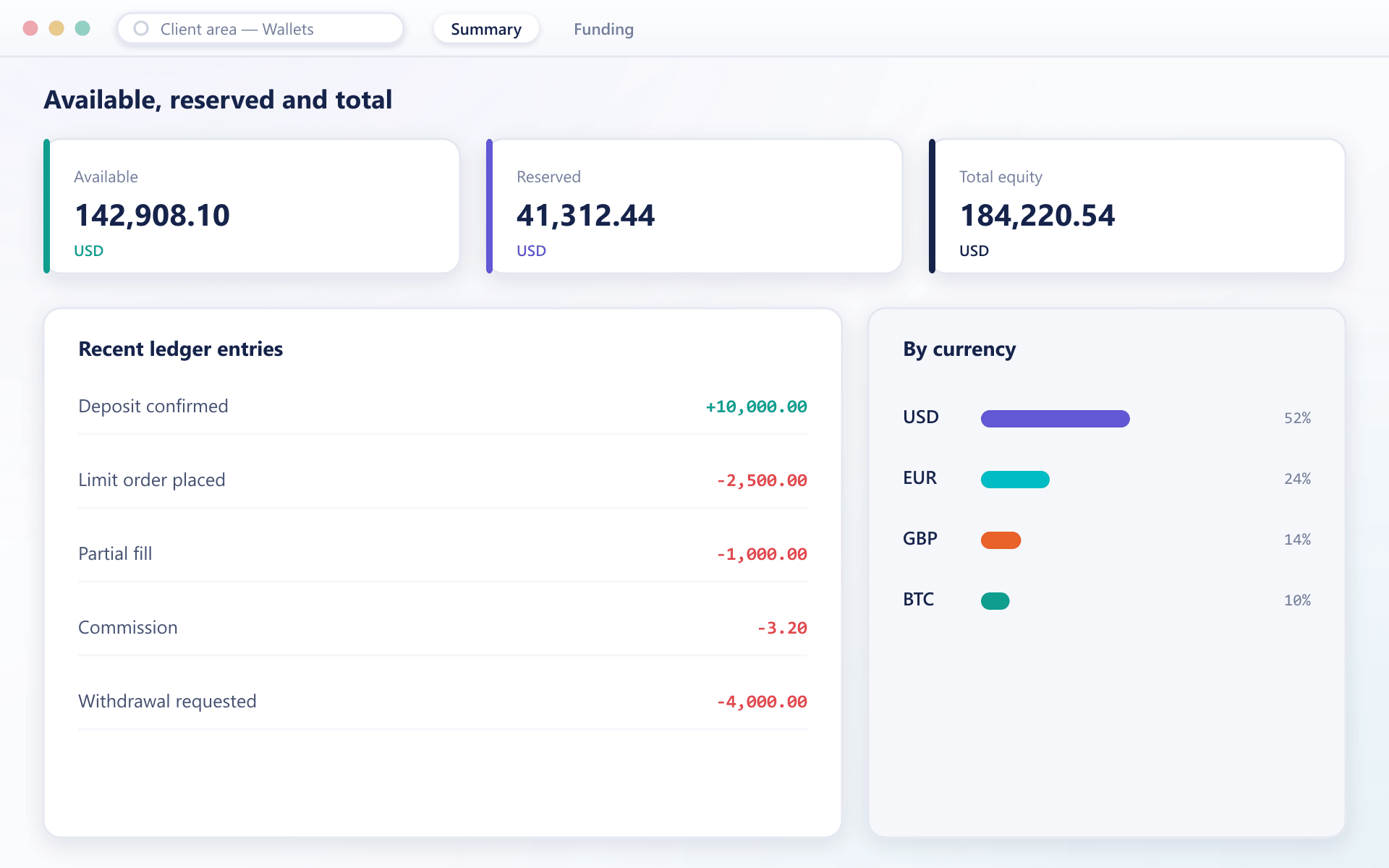
Balances and holdings in one account view
Available, reserved and total balances sit alongside a breakdown of holdings by currency, so a support agent can answer a balance query without opening the ledger.
The ledger
One account, one afternoon
Six movements on a single balance. Notice that nothing is overwritten — a reservation and its release are both entries, and every row carries the reference that caused it.
This is what reconciliation reads, what a statement renders, and what a dispute is settled from.
| Event | Available | Reserved | Reference |
|---|---|---|---|
| Deposit confirmed | +10,000.00 | — | psp_8841c |
| Limit order placed | −2,500.00 | +2,500.00 | ord_20194 |
| Partial fill | — | −1,000.00 | exe_44821 |
| Commission | −3.20 | — | fee_44821 |
| Order cancelled | +1,500.00 | −1,500.00 | ord_20194 |
| Withdrawal requested | −4,000.00 | +4,000.00 | wdr_7712 |
What it guarantees
Four properties that remove reconciliation work
Append-only ledger
Balances are never edited in place. Every deposit, fill, fee, funding payment and withdrawal is a ledger entry that can be read back in order.
Internal transfers
Moving value between wallets on the same account is an internal transfer with its own ledger entries, not a withdrawal followed by a deposit.
Point-in-time queries
Because the ledger is ordered, any balance can be reconstructed as at a given timestamp for a statement, an audit or a dispute.
Exports that match
Exports read the same ledger the terminal reads, so the file a client sends to their accountant cannot disagree with what they saw.
Why an order cannot be spent twice
- 1
Submitting an order moves the amount from available to reserved.
- 2
A cancellation or expiry releases it with a matching entry.
- 3
A fill converts the reservation into a settled movement.
FAQ
Wallets and balances: common questions
6 short answers to what teams ask before a demo.
Available is what the client can commit to a new order or withdrawal right now. Reserved is what resting orders, open margin requirements and pending withdrawals have already claimed. Total is the sum of the two.
No. Balances are derived from an append-only ledger of movements. Nothing is edited in place, which is what makes point-in-time reconstruction and dispute resolution straightforward.
Yes, where you allow it. An internal transfer writes its own ledger entries on both sides and does not go through the deposit or withdrawal machinery, so it is immediate and carries no external fee.
The reservation is released with a matching ledger entry and the amount returns to available immediately. The release entry stays in the ledger, so the sequence remains auditable.
Yes. Because the ledger is ordered and immutable, any balance can be reconstructed as at a given timestamp, which is what statements, audits and dispute investigations rely on.
Yes. Statement exports are generated from the same ledger that the terminal reads, so there is no separate reporting store that can drift out of step.
Still have a question?
A specialist will answer it directly, with your set-up in mind.
Ask a specialistWalk through the ledger with our team
We will trace a deposit, a trade, a fee and a withdrawal end to end so you can see exactly what your back office would work with.