More Capabilities
A platform that reads like it was built for each market
Language, number and date formats, currency presentation and right-to-left layout are all part of the same localisation layer. Your team edits the translations, because nobody knows your market’s terminology better.
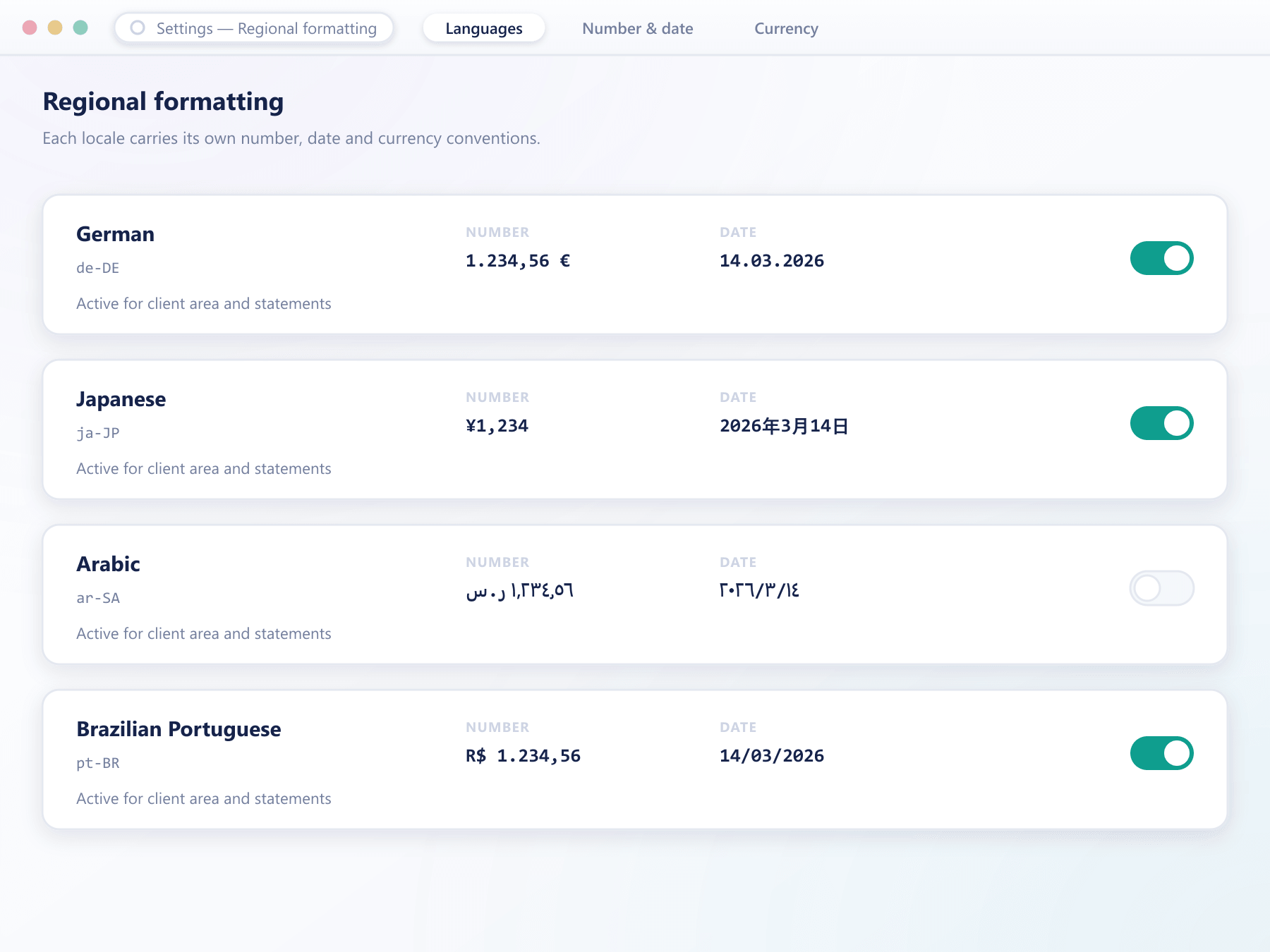
The same value, presented the way each market expects to read it.
What localisation actually covers
Translating labels is the easy part. These are the parts that get missed.
Interface languages
The terminal, client area and mobile apps share one translation set, so a language is never half-applied across surfaces.
Right-to-left layout
Layouts mirror properly for right-to-left languages rather than simply reversing text inside a left-to-right structure.
Number and date formats
Decimal separators, thousand grouping, date order and time presentation follow the locale rather than a single global convention.
Currency presentation
Symbol placement, spacing and decimal handling follow local convention, which matters more to perceived quality than most teams expect.
Editable by your team
Translations are editable in the console, so market-specific terminology can be corrected without a development request.
See it live
Translation coverage your team can see and fix
Coverage by language sits next to a review panel, so a market lead can spot an untranslated string and correct it without filing a request.
How a client ends up in the right language
Resolution order, and where your team can intervene
- 1Detection
A sensible starting point
The initial language is resolved from the client group default and the browser or device preference, so a new client rarely has to change it.
- 2Override
The client decides
Clients set their own language and formatting preference, which is stored on the account and applies across web, mobile and email.
- 3Editing
Your team refines the wording
Translations are editable in the console, with changes taking effect without a release. Untranslated strings fall back to the base language rather than showing a key.
- 4Messaging
Emails follow the same preference
Verification messages, alerts and statements are sent in the client's chosen language using the same translation set.
What localisation is worth commercially
It is usually the cheapest change that measurably improves conversion in a new market.
Better conversion
Prospects complete signup at a noticeably higher rate when the flow is in their own language.
Fewer support tickets
Most questions caused by misread interfaces disappear once the wording is correct for the market.
Credibility in-market
Poorly translated terminology signals a foreign operator, and clients treat that as a risk.
Faster expansion
Because translations are editable, entering a new market is a content task rather than a development cycle.
FAQ
Localisation: common questions
5 short answers to what teams ask before a demo.
The web terminal, the client area, the mobile apps and every email the platform sends. They share one translation set, so a language is never applied to some surfaces and not others.
Yes. Layouts mirror rather than simply reversing text within a left-to-right structure, so navigation, tables and charts read correctly in right-to-left languages.
Yes, in the console. Market-specific terminology is often better decided by your local team, and changes take effect without a release.
They fall back to the base language rather than displaying a placeholder or an internal key, so a partially translated language is still usable while it is being completed.
They follow the locale, which is set alongside the language and can be adjusted independently. Decimal separators, grouping, date order and currency symbol placement all follow it.
Still have a question?
A specialist will answer it directly, with your set-up in mind.
Ask a specialistSee the platform in your market’s language
Tell us which markets you are entering and we will show you the terminal and a client email in those languages.