Smart Trading
Bad orders stopped at submission, not investigated afterwards
Price bands, size limits, exposure caps, order rate limits and margin availability are all checked before an order is accepted. A failed check returns a specific reason to the trader rather than a generic error.
Submission path
Price band
Size limits
Exposure cap
Rate limit
Margin check
Accepted — order reaches the book
Five checks
What each one catches, and what the trader is told
Price band
Decimal-place mistakes
Price 1.8624 is outside the band 1.0855 – 1.0870
Size limits
Wrong lot size
Quantity 100.00 exceeds the maximum of 25.00
Exposure cap
Accumulated positions
Position would take EUR exposure to 1.4M against a 1.0M cap
Rate limit
A malfunctioning script
62 submissions in 10s exceeds the limit of 40
Margin check
Immediately unhealthy positions
Required margin 1,240.00 exceeds available 880.00
Rejection messages are illustrative. The exact wording and thresholds are yours to configure per instrument and per client group.
See it live
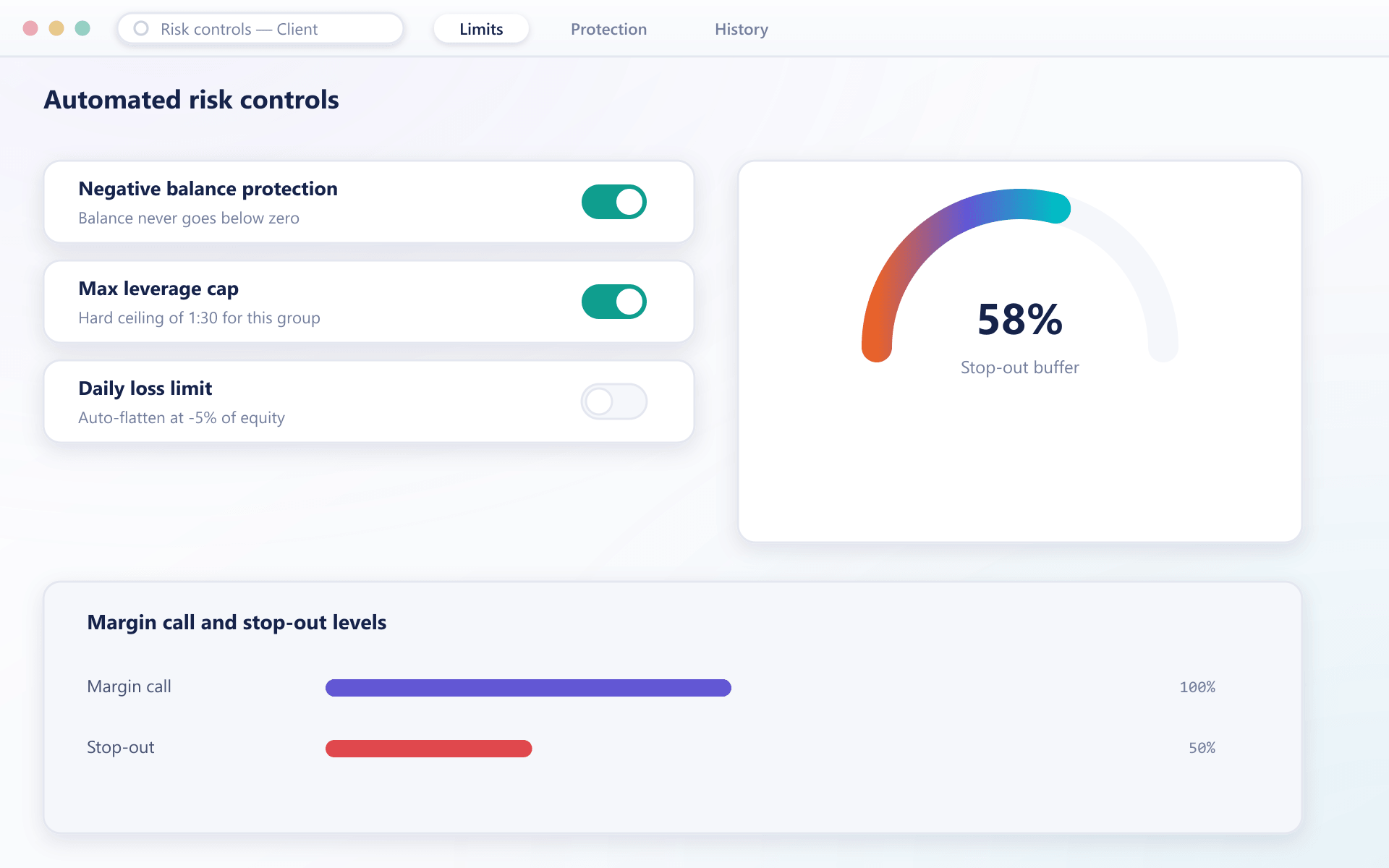
Exposure and margin, watched before a check fails
Utilisation, exposure limit and stop-out buffer gauges give your desk the same view the engine checks against at submission, before a rejection ever happens.
What pre-trade control prevents
Every one of these checks exists because the alternative is an incident report.
Stricter of instrument and group always winsNo fat-finger losses
Price bands and size caps stop the mistyped order before it needs explaining.
Contained integrations
Rate limits keep one client script from degrading everyone else.
Predictable exposure
Caps evaluated across the account mean no surprise accumulation.
Fewer support tickets
Specific reasons let a trader fix their own order.
FAQ
Risk controls: common questions
5 short answers to what teams ask before a demo.
Baseline limits sit on the instrument and can be tightened per client group. The effective limit applied to an order is always the stricter of the instrument and group values.
Yes. Validation runs in the engine rather than in the client, so an order from the API, the web terminal and a mobile app are all held to exactly the same rules.
The specific check that failed and the threshold involved, so they can correct the order themselves. Generic error messages are deliberately avoided because they generate support load.
Yes, and they usually should. A liquid currency pair and a thin token warrant very different price bands and size caps, and each instrument carries its own.
Rejection counts by reason are available in the console. A sudden concentration of rejections against one check is normally the first sign that a limit is mis-set or an integration has changed behaviour.
Still have a question?
A specialist will answer it directly, with your set-up in mind.
Ask a specialistTest the limits before your clients do
We will deliberately breach each check during the walkthrough so you can see exactly what a trader receives.