Smart Trading
Alerts that keep watching after the trader logs out
Price conditions are evaluated in the platform, not in the browser. A trader who closes the tab still gets the notification, on whichever channels they have enabled.
EUR / USD
now
Crossed above 1.08900
XAU / USD
12m
Moved +1.2% in 1H
Platform
1h
Maintenance 02:00–02:30 UTC
Delivery
Three channels, one of which always keeps a copy
Mobile push
Arrives on the lock screen
From your own sending domain
In-platform
Always retained in the centre
See it live
Every alert, with its status at a glance
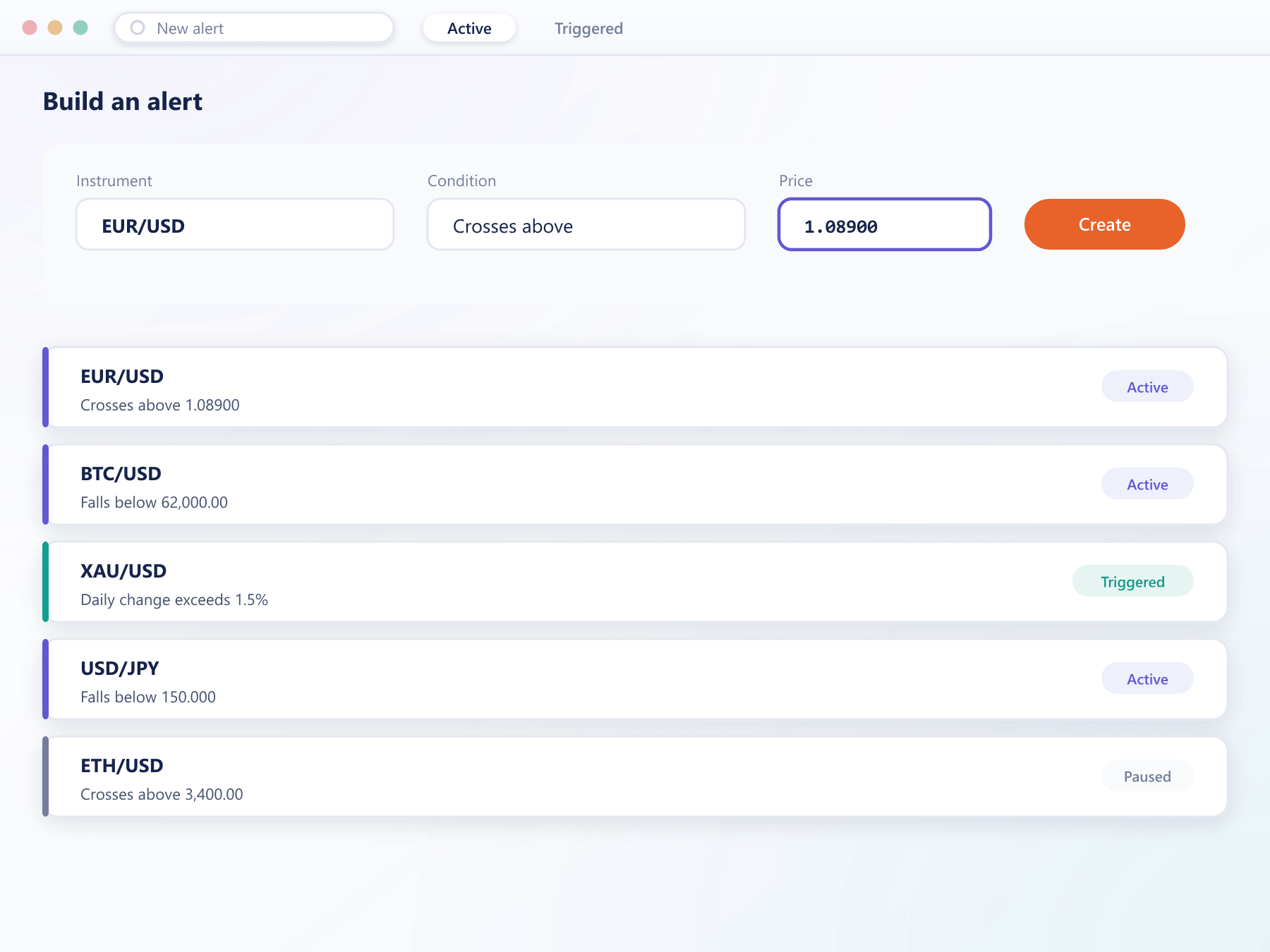
A price-alert list shows each condition and whether it has fired, so a trader can review what they are watching without opening every instrument.
Conditions
Set from the chart or the instrument
Both routes produce the same object, evaluated alongside the price feed rather than in a browser tab.
Price crossing
Above or below an absolute level
Percentage move
Over a period the trader chooses
Spread widening
Beyond a threshold you configure
One-shot or recurring
An alert can disable itself after firing or keep watching — the difference between an entry signal and an ongoing monitor.
FAQ
Price alerts: common questions
5 short answers to what teams ask before a demo.
Yes. Conditions are evaluated on the server against the live price feed, so they fire whether or not the trader has a browser tab or a mobile app open.
Mobile push notifications, email and the in-platform message centre. A trader can set defaults and override them per alert, and every alert is recorded in the message centre regardless of the other channels.
Absolute price crossing in either direction, a percentage move over a chosen period, and spread widening beyond a threshold. Each alert is tied to a specific instrument.
That is a per-alert choice. One-shot alerts disable themselves after firing, which suits entry signals. Recurring alerts keep watching until the trader removes them, which suits ongoing monitoring.
Yes. Your desk can broadcast operational messages such as maintenance windows or trading condition changes into the same message centre, targeted at a client group or the whole book.
Still have a question?
A specialist will answer it directly, with your set-up in mind.
Ask a specialistSet an alert and close the browser
The quickest way to judge this is to watch an alert fire on a phone after the desktop session has been closed. We will do exactly that.