Revenue Tools
Commission models that fit your business, not the platform’s
Charge by lot, by notional value or as a flat amount. Split maker and taker. Add volume tiers. Whatever you configure, the charge is written as its own ledger entry so a client can always see what they paid and why.
Calculation basis
Per lot
lots × rateThe familiar model for FX and CFD books
Per notional
notional × rate %Scales naturally across price levels
Flat
rate per executionPredictable for low-touch instruments
See it live
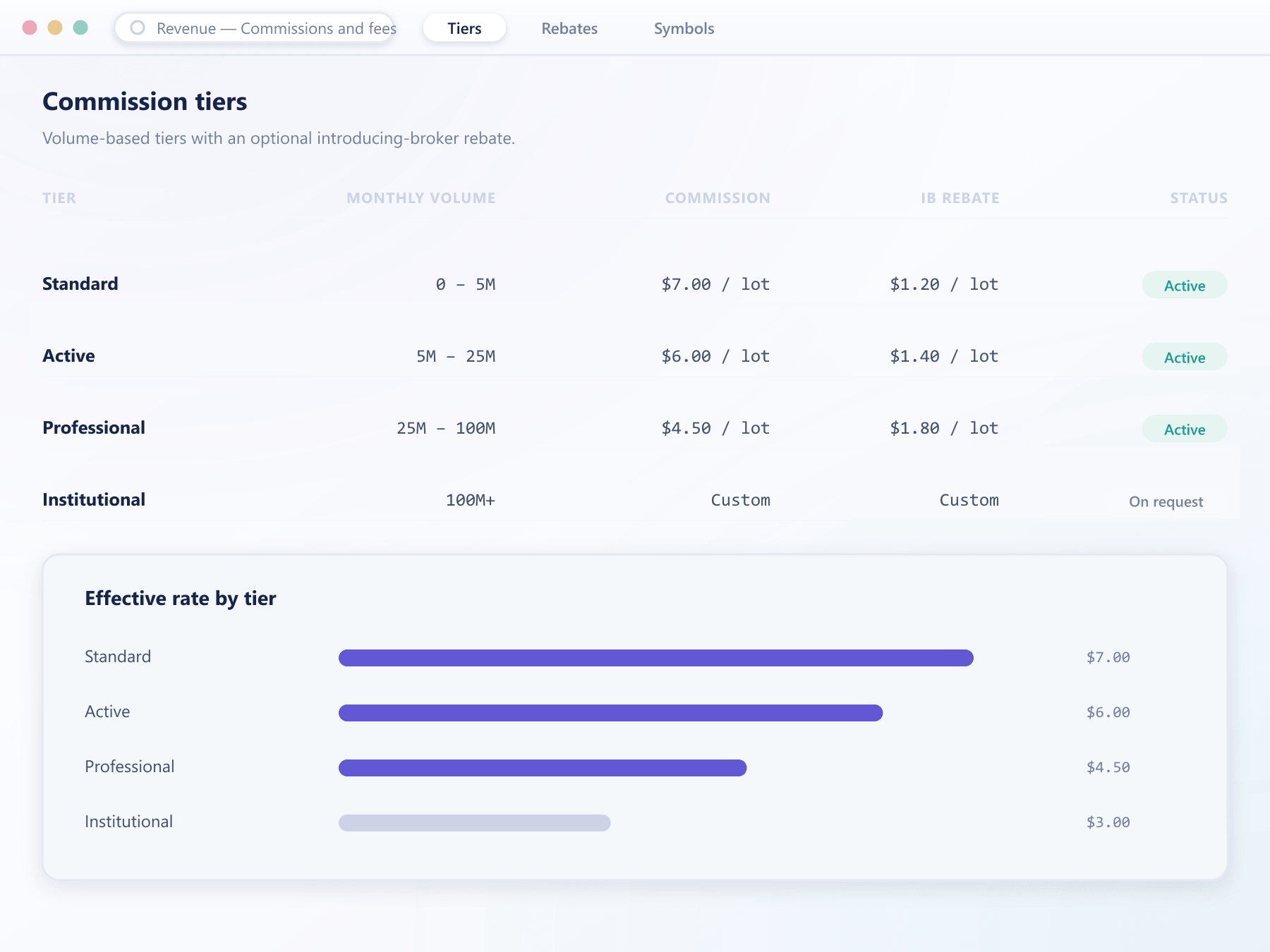
Tiers and rates, visible as a rule table
Maker and taker rates by volume tier render as the same tiered table your operations team edits when a schedule needs to change.
Volume tiers
Rates that improve on their own as a client trades more
Thresholds are evaluated against rolling volume, so nobody has to reclassify an account by hand.
Standard
Up to 50 lots
Active
50 – 250 lots
Professional
250 – 1 000 lots
Institutional
Above 1 000 lots
Illustrative structure only. Rates, thresholds and the rolling window are yours to set.
Key features
The models you can actually configure
Commercial teams change pricing more often than anyone expects. This is built for that.
Several calculation bases
Commission can be a rate per lot, a percentage of notional value or a flat amount per execution, chosen per instrument.
Maker and taker splits
Separate rates for liquidity added and liquidity removed, which is what makes a spot book attractive to market makers.
Volume tiers
Rates that improve as rolling volume crosses thresholds, evaluated automatically without anyone reclassifying accounts by hand.
Per-group schedules
Each client group carries its own schedule, so retail, professional and institutional pricing coexist without separate deployments.
Transparent charging
Every charge is a distinct ledger entry linked to the execution that produced it, never folded into the trade price.
From schedule to ledger entry
Where a commission is decided and where it lands
- schedule
Rates live on the group
A fee schedule is attached to a client group and can override instrument defaults. Editing it updates every client in that group from their next trade.
- resolution
The rate is resolved at execution
When a fill occurs, the applicable rate is resolved from the group schedule, the instrument and the client's current volume tier.
- charging
Written as its own entry
The charge is a separate ledger entry referencing the execution, in the currency you configured for that instrument.
- reporting
Aggregated without extra work
Because charges are discrete entries, commission revenue by instrument, group and period is a query rather than a calculation.
What flexible pricing lets you do
Pricing is the lever most desks want to pull and least often can.
Effective from the next tradeCompete where it matters
Aggressive pricing on the instruments that win business, standard pricing everywhere else.
Reward real volume
Automatic volume tiers reward active clients without anyone maintaining a spreadsheet of exceptions.
Fewer billing disputes
A visible, itemised charge per trade removes the most common reason clients query their statement.
Honest revenue reporting
Discrete charges make it obvious which instruments and which tiers actually earn.
FAQ
Commissions and fees: common questions
5 short answers to what teams ask before a demo.
Per lot, as a percentage of notional value, or a flat amount per execution. Each can carry separate maker and taker rates and volume tiers, and the basis is chosen per instrument.
Yes. Fee schedules attach to client groups, so retail, professional and institutional tiers can each have their own rates on the same instrument. A single client can be given bespoke rates by placing them in their own group.
Against rolling traded volume over the period you configure. When a client crosses a threshold the improved rate applies to subsequent trades automatically, with no manual reclassification.
No. Every charge is written as its own ledger entry referencing the execution that produced it. This keeps statements readable and makes revenue reporting straightforward.
From the next trade. Executions that already took place keep the rates that applied at the time, so a change is never retroactive.
Still have a question?
A specialist will answer it directly, with your set-up in mind.
Ask a specialist