Security & Protection
Protection that is part of the platform, not an add-on
Two-factor authentication, session control, device revocation and withdrawal safeguards ship with the platform and are enabled from day one. Clients manage most of it themselves, which is the point.
Active sessions
3Chrome · Windows
Dubai, AE · Active now
This deviceTradeX mobile app
Dubai, AE · 2h ago
RevokeSafari · macOS
London, GB · 3d ago
Revoke
Two-factor required for withdrawals
Threat and control
Almost every account compromise follows the same few patterns
These are the controls that break them.
Stolen password
Second factor on login
Sign-in fails without the code
See it live
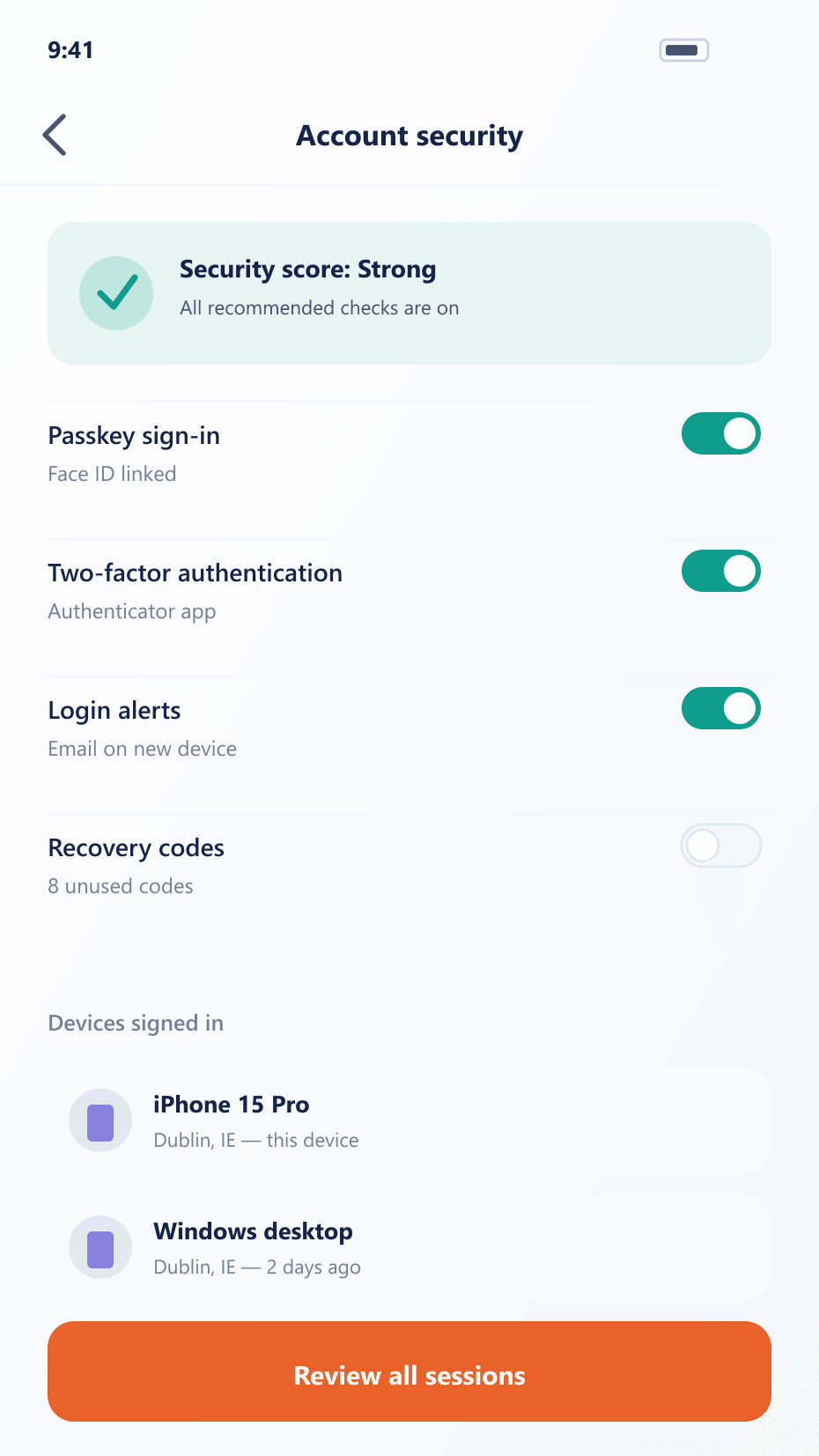
Two-factor and device controls, in one settings screen
Two-factor, device management and withdrawal safeguards sit as toggles a client can review and change themselves, without opening a support ticket.
What good security is worth commercially
Incidents cost money, but they cost reputation faster.
Fewer compromised accounts
Mandatory second factors and allow-listed destinations close the two routes most incidents take.
Lower support load
Clients who see and revoke their own sessions do not open a ticket to ask.
Defensible records
A complete activity log means a disputed withdrawal is answered from evidence.
FAQ
Account security: common questions
5 short answers to what teams ask before a demo.
That is your decision, set per client group. It can be optional for one tier and required for another, and it can be required only for sensitive actions such as withdrawals rather than on every login.
Yes. The active session list shows every session with its device, approximate location and last activity, and the client can revoke any session or all of them immediately.
A client adds and confirms a destination, and it becomes usable only after the delay you configure. Withdrawals to destinations that are not on the list are refused, which removes the value of a compromised session.
A configurable delay after a sensitive change — a password reset, a two-factor reset or a first sign-in from a new device — during which withdrawals are held. It gives a legitimate owner time to react to a change they did not make.
Successful and failed logins, session creation and revocation, setting changes, API key issuance and revocation, and every withdrawal request with its outcome. Each entry carries a timestamp and origin, and both the client and your desk can read it.
Still have a question?
A specialist will answer it directly, with your set-up in mind.
Ask a specialistRelated
Related capabilities
Review the security model with our team
Bring your compliance requirements and we will walk through each control and what it evidences.