Platform Essentials
Every movement of client money, in one report
Finance asks where a balance came from. Compliance asks who changed it. Support asks why a client's figure moved overnight. The balance operations report answers all three from one place: every credit and debit on every account, with its type, its reason and the person or process behind it.
What it contains
One ledger view instead of five exports
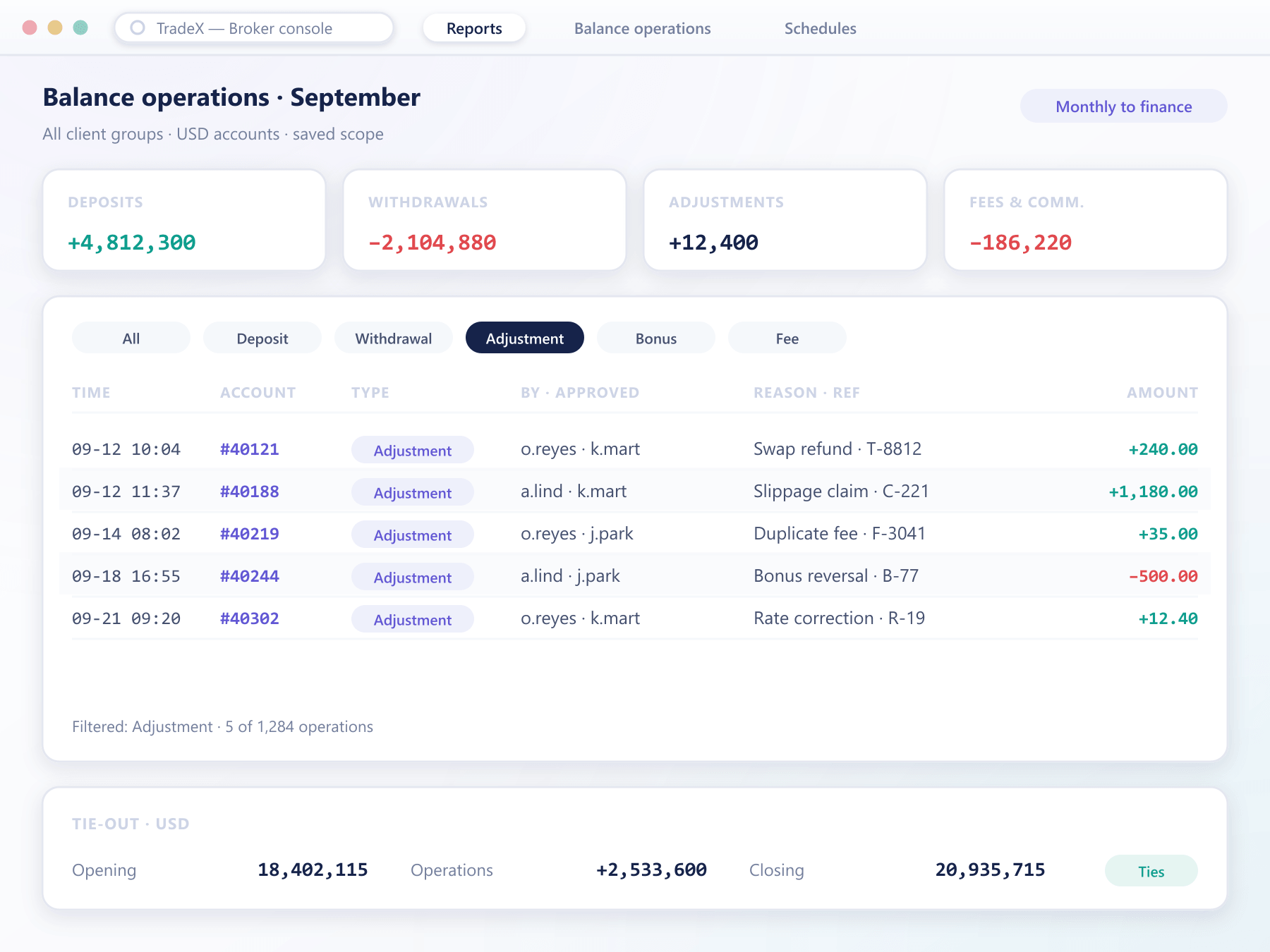
Each line is a balance movement read straight from the ledger the platform writes to, so the report cannot disagree with the account.
Every operation type
Deposits, withdrawals, internal transfers, manual adjustments, bonuses, fees, commissions and financing, side by side and filterable by type.
Who or what made it
Each line names the operator, the payment provider or the automated process that created it, so an adjustment is never anonymous.
Reason and reference
The reason entered at the time and the external reference from the payment provider sit on the line, which is what makes reconciliation quick.
Scoped like any report
Filter by period, client group, currency, account or operator, and save the scope so the same view runs again next month.
Scheduled delivery
Send the report to finance daily or monthly without anyone generating it, in a spreadsheet-friendly format with the filters recorded in the file.
Totals that tie out
Opening balance, the sum of operations and closing balance are shown per account and currency, so a gap is visible rather than discovered.
Where teams use it
One report, three different questions
Finance reconciles
Deposits and withdrawals are matched against provider statements using the reference on each line.
Compliance reviews
Manual adjustments and bonuses are filtered by operator to check that each one had a reason and an approval.
Support explains
A client's question about a changed balance is answered from the account's lines, without escalating to finance.
Auditors receive it
The saved scope is exported for the period under review, with totals that tie to the ledger.
Report questions
What the report covers
4 short answers to what teams ask before a demo.
General reports cover trading: volume, revenue, positions. This one covers money: every movement on a balance and why it happened. It is the report finance and compliance reach for first.
Realised results appear as balance movements when positions close, alongside fees, commissions and financing, so the report explains the whole change in a balance over a period.
Yes. Filter by operation type and operator to list every manual change, with the reason and the approval attached to each.
To the first operation on the account. The report reads the ledger directly, so there is no rolling window that silently drops older history.
Still have a question?
A specialist will answer it directly, with your set-up in mind.
Ask a specialistBring last month's reconciliation
Show us how your finance team ties balances out today and we will run the same month through the balance operations report.