Smart Trading
The instruments a client cares about, on every device
Watchlists are stored on the account, not in local storage. A trader who builds a list on a laptop finds it on their phone, and a desk can publish curated lists to a whole client group.
EUR / USD
1.08624
+0.14%
XAU / USD
2,318.40
+0.62%
BTC / USDT
64,180.0
−1.08%
US 500
5,284.6
+0.21%
GBP / JPY
198.412
−0.33%
Columns
Per list, not global. A volatility list and a spread-watching list do not have to look the same.
A list that is worth keeping
Watchlists get abandoned when they are hard to build or vanish between sessions. Neither happens here.
Multiple named lists
Separate lists per strategy or asset class, switched from the same widget.
Configurable columns
Show only what the trader reads. Column choice is per list, not global.
Stored on the account
Clearing a browser or moving device does not lose them.
Trade from the row
Selecting an instrument loads it into the ticket and the chart together.
Published lists
Your desk can publish curated lists to a client group — how a new listing gets discovered.
See it live
Spreads and sparklines, on the list a client built
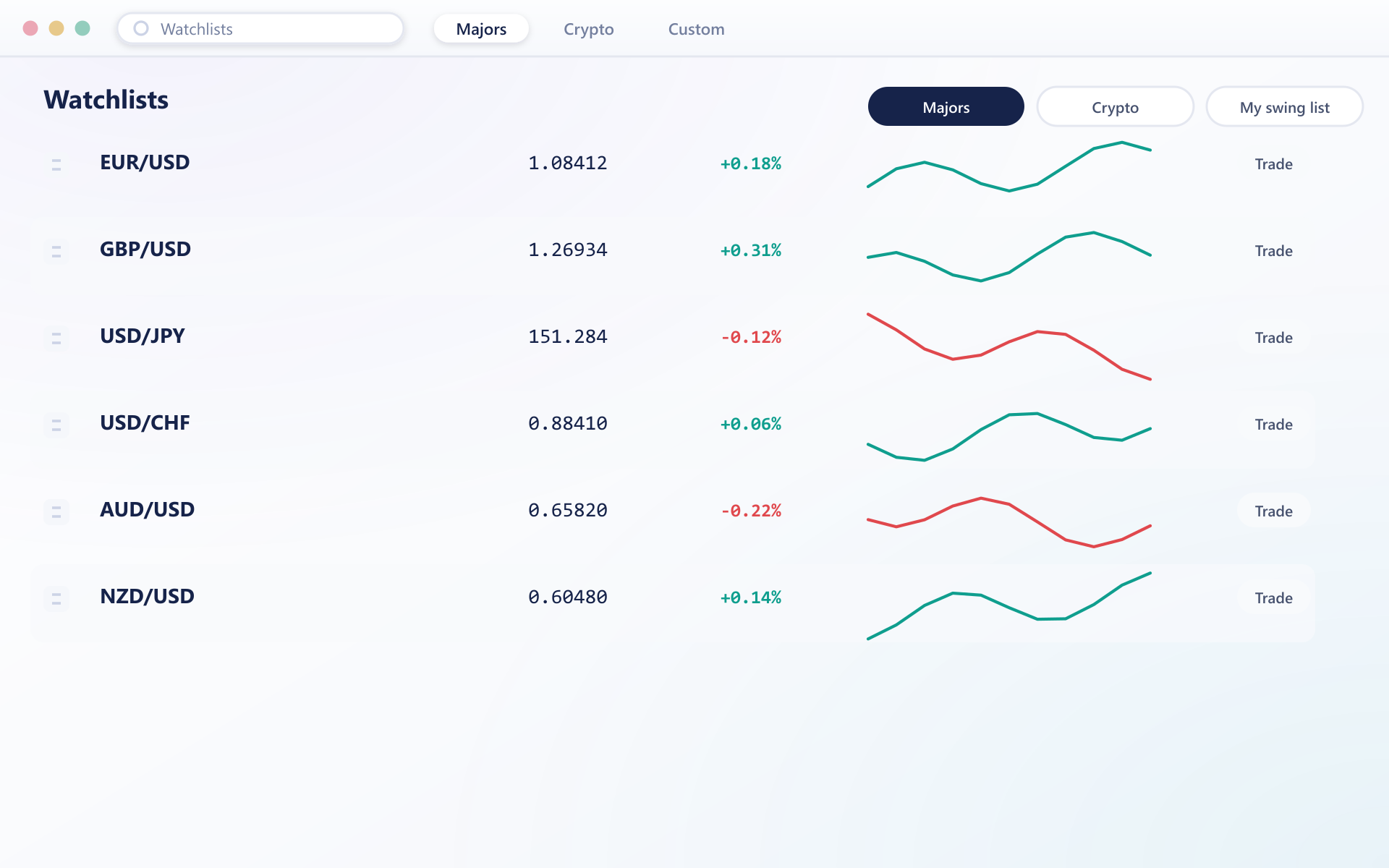
A watchlist with live spreads and sparklines is what a trader lands on, stored on the account rather than the browser they happen to be using.
Small feature, measurable effect
Where most sessions startFaster sessions
A trader landing on their own list starts working immediately.
Discovery
Published lists put a new instrument in front of the right clients.
Consistent devices
Because lists live on the account, mobile is not a downgrade.
Better decisions
Which published lists get copied tells you what clients want.
FAQ
Watchlists: common questions
5 short answers to what teams ask before a demo.
No. They are stored server-side against the account, so clearing browser data or signing in from a new device does not lose them.
There is no practical limit. Most traders keep a handful — typically one per strategy or asset class — and switch between them from the same widget.
Yes. Your desk can publish curated lists to a client group. Clients see them alongside their own and can copy one into a personal list to edit, which leaves your original untouched.
Last price, absolute and percentage change, spread, session high and low, and traded volume. The selection is per list, so different lists can show different columns.
Yes. The same lists, order and column configuration appear on the mobile clients, laid out for a smaller screen but reading from the same stored configuration.
Still have a question?
A specialist will answer it directly, with your set-up in mind.
Ask a specialistSee watchlists sync across devices
We will build a list on the web terminal during the call and open it on a phone without any further setup.