Smart Trading
History detailed enough that nobody has to ask your desk
Orders, fills, fees, funding payments and transfers sit in one filterable view. Every row links to the event behind it, and exports are generated from the same records the screen reads.
| Time | Type | Detail | Reference |
|---|---|---|---|
| 14:02:11 | Fill | EUR/USD · Buy 0.60 @ 1.08624 | exe_44821 |
| 14:02:11 | Fee | Commission −3.20 USD | fee_44821 |
| 13:58:04 | Order | EUR/USD · Limit 1.00 @ 1.08600 | ord_20194 |
| 13:41:57 | Fill | XAU/USD · Sell 0.10 @ 2,318.40 | exe_44802 |
One view, every record
Splitting history across screens is how clients stop trusting the numbers
Everything in one place
Orders, executions, commissions, financing, funding, deposits, withdrawals and internal transfers in a single filterable view.
Filters that compose
Instrument, period, record type, side and status combine, and the resulting view is exactly what an export produces.
Linked to the event log
Each row references the underlying event, so a question about a fill is answered from the record rather than reconstructed.
Statements on a schedule
Periodic account statements generated automatically and delivered to the client area or by email.
See it live
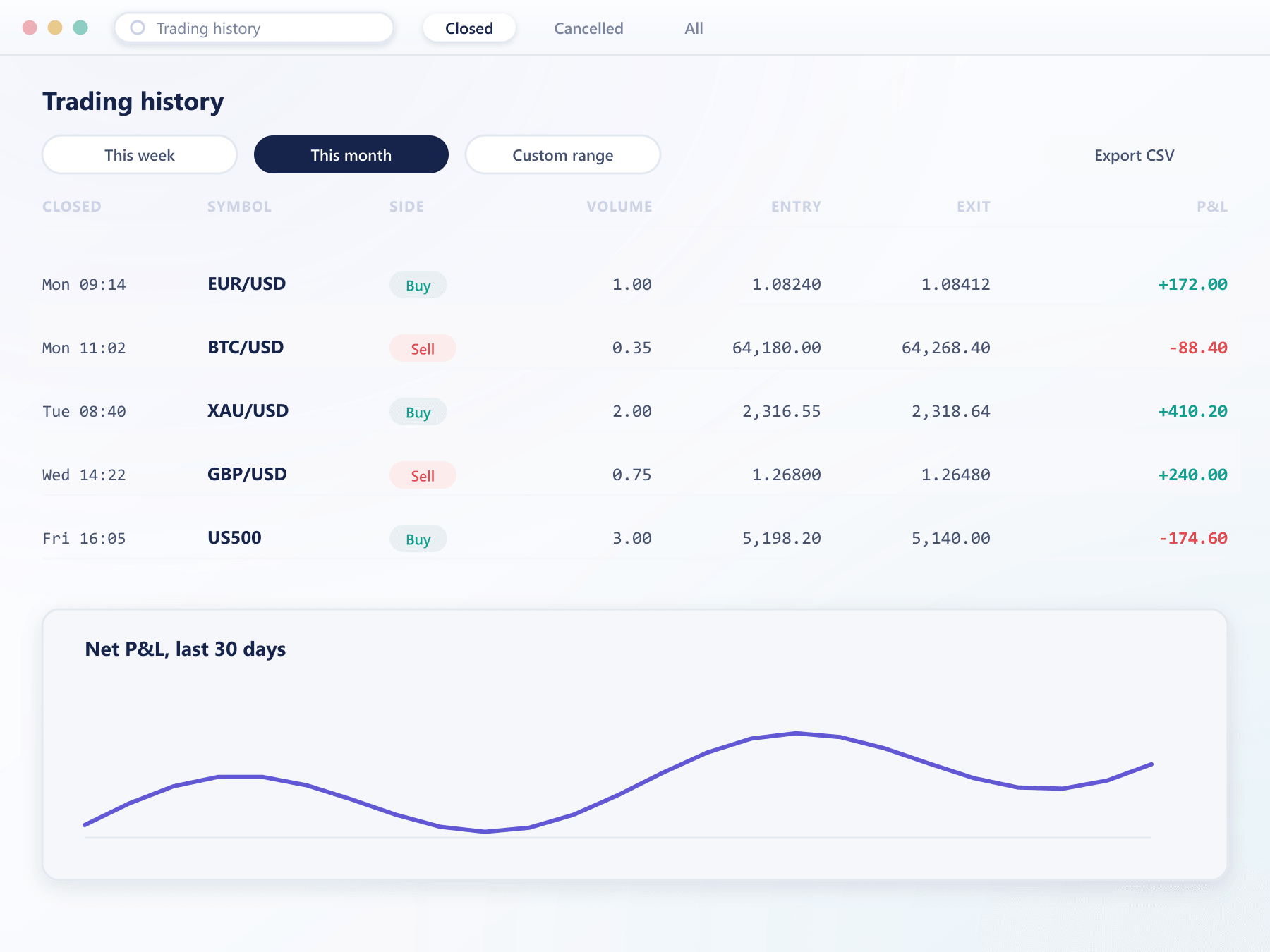
A history that reads like a KPI dashboard
Cumulative P&L, asset breakdown and the most-traded list summarise the same filterable history this page describes, without a separate report.
FAQ
Trading history: common questions
6 short answers to what teams ask before a demo.
For the life of the account. Records are written as events and retained, so there is no rolling window after which older activity becomes unavailable.
Order submissions and amendments, executions and partial fills, cancellations and expiries, commissions, financing and funding charges, deposits, withdrawals and internal transfers.
Yes. An export produces exactly the filtered view being displayed, generated from the same records, with the applied filters recorded in the file so the context travels with it.
Yes. Periodic statements can be scheduled per client group and delivered to the client area or by email. Clients can also generate a statement for any custom period on demand.
Yes. Operators view the identical records from the console, which removes the common situation where support and client are looking at different figures.
To the first trade on the account. Reports can be generated for the whole account history rather than a recent window, which matters for tax years, audits and disputes about older positions.
Still have a question?
A specialist will answer it directly, with your set-up in mind.
Ask a specialistTrace a trade from ticket to statement
We will follow a single order through history, fees and a generated statement so you can see the whole chain.