Accounts
Let visitors try the terminal before they sign up
Most people who land on a broker's site leave before they see the product. Guest access opens the live terminal to anyone, with real prices and charts and no form in front of them, and asks for a signup only when the visitor tries to do something that needs an account.
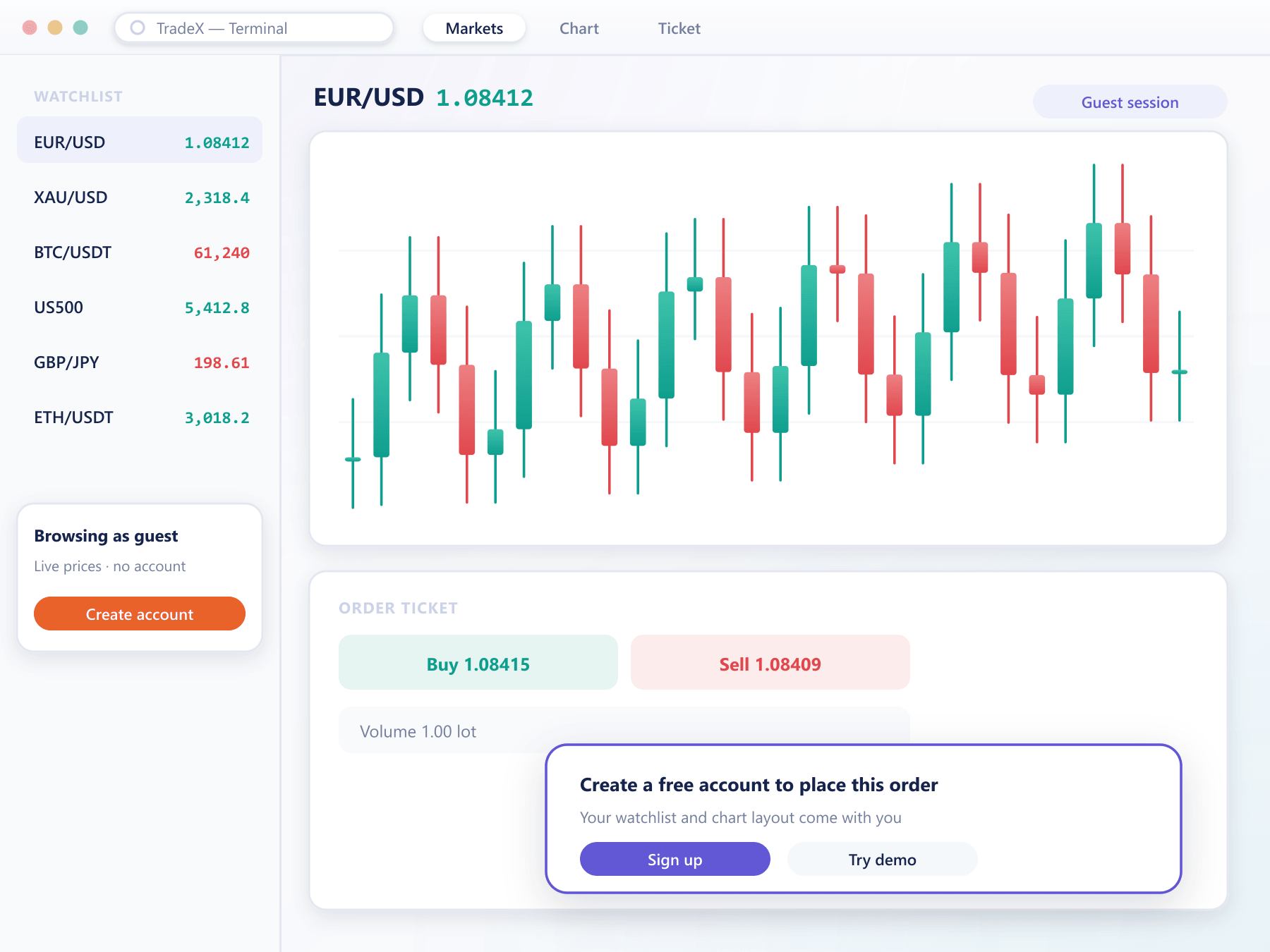
What a guest sees
The real terminal, minus the commitment
Guest access is the production workspace with an account-shaped gap, not a marketing replica of it.
Live prices and charts
Quotes, depth and charting run on the same market data as funded accounts, so the visitor judges the platform on what they would actually get.
A workspace they can arrange
Watchlists, chart layouts and indicators can be set up as a guest and are kept when the visitor registers, so nothing has to be rebuilt.
Signup at the right moment
Opening the order ticket or saving an alert prompts registration in place, and the visitor returns to the same screen once their account exists.
You choose what is open
Pick which instruments, tools and screens guests can reach, per site or region, and keep anything you prefer to show only to clients behind the signup.
Respects your restrictions
Country restrictions and required disclosures apply to guests too, so the open door does not bypass what compliance has already decided.
Measured as a funnel
Guest sessions, the actions that triggered signup and conversion to a funded account are reported, so you can see which instruments actually persuade people.
From visitor to client
A shorter path than a form first
Arrive
A visitor follows a link from your site or a campaign and lands in the terminal with no registration step.
Explore
They watch prices, open charts and arrange a workspace, using the platform rather than reading about it.
Register in place
The first action that needs an account opens a short signup over the screen they are on.
Carry on
Their workspace follows them into a demo or live account, and verification proceeds as your onboarding rules require.
Guest access questions
Before you open the door
4 short answers to what teams ask before a demo.
A demo account needs a registration and gives the visitor a virtual balance to trade. Guest access needs nothing at all and lets them look and arrange, but not trade. Most brokers offer both: guest access to persuade, demo to practise.
No. Any action that would create an order, an alert or a saved setting asks the visitor to register first, then returns them to the same place.
Guest sessions use the same streams as clients, so you control the exposure by choosing which instruments are open to guests and by setting a session limit if you need one.
Yes. Guest access follows the same country restrictions as registration, and it can be enabled for one site or region and not another.
Still have a question?
A specialist will answer it directly, with your set-up in mind.
Ask a specialistOpen the terminal as a guest
We will share a guest link to a staging terminal so you can walk the path your visitors would take, from first click to signup.