Platform Essentials
One layer decides what every client can see and pay
Rather than scattering conditions across accounts, TradeX resolves them from the client group at the moment of the action. That is why changing a fee for a whole tier is a single edit.
See it live
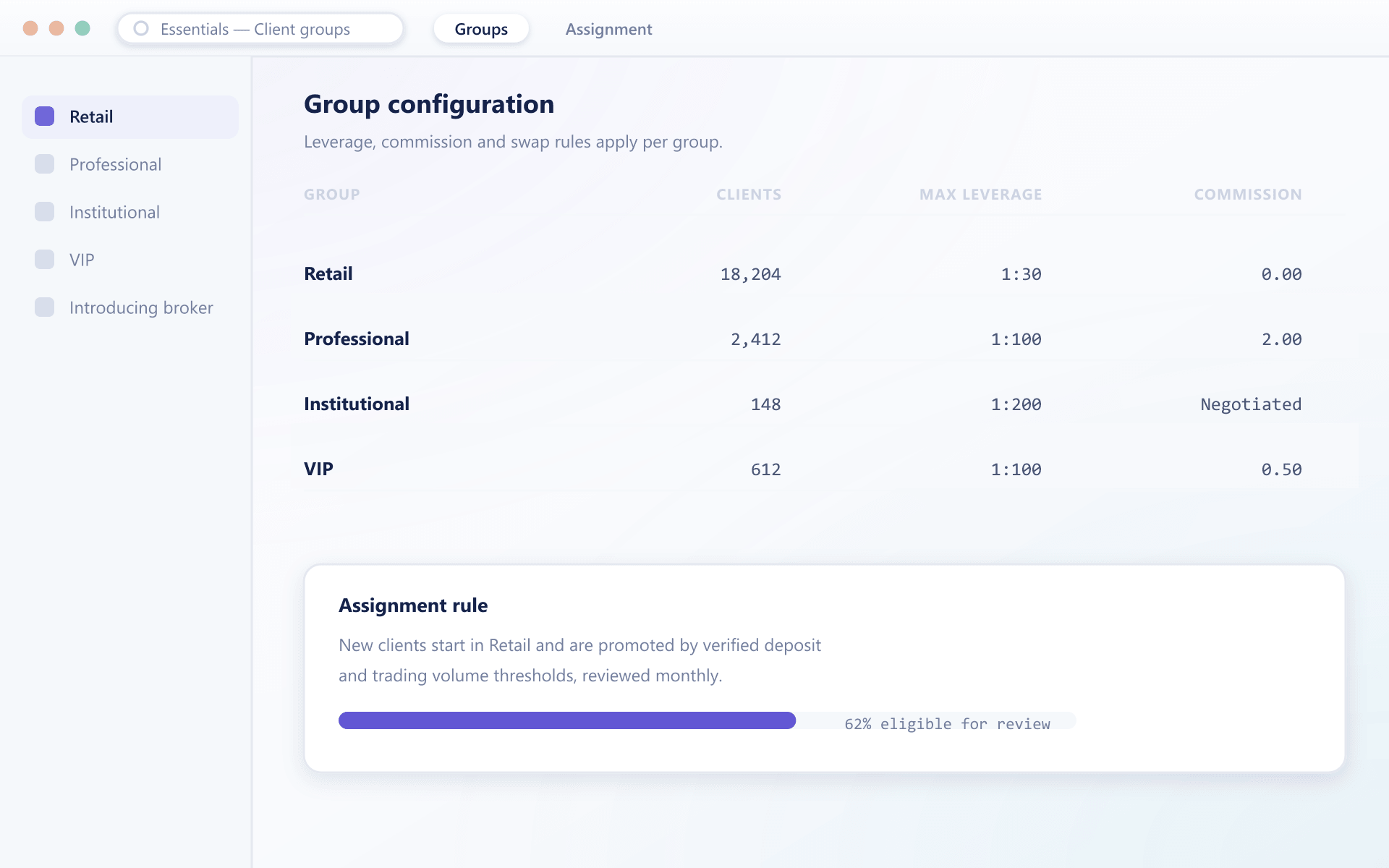
Leverage and swap terms, set per client group
Leverage tiers and swap or rollover settings are configured once per group and inherited by every client in it, with overrides visible at a glance.
Resolving one order
What the engine consults, in order
The rules are deliberately simple, because complicated precedence is how production surprises happen.
- 1
Visibility
Is this instrument published to the group?
Not published means it never appears in search, the market list or a watchlist — and an API order against it is refused.
- 2
Permissions
Is this order type permitted?
The intersection of what the instrument supports and what the group allows. Advanced types stay with advanced tiers.
- 3
Risk
Which limits apply?
Price bands, size caps, exposure limits and leverage bands taken as the stricter of instrument baseline and group override.
- 4
Pricing
What does this client pay?
Markup, commission and financing treatment from the group's fee schedule, written as its own ledger entry on execution.
Four rules
How conditions are resolved
Resolved at action time
Conditions are read when a client acts, not copied onto the account at creation. A group change therefore takes effect immediately for future actions.
Inheritance between tiers
A group inherits from a parent and overrides only what differs, so a shared baseline exists in one place rather than duplicated across every tier.
Stricter of two wins
Where an instrument baseline and a group setting disagree on a risk limit, the stricter value applies. No configuration loosens a limit by accident.
Bulk by design
Editing a group property applies to every client in it at once, with no per-account migration and no window of inconsistency.
A shared baseline, overridden once
Base
Shared defaults
Retail
Leverage cap, simple ticket
Retail · EU
Jurisdiction override only
Professional
Full order set
FAQ
Client group engine: common questions
5 short answers to what teams ask before a demo.
At the moment the client acts. Nothing is copied onto the account at creation, which is why moving a client to another group changes their conditions immediately for subsequent actions.
The stricter of the two applies. This is deliberate: there is no configuration path that accidentally loosens a risk limit set at instrument level.
A group can name a parent and override only the properties that differ. Anything not overridden is read from the parent, so a shared baseline is maintained in one place.
No. Open positions keep the conditions under which they were opened. The new settings apply from the next order or the next evaluation.
Yes, by placing them in a group of their own. This keeps the model consistent — everything is still resolved from a group — while allowing genuinely bespoke institutional arrangements.
Still have a question?
A specialist will answer it directly, with your set-up in mind.
Ask a specialistRelated
Related capabilities
Model your tier structure with us
Bring your current segmentation and we will build it as groups with inheritance during the call.