Platform Essentials
The protocol your institutional counterparties already speak
FIX sessions carry both directions: institutional clients sending order flow in, and liquidity connections delivering pricing and executions. Both are configured per session and logged in full.
Inbound
Institutional clients
Order flow in
Broker counterparties
Order flow in
TradeX engine
Sequenced, validated, recorded
Outbound
Liquidity providers
Quotes and executions
Risk and back office
Drop copy out
Session types
Three kinds of session, configured one at a time
Institutional connectivity is judged on the boring details, so those are the ones worth stating.
Order flow
Counterparties submit, amend and cancel orders over FIX with the same validation and the same event records as any other channel.
Liquidity
Upstream providers deliver quotes and executions over FIX, feeding the aggregation layer and the instruments mapped to them.
Drop copy
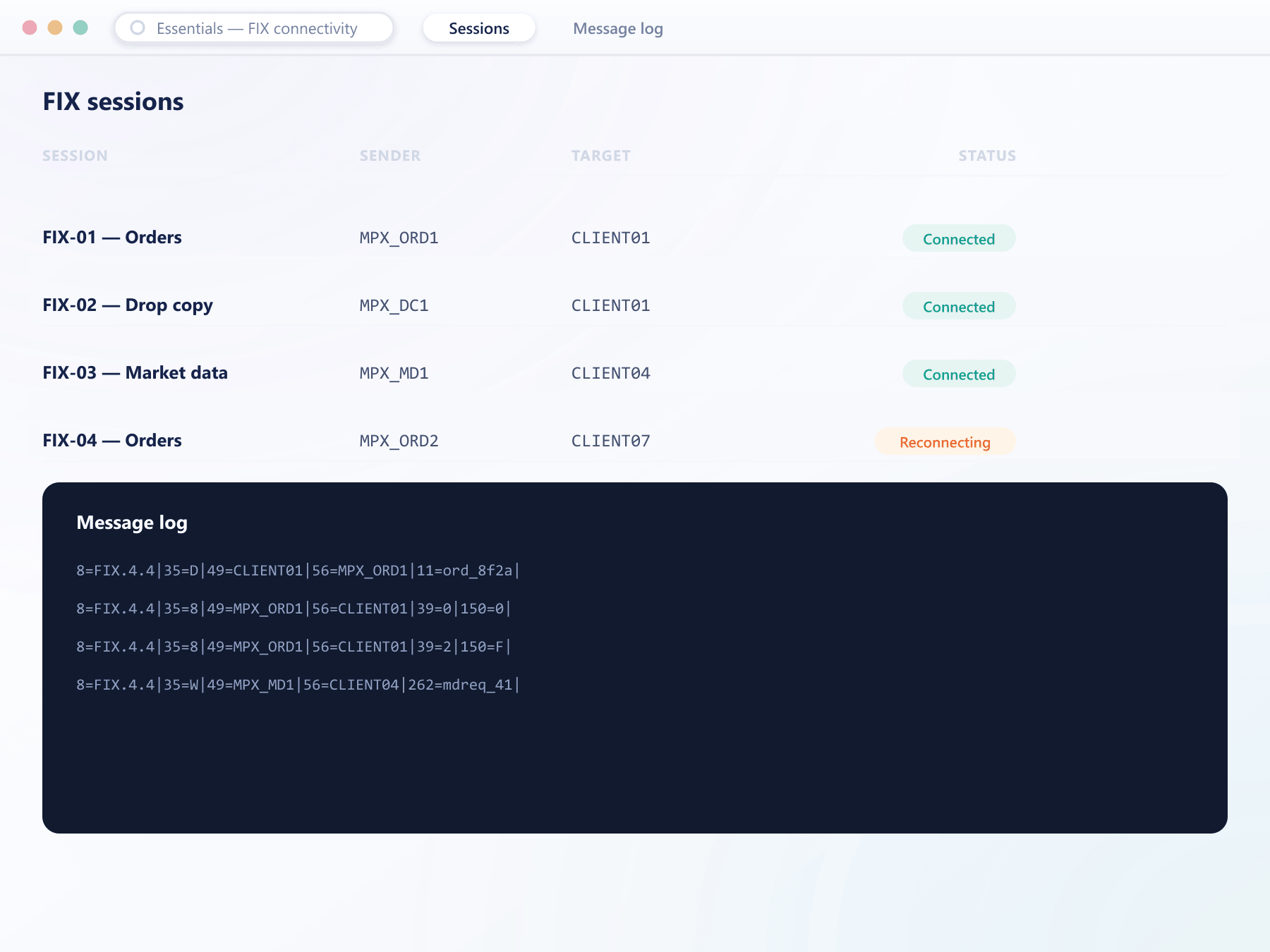
A read-only session receives execution reports for monitoring, risk or downstream reconciliation without carrying order flow.
Configured per session, never globally:
Heartbeat intervalSequence handlingSupported message typesInstrument scopeCredentialsLogging retentionSee it live
A key issued, scoped and rate-limited
Integrators authenticate the same way whether they connect over FIX or the trading API, with a scope and a usage budget attached to every credential.
Standing up a session
From agreeing to connect to passing production flow
Configuration
Identifiers, credentials, heartbeat, supported messages and instrument scope are entered against the session before any connection is attempted.
Certification
The counterparty connects to a test session and works through the flows they intend to use, including cancellations and rejections.
Production
Orders arriving over FIX are sequenced and validated exactly as terminal orders are, and produce the same events.
Monitoring
Connection state, sequence numbers, message rates and rejection counts are visible, so a problem is noticed before the counterparty calls.
What FIX opens up
The difference between serving retail and serving institutions
Full message loggingInstitutional counterparties
Funds, market makers and brokers connect the way they already connect everywhere else.
Liquidity flexibility
Because upstream connections use the same protocol, changing or adding a provider is a session, not a project.
Clean reconciliation
Drop copy feeds risk and back-office systems without giving them the ability to trade.
Evidence when it matters
Full message logging turns a connectivity disagreement into a comparison of records.
FAQ
FIX connectivity: common questions
5 short answers to what teams ask before a demo.
The standard set for order flow — new order, amend, cancel, execution report and reject — plus market data and drop copy. The exact message types enabled are configured per session.
No. Orders arriving over FIX are sequenced and validated in the engine exactly as orders from any other channel, and produce the same events and records.
Yes. A drop copy session receives execution reports for monitoring or downstream reconciliation without the ability to submit or amend orders.
Yes. Counterparties connect to a test session first and work through the message flows they intend to use, including rejection and cancellation paths, before production flow is enabled.
Connection state, sequence numbers, message rates and rejection counts are shown in the console. Full inbound and outbound message logs are available when a specific interaction needs examining.
Still have a question?
A specialist will answer it directly, with your set-up in mind.
Ask a specialistDiscuss your connectivity requirements
Tell us which counterparties and providers you need to connect and we will go through the session model in detail.