Revenue Tools
Know which instruments and which tiers pay for the desk
Commission, markup, financing and funding income are reported separately, broken down by instrument, asset class, client group and partner, from the same ledger entries the client sees.
Four separate lines, never one total
Commission
Markup
Financing
Funding
A single revenue figure, which tells you nothing actionable
See it live
KPI tiles that already separate the sources
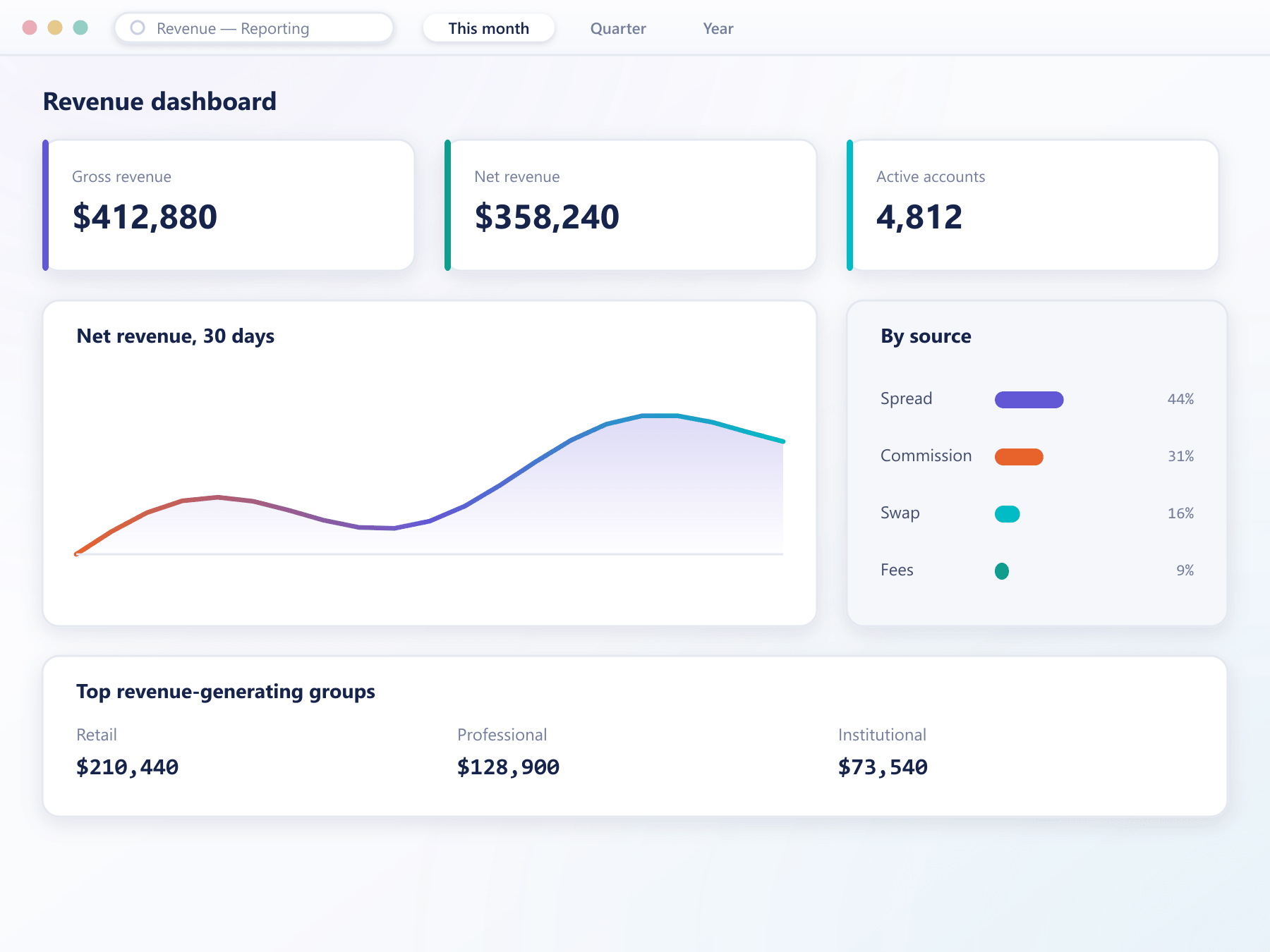
Cumulative P&L, asset breakdown and the most-traded list sit on one dashboard, cut the same way the ledger already separates commission, markup, financing and funding.
The breakdowns that change decisions
Aggregate revenue tells you little. These are the cuts that tell you something.
By source
Commission, markup, financing and funding are separated, which usually reveals a very different picture than a single total.
By instrument
Revenue per instrument alongside its volume, which identifies both the earners and the ones that occupy support time for nothing.
By client group
Revenue per tier against the cost of serving it, which is the number behind most pricing decisions.
By partner
Revenue attributed to each partner alongside the commission paid out, so partner economics are visible rather than assumed.
Scheduled or on demand
Any breakdown can be scheduled to a recipient list or produced immediately for a custom period.
From charge to board pack
Why the numbers do not need assembling
Every charge is already discrete
Because commission, markup, financing and funding are each written as separate ledger entries, revenue analysis is a grouping rather than a reconstruction.
Each entry knows where it came from
Entries carry the instrument, the client, the group and any partner attribution, so every breakdown is available without extra joins.
Cut it the way the question needs
Period, instrument, asset class, group and partner combine freely, and the result can be saved as a named report.
Arrives without being asked for
A saved report runs on a schedule and is delivered to the recipients you name, in the same format as an on-demand export.
Decisions this makes possible
The point of the breakdown is that it changes what you do next.
Prune the instrument list
Instruments that generate support load and no revenue become obvious rather than debatable.
Price tiers correctly
Revenue per group against cost to serve is what tells you whether a tier is worth keeping.
Judge partners honestly
Revenue generated against commission paid shows which partnerships actually work.
Forecast with confidence
Financing and funding are steady lines, so separating them makes a forecast considerably more reliable.
FAQ
Revenue reporting: common questions
5 short answers to what teams ask before a demo.
Commission, spread markup, overnight financing and funding payments on perpetual contracts, each reported as its own line rather than combined into a single figure.
Yes. Ledger entries carry partner attribution where it applies, so revenue generated by a partner's referred clients can be reported alongside the commission paid to that partner.
They reflect ledger entries as they are written, so a report run during the session includes activity from moments earlier. There is no overnight build.
Yes. A saved report with its filters can run on a schedule and be delivered to a named recipient list, which removes the weekly task of generating it by hand.
Yes. The underlying entries are available over the API, so your own business intelligence tooling can read the same source the built-in reports use.
Still have a question?
A specialist will answer it directly, with your set-up in mind.
Ask a specialist