Smart Trading
Every position, with the numbers that decide the next move
Size, average price, unrealised result, margin consumed and distance to liquidation sit on the same row, recalculated on every tick rather than on a refresh interval.
EUR / USD
1.00
1.08624
+184.20
362.00
412 pts
Symbol and side
Net in netting mode
Size-weighted across fills
Recomputed each tick
Consumed by this position
Distance, not a percentage
From the row
Most position actions should not require a second ticket
Partial close
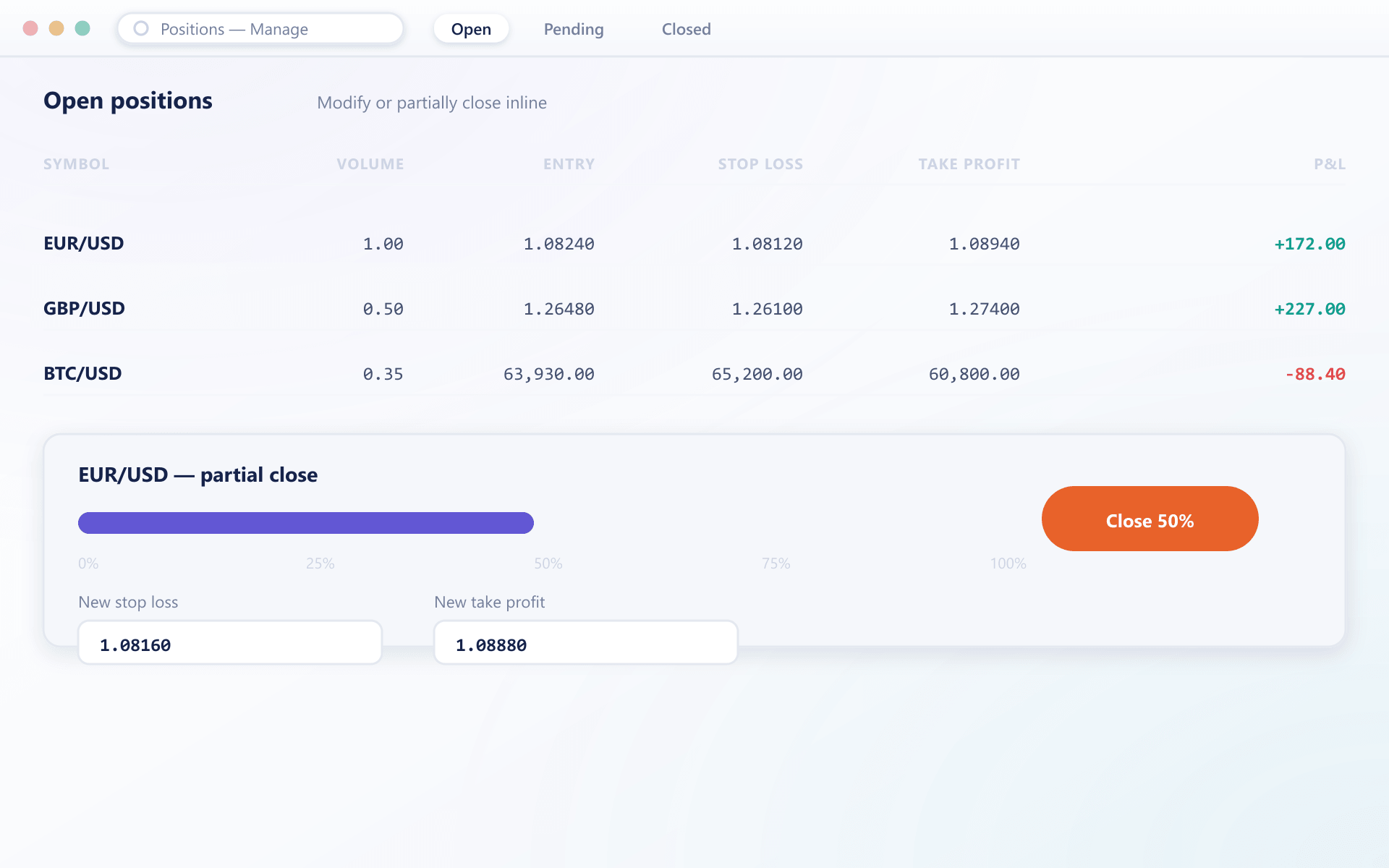
Close any fraction from the row. The remainder keeps its average price and attached protective orders.
Reverse
Close current exposure and open the opposite side as a single instruction rather than two timed orders.
Protective legs
Stop-loss and take-profit attach to the position, survive a disconnection and can be amended without closing.
Netting or hedging
Choose per client group whether same-instrument trades net into one position or stay separate.
See it live
Live P&L on every open position
The same positions table renders as a widget, with unrealised P&L recalculated on every tick rather than on a refresh interval.
Netting
A fill on an instrument the client already holds adjusts the average price and the net size. One row per instrument.
One position per symbol
Size-weighted average price
Simplest to report on
Hedging
Per groupEach fill opens a separate position tracked independently, so opposing exposure can be held at the same time.
Multiple positions per symbol
Each with its own result
Restricted where not permitted
FAQ
Position management: common questions
5 short answers to what teams ask before a demo.
Both. The mode is a client group property, so you can offer netting to one tier and hedging to another, or restrict hedging in jurisdictions where it is not permitted.
On every price update for the instrument. Unrealised result, margin consumed and distance to liquidation are recomputed and pushed to the terminal in the same event, not on a polling interval.
They are re-sized to match the remaining position automatically. The levels themselves are unchanged unless the trader moves them.
Yes. A reverse closes the existing exposure and opens the opposite side as a single instruction, which avoids the timing gap that two separate orders would create.
In netting mode the average is recomputed as a size-weighted average of all fills making up the position. Each contributing fill remains individually visible in the trade history.
Still have a question?
A specialist will answer it directly, with your set-up in mind.
Ask a specialistOpen a position and watch it update
During the walkthrough we will open, add to, partially close and reverse a position so you can see every number move.