Smart Trading
An AI read on the instrument, without leaving the ticket
A trader who has to open three other tabs to decide something usually decides it somewhere else. The insights panel runs AI models over the data already flowing through the platform, summarises what is moving an instrument and explains its reading in plain language.
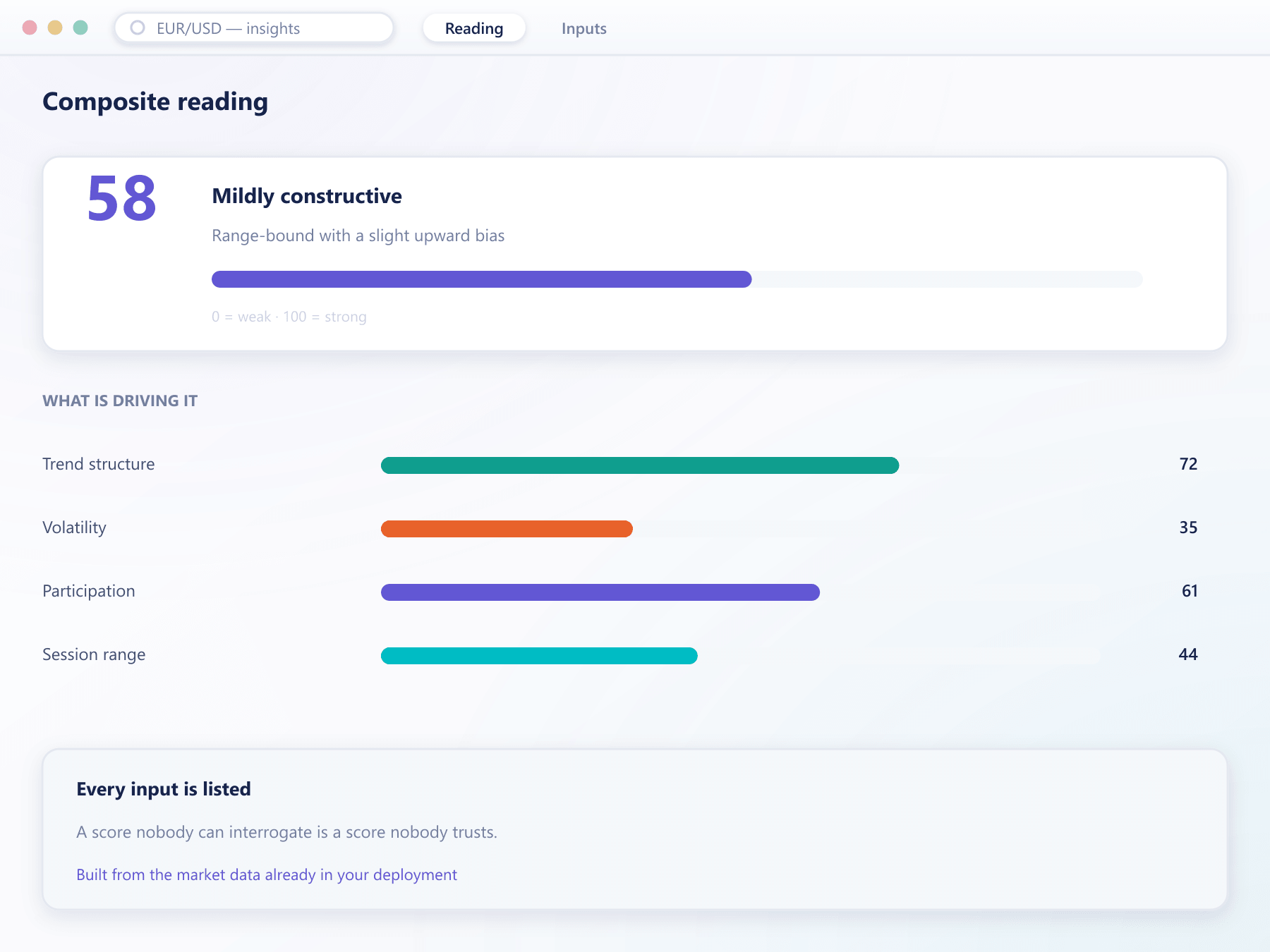
What the panel shows
A reading a trader can argue with
Every figure lists the inputs behind it, because a score nobody can interrogate is a score nobody trusts.
A composite momentum reading
One score per instrument on a bearish-to-bullish scale, with the components that produced it shown alongside rather than hidden behind it.
Explained in plain words
Each reading comes with a short written summary of which technical, flow and sentiment signals pushed it up or down, so the trader reads a reason rather than a number.
Range expectations
Near-term and longer-term ranges derived from the same market data the engine is pricing against, not from an external feed.
What is driving the move
The contributing signals are listed separately, so a trader can see whether a reading rests on one input or several.
Levels worth watching
Reference levels are surfaced next to the ticket so a trader can set an order against them without switching context.
The numbers underneath
Range, turnover and participation figures for the instrument, presented as data rather than as a conclusion.
How it runs
From market data to a usable reading
It uses your own data
Inputs come from the market data already flowing into the platform, so the panel never disagrees with the chart beside it.
It updates with the market
Readings move as prices move rather than being computed once and left to age through the session.
You decide who sees it
The panel is enabled per account group, so it can be a feature of a premium tier rather than a default for everyone.
It stays next to the ticket
The point is that a trader does not navigate away. It sits in the workspace beside the order entry rather than on its own screen.
Insights questions
What this is and is not
4 short answers to what teams ask before a demo.
No, and it should not be presented as such. It summarises market data. What your clients may be shown depends on your licence, and the panel can be disabled per group where it is not appropriate.
From the market data already flowing through your deployment. There is no separate feed to license, which is also why the panel never contradicts the chart next to it.
Yes, per account group. Some brokers run it as a premium feature, others disable it entirely in jurisdictions where it would be a problem.
Models weigh the technical, order-flow and sentiment inputs into the reading and write the explanation beside it. The inputs stay listed, so the AI is summarising evidence a trader can check rather than issuing a verdict.
Still have a question?
A specialist will answer it directly, with your set-up in mind.
Ask a specialistSee the panel against a live instrument
We will open the terminal on a market you care about so you can judge whether the reading is useful rather than decorative.