Controls
Automation handles what you anticipated. The desk handles the rest.
A system that removes human judgement is not safer, it is more brittle. What matters is that every judgement leaves a record good enough to defend months later.
See it live
The action and the record, in the same place
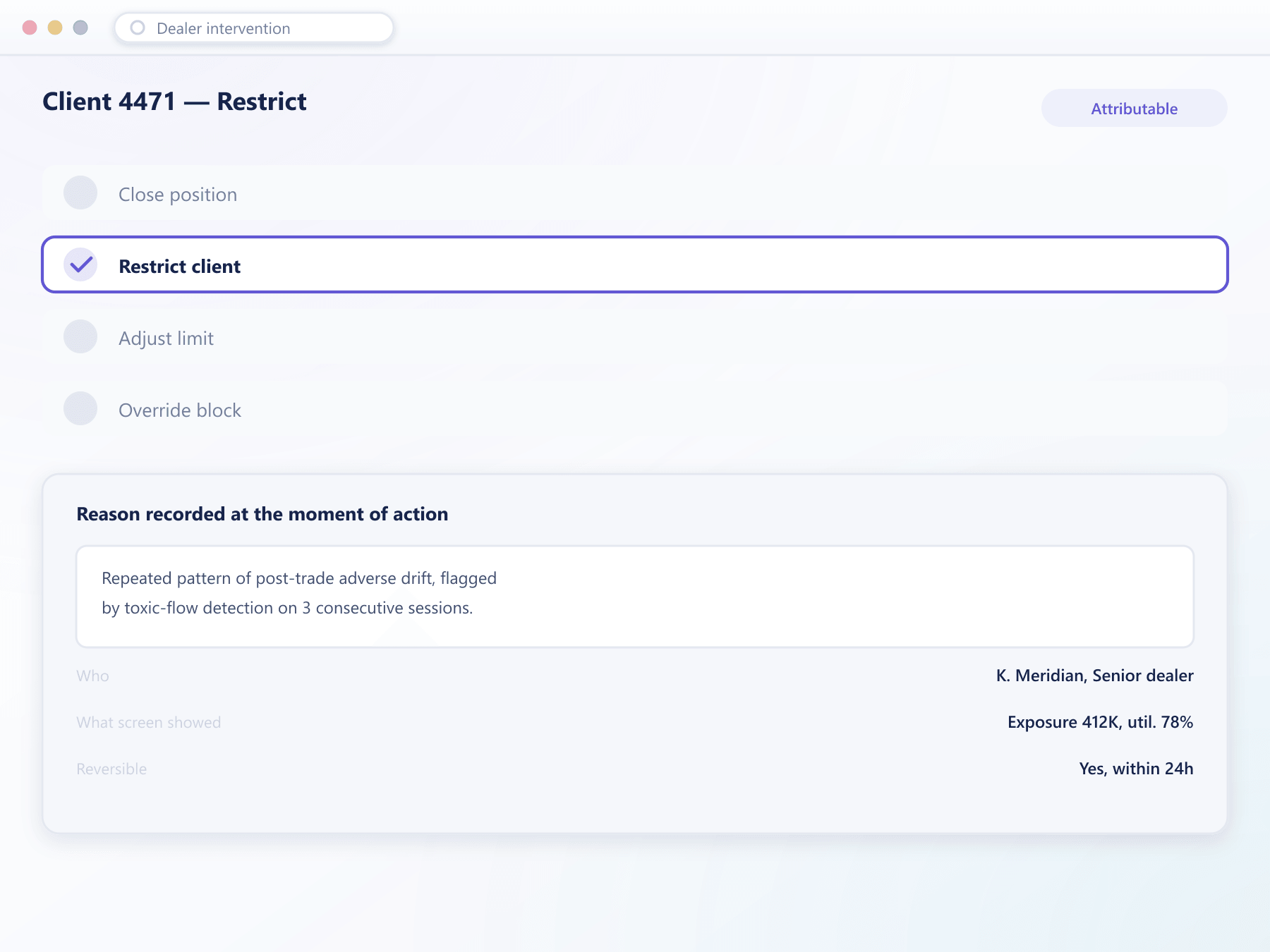
A dealer closes a position or restricts a client from the same screen that shows why the action was needed, and the alert that prompted it stays attached.
What the desk can do
Six actions, each scoped and each recorded
One position, or a client's whole book
Close-only, or a full trading suspension
Temporary or standing, with an expiry either way
Move a client between books on new activity
Across every client and platform at once
Permit one order a pre-trade check refused
What gets stored
Three things, and the third is the one people forget
Who did it
Named individual, not a shared desk login. Shared credentials make every subsequent question about an action unanswerable, and they are removed as part of onboarding.
Why, in their words
A reason captured at the moment of the action rather than reconstructed later. Two months on, the recollection will be tidier than what was actually going on.
What the screen showed
The exposure, the limit and the utilisation at that instant are stored with the action, so a decision can be judged against what was visible rather than against what is known now.
FAQ
Dealer intervention: common questions
6 short answers to what teams ask before a demo.
Because a dealer sometimes sees something no rule describes. Automation handles the situations you anticipated; the desk handles the ones you did not, and a system that removes that option is more fragile rather than safer.
Yes. Which actions each person can take, and up to what size, is configured. Above a threshold an intervention can require a second authoriser, in the same way a large payment does.
Who acted, what they did, the reason they gave at the time, and the exposure and limit state that was on screen. The last part matters most — a decision should be judged against what was visible, not against what became known afterwards.
Restrictions and limit adjustments can be lifted, and the reversal is recorded as its own action. Closed positions cannot be un-closed, which is why close actions carry a confirmation showing exactly what will be affected.
It should, and the interface asks for an expiry. A temporary adjustment without an end date becomes permanent within a few months, and by then nobody remembers the circumstances that justified it.
Configurable per action type. Restrictions are usually communicated because the client will discover them anyway, and finding out by failing to place an order is worse than being informed.
Still have a question?
A specialist will answer it directly, with your set-up in mind.
Ask a specialistDoes your desk share a login?
If so, no intervention on your system is genuinely attributable, and that is worth fixing before anything else on this page.