Treasury & Custody
A payout run should not be a monthly project
Somebody exports a list, checks it, uploads it somewhere, and hopes. That process works until the day one row is wrong, and then it stops working entirely.
See it live
The run, from the receiving end
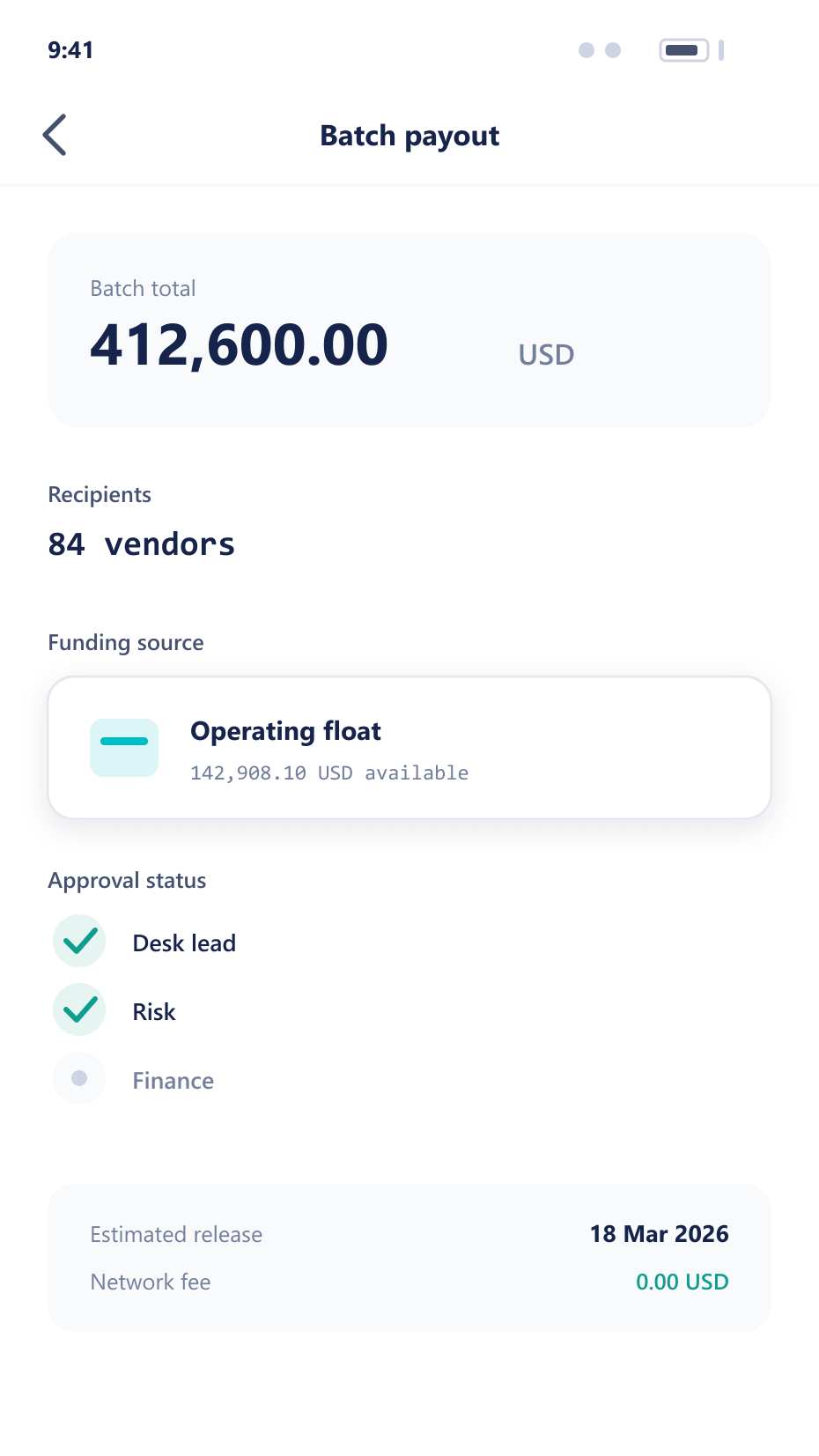
Every payout in a batch becomes one of these on a client’s device — an amount, a destination and a status that updates the moment the run settles it.
One run, five stages
The treasury check happens at the start, not in the middle
- 01
Assemble
Approved requests are grouped by destination rail and currency. Treasury sufficiency is checked here, before anyone commits to the run rather than during it.
- 02
Net
Where movements offset each other, they are netted before anything leaves. Sending two transfers in opposite directions costs two fees and achieves nothing.
- 03
Authorise
The run is approved as a unit, with its total and its composition visible. Approving a batch you cannot see the shape of is not approval.
- 04
Execute
Items are sent, each tracked individually. A failure isolates itself and returns to the queue with a reason rather than stalling the rest.
- 05
Settle
Confirmations are matched back against the run, and the settlement record is written as the movements complete rather than assembled afterwards.
When something goes wrong
Partial failure is the normal case, so it is designed for
One bad destination does not stop the run
The failing item is isolated and returned to the queue with its reason attached. The other ninety-nine payouts complete, which is the behaviour anyone who has run a manual batch will appreciate.
A retry does not pay twice
Each item carries its own identifier through the whole run. Re-running a batch after a partial failure re-sends only what genuinely did not go, and re-sending is never a judgement call.
Insufficient treasury fails early
The check happens when the run is assembled, not when the twentieth transfer bounces. Discovering a shortfall halfway through leaves some clients paid and some not, which is the worst of both outcomes.
FAQ
Payouts: common questions
6 short answers to what teams ask before a demo.
On whatever schedule you set, and different rails can run at different frequencies. Some desks run several times a day for client withdrawals and weekly for partner commission; both are the same mechanism with different timing.
It is isolated and returned to the queue with its reason, and the rest of the run completes. Rolling back an entire batch because one destination was wrong is how manual processes work, and it is the thing worth removing.
Yes. Every item carries its own identifier through the run, so a retry re-sends only what genuinely did not go. Whether an item was sent is a fact the platform knows rather than something an operator has to determine.
Where movements offset each other — most often between internal accounts — they are combined before anything leaves. It saves fees and reduces the number of transfers that can individually fail.
Whoever your policy names, and the run is approved as a unit with its total and composition visible. Above a threshold, more than one person is required, and the same person cannot both assemble and approve.
Yes. Partner commission calculated in BrokerOS becomes a payout run here, using the same batching, approval and settlement path as client withdrawals rather than a separate hand-built process.
Still have a question?
A specialist will answer it directly, with your set-up in mind.
Ask a specialistHow long does your payout run take?
Including the checking, the re-checking and the one that always needs doing by hand afterwards.