Connectivity
The worst connectivity failures are the silent ones
A session that is technically connected but sending stale prices will cost you more than one that drops cleanly. BridgeX watches for both, removes the source from routing, and tells your team.
Venue A
LiveLast message 40 ms ago
Venue B
StaleQuotes 4.2 s old
Venue C
IsolatedRejections above threshold
Venue D
RecoveringStable for 42 s of 120 s
Illustrative board. Every threshold behind these states is configured per session.
What is being watched
Each of these exists because it has, somewhere, been the cause of an incident
Connection state
Logon status, sequence numbers and time since last message, per session, updated continuously rather than on a polling interval.
Quote staleness
A source whose quotes stop updating within a threshold is flagged and dropped from aggregation before it can distort the book.
Rejection rate
A sudden concentration of rejections from one venue usually means a mapping or credential problem, and it is surfaced as such.
Automatic failover
A degrading source is removed from aggregation and routing automatically, and reinstated once it recovers and stabilises.
Alerting outward
A threshold breach is delivered to a team chat channel, an email distribution list or a webhook — chosen per alert — rather than waiting to be discovered in a console.
See it live
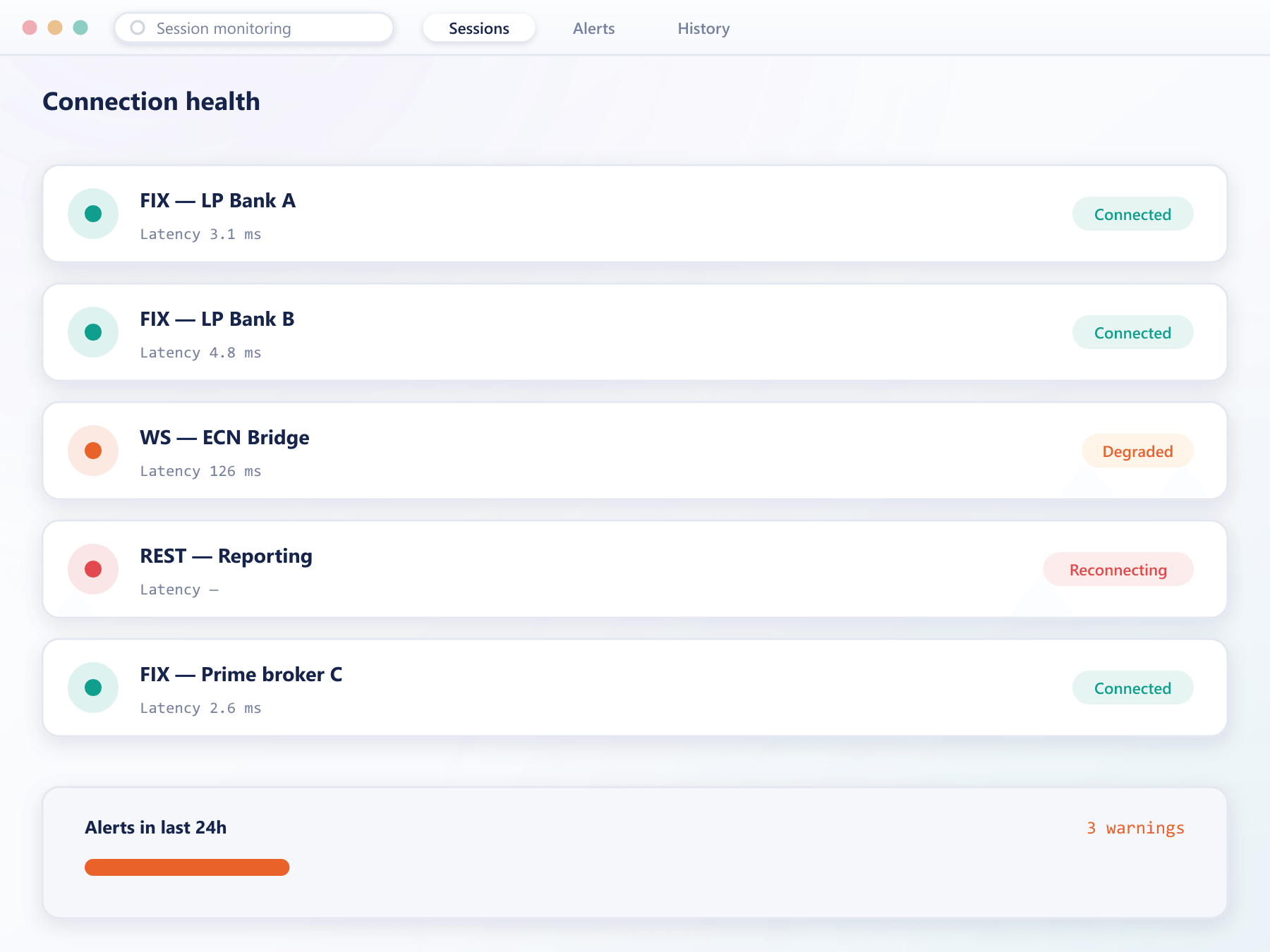
Degradation shows up here first
Staleness, rejection spikes and disconnections raise a visible alert the moment a threshold is crossed, well before a client would notice.
From a degrading session to a restored one
The sequence runs without anyone watching, which is the point
- Detect
Thresholds, not just up or down
Staleness, message rate and rejection rate are each measured against a configured threshold, so partial degradation is caught rather than only total failure.
- Isolate
Removed from the aggregate
The affected source stops contributing to the book and stops receiving routed orders. Everything continues on the remaining sources.
- Notify
Your team hears about it
An alert carrying the session, the threshold breached and the current state goes to the chat channel, email recipients or webhook configured for it.
- Recover
Reinstated when it is genuinely healthy
A recovered source must remain stable for a configured period before it rejoins routing, which prevents a flapping session from repeatedly disrupting execution.
Recovery is deliberately delayed. A source rejoins only after it has stayed healthy for the period you configure.
What monitoring is worth
Every minute a bad source stays in the book is a minute of quotes you would rather not have made.
Bad prices contained
Stale sources leave the aggregate before they can be traded against.
No single point of failure
One venue's outage stops being your outage.
Faster diagnosis
Rejection spikes point at the cause instead of leaving your team guessing.
Calmer operations
Alerts arrive where your team already looks, so nobody has to watch a dashboard.
FAQ
Session monitoring: common questions
5 short answers to what teams ask before a demo.
Any of: no messages within the configured interval, quotes older than the staleness threshold, message rate falling outside expected bounds, or rejections exceeding a rate. Each threshold is configured per session.
Yes. A degrading source is removed from aggregation and routing without intervention, and clients continue trading on the remaining sources.
It must reconnect and remain stable for a configured period before rejoining. That delay is deliberate: it stops a flapping session from repeatedly disturbing the book.
To whichever delivery route you configure per alert — a team chat channel, an email distribution list, or a webhook into your own tooling. Each alert carries the session, the threshold that was breached and the current state, so the first responder has context immediately.
Yes. Session state is available over the streaming API and via webhooks, so it can feed the monitoring stack your team already runs.
Still have a question?
A specialist will answer it directly, with your set-up in mind.
Ask a specialistSee what a degrading session looks like
On a demo environment we will degrade a source deliberately so you can watch detection, isolation, alerting and recovery.