Back Office
Everything about a client, on one screen
Profile, verification state, accounts, balances, transaction history, uploaded documents, every message sent and the partner who referred them — all on one record your team can search and segment.
Timeline
What the record contains
The value is that none of this lives anywhere else
Profile and state
Contact details, jurisdiction, client group, verification tier and account status in one header.
Financial position
Every wallet and trading account with balances, plus lifetime deposits, withdrawals and trading volume.
Activity timeline
Logins, deposits, trades, document uploads, notifications and operator actions in one chronological view.
Search and segments
Search across any field, and save filters as segments that stay current as clients move in and out of them.
Partner attribution
Which partner referred the client and under what terms, visible on the record rather than in a separate report.
See it live
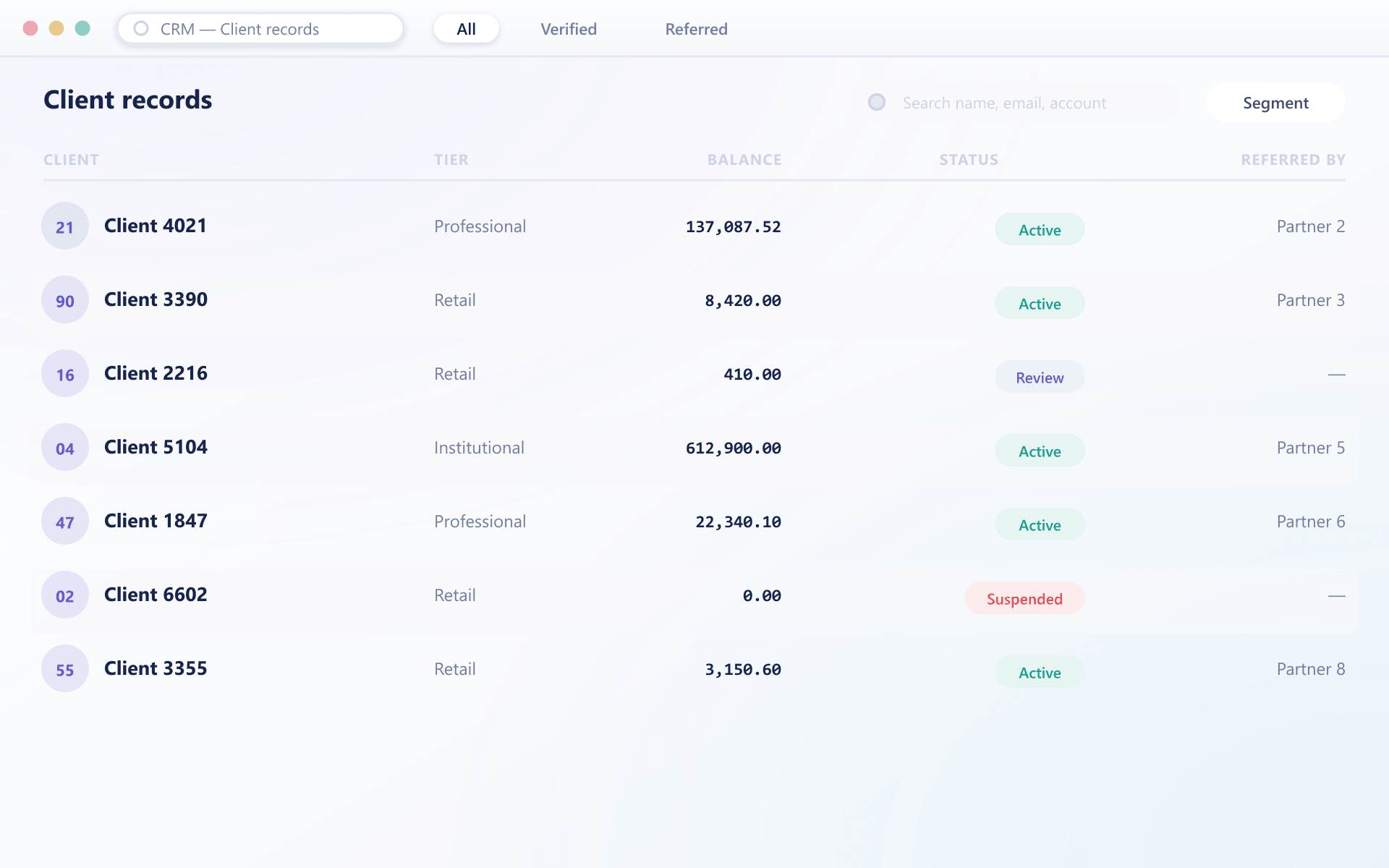
The record your team actually opens
Profile, balances, activity and partner attribution are visible without switching screens, and search or a saved segment works the same way across all of it.
How your team uses it day to day
Four things an operator does constantly, all from the same screen
Search across everything
Name, email, account number, transaction reference or document — the search covers every field rather than requiring you to know which one to use.
The timeline answers most questions
A chronological view of everything that happened to the account usually answers a support query without opening anything else.
Actions from the record
Change group, adjust a balance, approve a document or send a message directly from the record, with each action logged against it.
Groups that maintain themselves
A saved filter becomes a segment that clients enter and leave automatically as their state changes, which is what makes campaigns possible.
What one record changes
Most support delay is an operator assembling context from three systems.
Faster resolution
Context is already on screen, so an operator answers rather than investigates.
No system switching
Client, financial and communication history live together instead of in separate tools.
Targeted outreach
Self-maintaining segments make campaigns accurate without an export.
Accountability
Operator actions are logged on the record, so internal review is straightforward.
FAQ
CRM: common questions
5 short answers to what teams ask before a demo.
No. The client record is part of the platform, reading the same accounts, balances and ledger as everything else. There is no sync and therefore nothing to fall out of step.
Logins, deposits, withdrawals, trades, internal transfers, document uploads and outcomes, notifications sent, and every operator action taken on the account, in chronological order.
Yes. Any search filter can be saved as a segment, and clients move in and out of it automatically as their state changes rather than the list being a static export.
Yes, within their role. Group changes, balance adjustments, document decisions and messages can all be initiated from the record, and each is logged against it with the operator identity.
Yes. The referring partner and the terms that apply are shown on the record, so a support conversation does not require opening the partner reporting separately.
Still have a question?
A specialist will answer it directly, with your set-up in mind.
Ask a specialistSit in the client record with us
We will work a real support scenario end to end so your team can judge the console properly.