Developers
Put your own tools inside the client area
Not everything a client needs will ever live in our product. Embedded apps let you add your own pages, or a third-party tool, as a menu entry inside the client area with the client already signed in.
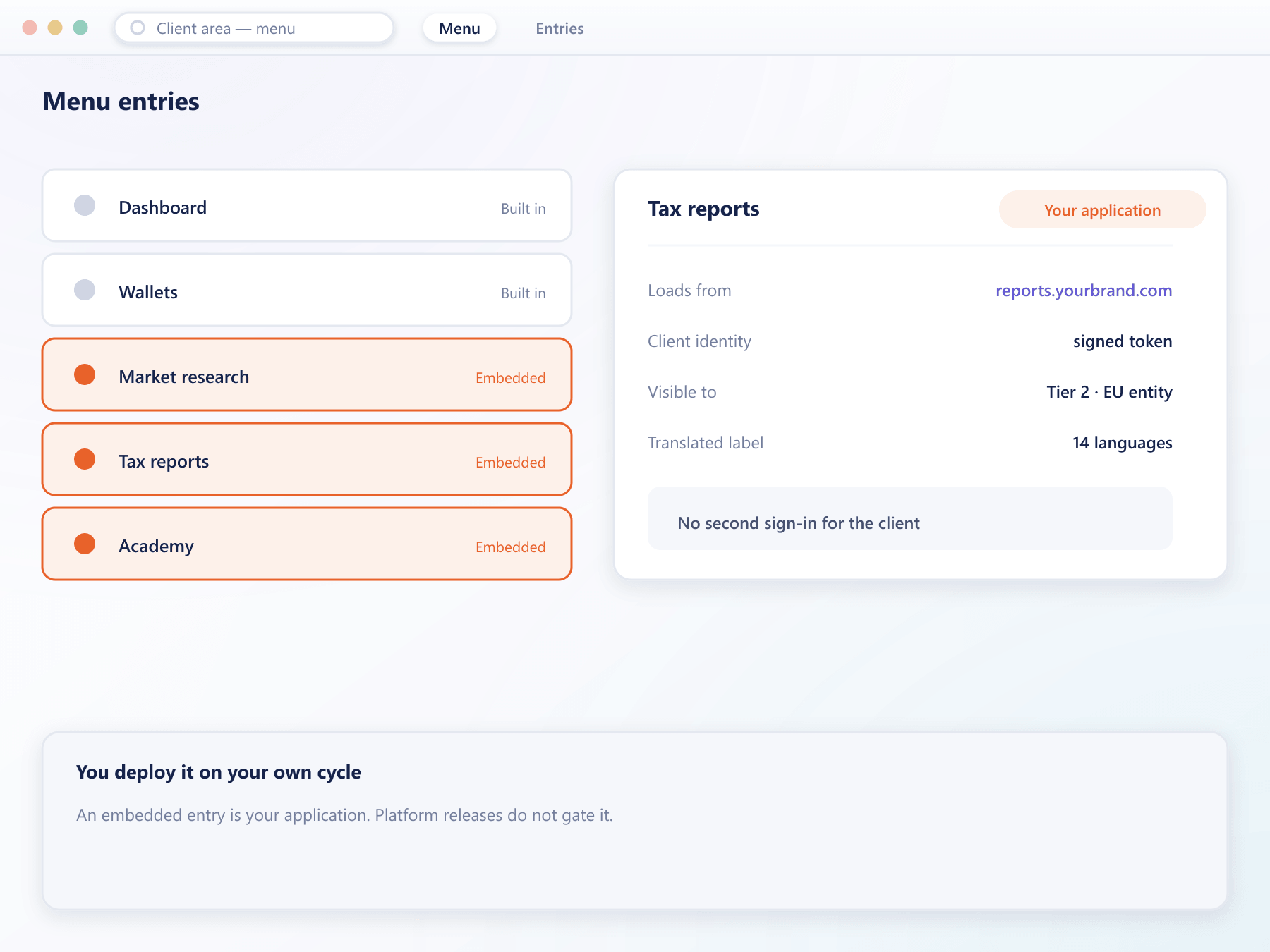
What you can embed
Your surface, inside ours
An embedded entry behaves like any other section of the client area, including navigation, translation and access rules.
Your own application
Point a menu entry at something your team builds and it appears inside the client area rather than as a link that throws the client out to another site.
A third-party tool
Research, education, tax reporting or anything else a vendor provides can sit inside the portal instead of beside it.
The client is already identified
A signed token passes the client identity to your app, so it does not ask a client who has just signed in to sign in again.
Same restriction rules
An embedded entry can be limited by country, jurisdiction, client type or verification level like any other product surface.
Translated with everything else
The menu label goes through the Localization Module, so an embedded section does not sit in English inside a translated portal.
How it runs
From URL to menu entry
Register the entry
Give it a label, an icon, a position in the menu and the address it should load.
Receive the identity
Your app is handed a signed token identifying the client, which it verifies against our keys before rendering anything.
Scope who sees it
Attach the same restriction conditions you use elsewhere so the entry appears only where it should.
Ship on your own cycle
Because it is your application, you deploy it when you want without waiting for a platform release.
Embedding questions
What an embedded app can and cannot do
4 short answers to what teams ask before a demo.
It receives a signed token carrying the client identifier, which your application verifies against our public keys. It never has to run its own login.
Only what you grant it through the API, using the same permissions model as any other integration. Embedding does not widen access by itself.
Yes, with the same conditions used everywhere else: country, jurisdiction, client type and verification level.
The container adapts, but the embedded page is yours, so whether it works well on a small screen depends on how you build it.
Still have a question?
A specialist will answer it directly, with your set-up in mind.
Ask a specialistBring the tool you want inside the portal
Tell us what your clients currently leave the platform to use and we will show what embedding it looks like.