Back Office
Not everyone should be able to do everything
A support agent, a risk manager, a finance operator and an administrator need genuinely different capabilities. Roles grant exactly those, sensitive actions require a second approver, and everything is attributed.
Role · Support agent
12 operatorsIllustrative role. Capabilities are granted individually, then grouped.
How access is actually controlled
The principle is least privilege; the practice is making that easy to administer
Granular permissions
Capabilities are granted individually and grouped into roles, so a role reflects a job rather than a broad tier.
Maker-checker
Sensitive actions — balance adjustments, large withdrawals, permission changes — can require a second operator to approve.
Scoped access
A role can be limited to a client segment or jurisdiction, which matters for teams operating across entities.
Operator sessions
Active operator sessions are listed and revocable, with mandatory second-factor authentication where you require it.
Console access policy
Enforce two-factor for every operator, restrict sign-in to approved networks and end idle sessions automatically. An operator who has not enrolled a second factor cannot reach the console.
Attributed audit
Every action records the operator, their role, the values before and after, and the timestamp.
See it live
Access, scoped and visible
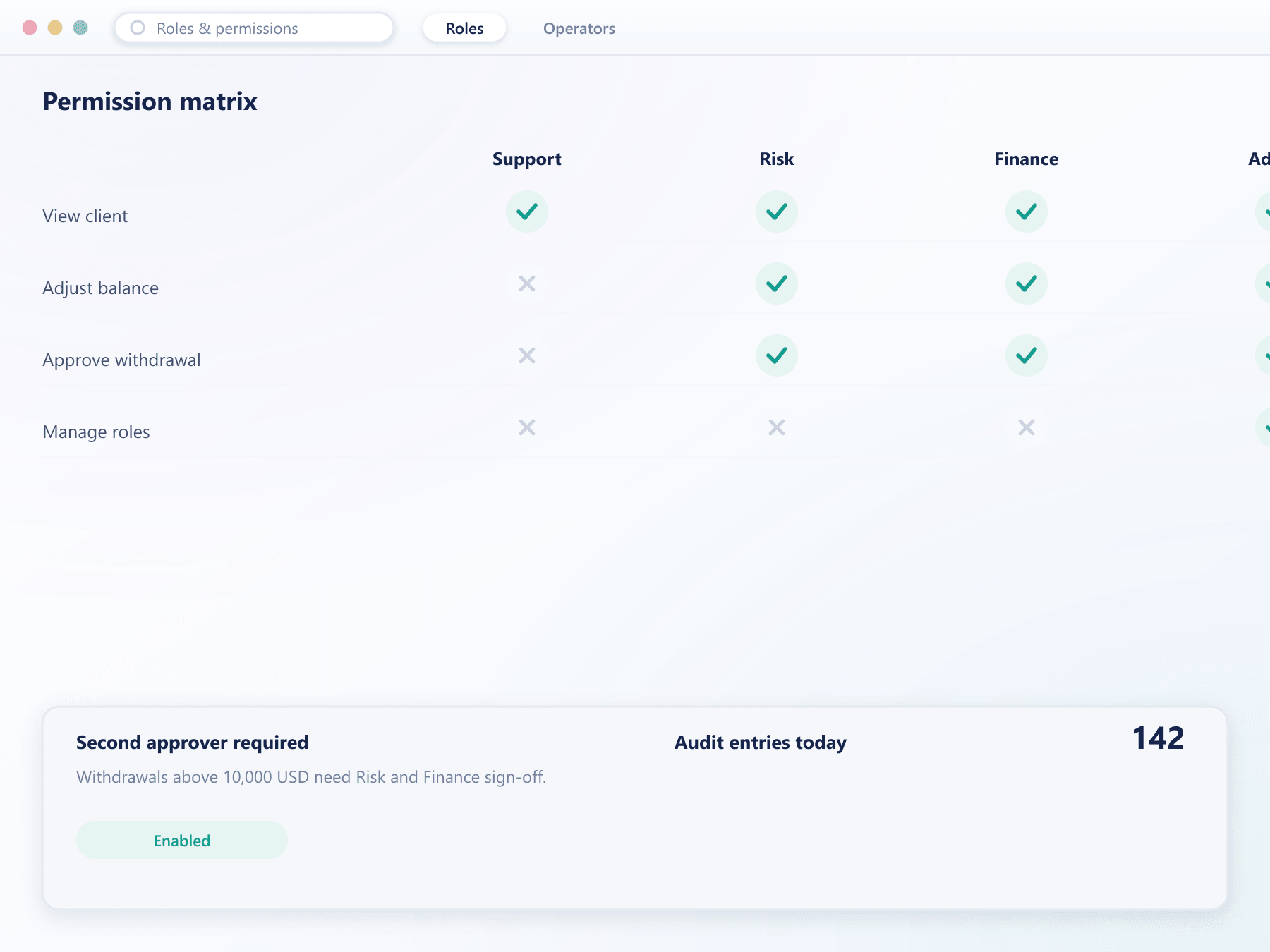
Roles, their granted capabilities and where maker-checker applies sit in one place, not scattered across separate settings screens.
From joining to leaving
Access administration is mostly about the beginning and the end
- 1Grant
A role, not a list of toggles
An operator is assigned a role carrying its permission set, so onboarding is one decision rather than dozens.
- 2Constrain
Scope where it is needed
A role can be limited to a segment or jurisdiction, which lets one console serve teams that must not see each other's clients.
- 3Check
Two people on the sensitive things
Where maker-checker applies, the action is proposed and held until a second operator with the right role approves it.
- 4Revoke
Immediate and complete
Removing a role or an operator ends their sessions immediately. Their historical actions remain attributed in the audit log.
What proper access control prevents
Internal incidents are rarer than external ones and considerably harder to explain.
Reduced internal risk
Least privilege means a mistake or a compromised account has a bounded blast radius.
Regulatory comfort
Documented roles and maker-checker on sensitive actions are exactly what a review looks for.
Multi-entity operation
Scoped roles let one deployment serve teams that must not see each other's clients.
Clear accountability
Attributed actions remove any ambiguity about who did what and when.
FAQ
Roles and permissions: common questions
6 short answers to what teams ask before a demo.
Individual capabilities are granted and then grouped into roles. That means a role can be built to match an actual job rather than choosing between broad access tiers.
A rule requiring that a sensitive action be proposed by one operator and approved by a second with the appropriate role before it takes effect. Both steps are recorded separately.
Yes. Roles can be scoped to a client segment or jurisdiction, which allows one deployment to serve teams that must not have visibility of each other's clients.
Revoking their access ends all their sessions immediately. Their past actions remain in the audit log, still attributed to them, because removing that would defeat the purpose of the log.
Yes, and it can be made mandatory per role. Active operator sessions are also listed and individually revocable.
Yes. Sign-in can be restricted to approved networks, and idle sessions end after a period you set. Combined with enforced two-factor, a stolen password alone is not enough to reach the back office.
Still have a question?
A specialist will answer it directly, with your set-up in mind.
Ask a specialistDesign your role structure with us
Bring your team’s responsibilities and we will build the matching roles during the call.