Compliance
The question is never whether it happened
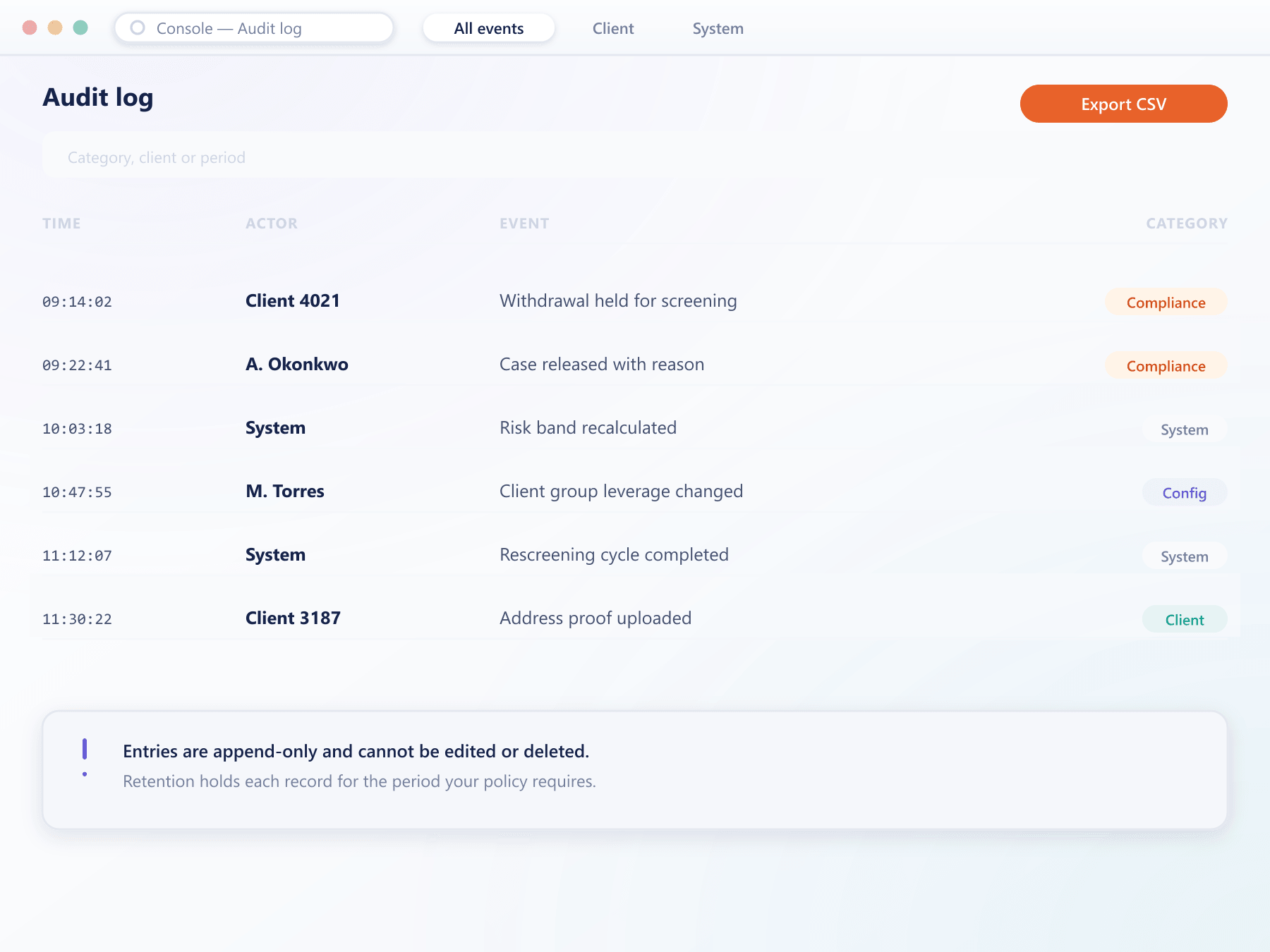
Client actions, operator decisions, configuration changes, notifications sent and system events are all written to an append-only log. Nothing is edited, nothing is deleted, and everything is attributed.
Retention policy
yours to setNothing in the log is editable, at any retention setting
What is recorded and how it is kept
A log is only evidence if it cannot be quietly changed
Client actions
Logins, failed attempts, document uploads, funding requests, transfers and preference changes, each with the session and channel.
Operator actions
Every console action with previous and new values, the operator identity and role, and any approval that was required.
Append-only
A correction is a new entry referencing the original. Nothing is edited, so the original remains readable permanently.
Retention policy
How long each category is retained is configured to your regulatory obligation rather than to a fixed platform default.
Export for review
Any filtered view exports in a form suitable for handing to an auditor or a regulator without further processing.
See it live
The log, ready to hand over
Filtered by category, client or period, an export is generated in the same view your team already uses to look something up.
Why the log is defensible
Four properties, and all four are necessary
Entries are never modified
Corrections are additional entries that reference the original, so both the mistake and its correction remain visible.
Nothing is anonymous
Client actions carry the session and channel; operator actions carry the identity and role. There is no unattributed path.
Sequence fixed at write time
Entries carry the sequence assigned when they occurred, so the order of a set of actions is not open to reinterpretation.
Any past state
Because balances and client state are derived from the log, an account can be reproduced exactly as it stood at any chosen moment.
What a complete record settles
Audit is the obvious use. The daily ones matter more.
Regulatory requests answered
A period of activity is produced as a filtered export rather than a project.
Short disputes
A client complaint is resolved from evidence in minutes rather than reconstructed.
Internal accountability
Attributed operator actions remove ambiguity about who changed what.
Operational insight
Patterns in the log frequently reveal a problem before it is reported.
FAQ
Audit and retention: common questions
5 short answers to what teams ask before a demo.
No. The log is append-only. A correction is written as a new entry referencing the original, so both remain permanently visible and the sequence stays intact.
The object changed, previous and new values, the operator identity and role, the timestamp, and where maker-checker applied, both the proposal and the approval.
According to a policy you configure per category, matched to your regulatory obligation rather than to a fixed platform default.
Yes. Any filtered view of the log exports in a form suitable for handing over directly, including the filter criteria so the scope of the extract is self-evident.
Yes. Because balances and client state are derived from the log, an account can be reconstructed exactly as it stood at any chosen timestamp.
Still have a question?
A specialist will answer it directly, with your set-up in mind.
Ask a specialistAnswer a compliance question from the log
Bring a scenario your compliance team worries about and we will answer it from the log during the call.