Client Area
Change the signup form without changing the code
The fields you ask for at registration decide how many prospects finish it. Registration profiles let you change that form, per market and per brand, without waiting for a release.
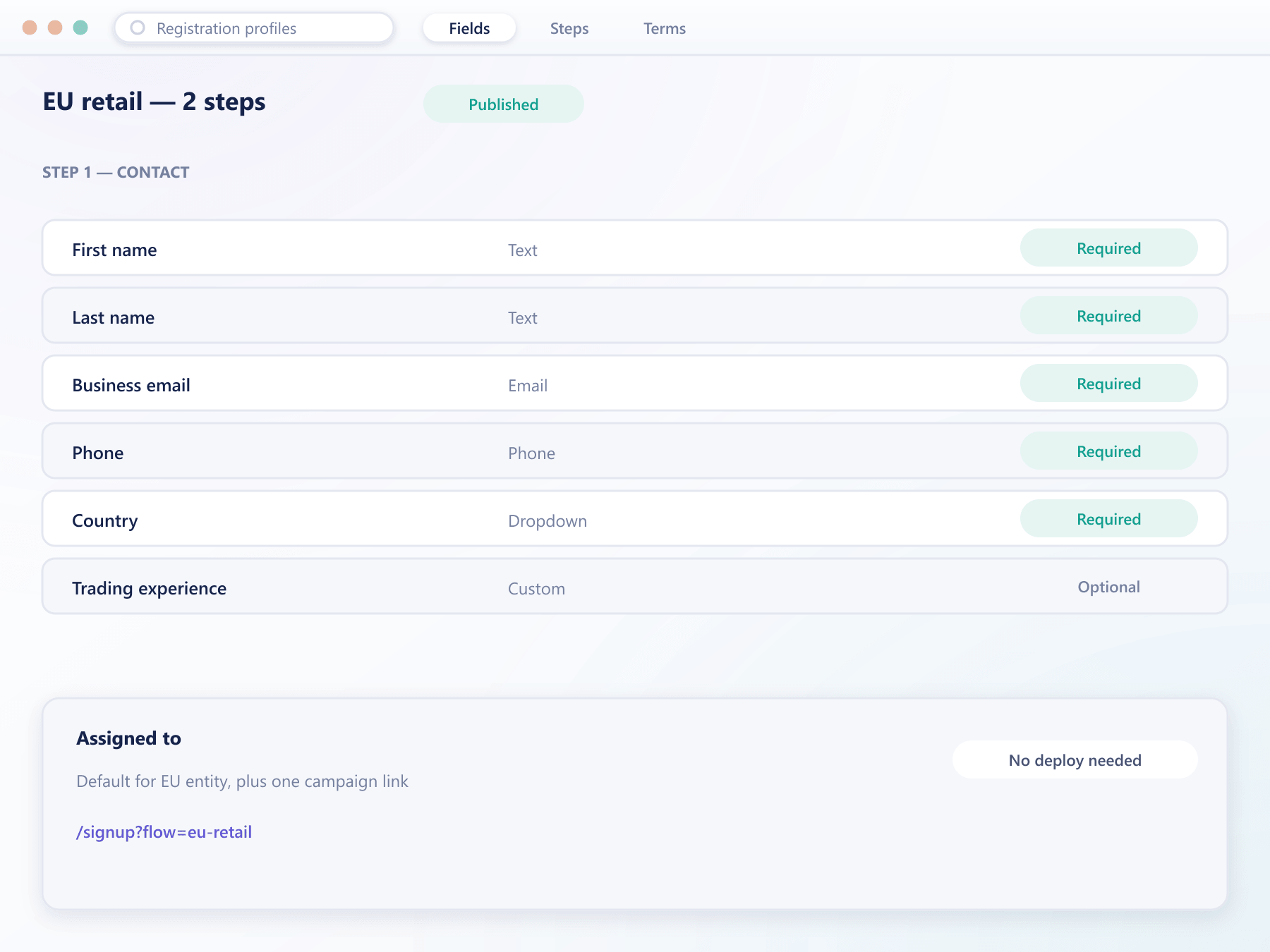
What you control
The whole signup surface is configuration
Fields, steps, terms and the data you collect are defined in the back office and take effect on the live site immediately.
Fields you choose
Add, remove or reorder what the form asks for, and mark each one required or optional without touching a template.
One page or several
Run a single short form or split it across steps, whichever converts better in a given market, and measure the difference.
Custom fields of your own
Text, number, date, dropdown and multi-select fields you define, translated per language and stored on the client record.
A different profile per market
A jurisdiction that requires more at signup gets its own profile, so a lighter market is not penalised by the strictest rule.
Terms tied to the profile
The agreements a client accepts are attached to the profile they signed up under, and the acceptance is retained with it.
Shareable signup links
Each profile has its own link, so a campaign or a partner can point at the exact flow you want those prospects to see.
How it runs
From draft to live form
Build the profile
Pick the fields, the order, the steps and the terms in the back office, with translations for every language you run.
Point traffic at it
Assign it as the default or give a campaign its own link, so different sources can see different forms.
Data lands on the record
Everything collected, including your custom fields, is stored on the client record and visible to your desk.
Change it when it underperforms
Edit the profile and the live form changes. No deployment, and existing clients keep the terms they accepted.
Registration questions
What changing the form affects
5 short answers to what teams ask before a demo.
No. Fields, steps, terms and custom fields are configured in the back office and take effect on the live site without a deployment.
Yes. A profile can be assigned per jurisdiction or per campaign link, so a market with heavier requirements does not set the bar for everyone.
Nothing changes for them. The terms they accepted and the data collected stay attached to their record as it was at the time.
Yes, through custom fields you define yourself. They are translated, stored on the client record and available in exports and the API.
It does not have to. Registration can stay short while verification requirements are enforced later, at the point a client tries to do something that needs them.
Still have a question?
A specialist will answer it directly, with your set-up in mind.
Ask a specialistRebuild your signup form with us on the call
Tell us what you ask for today and we will show what the same flow looks like once the form is configuration rather than code.