Back Office
Built for the work your team repeats a hundred times a day
Approval queues with the context to decide, bulk actions across a segment, saved views per role, and an audit entry on everything. The console is designed around throughput rather than around a feature list.
- Balance
- 137 087.52 USD
- Lifetime deposits
- 412 000.00 USD
- Verification
- Tier 3 · complete
- Destination
- Allow-listed 14 days
- Previous decisions
- 6 approved · 0 rejected
What makes an operator fast
Speed comes from not having to leave the screen you are on
Queues with context
Withdrawal, verification and adjustment queues show the client history, balances and risk state next to each item.
Bulk operations
Group changes, notifications and adjustments applied across a filtered segment in one action rather than one client at a time.
Saved views
Each role keeps its own filtered views, so a support agent and a risk manager open the console to different work.
Role-based permissions
Operators receive only the capabilities their role needs, and sensitive actions can require a second approver.
Complete audit
Every action records what changed, from what to what, by whom and when. There is no unattributed path.
See it live
The console operators actually work in
Queues, context and saved views sit on the same screen, so a decision rarely needs a second tab open.
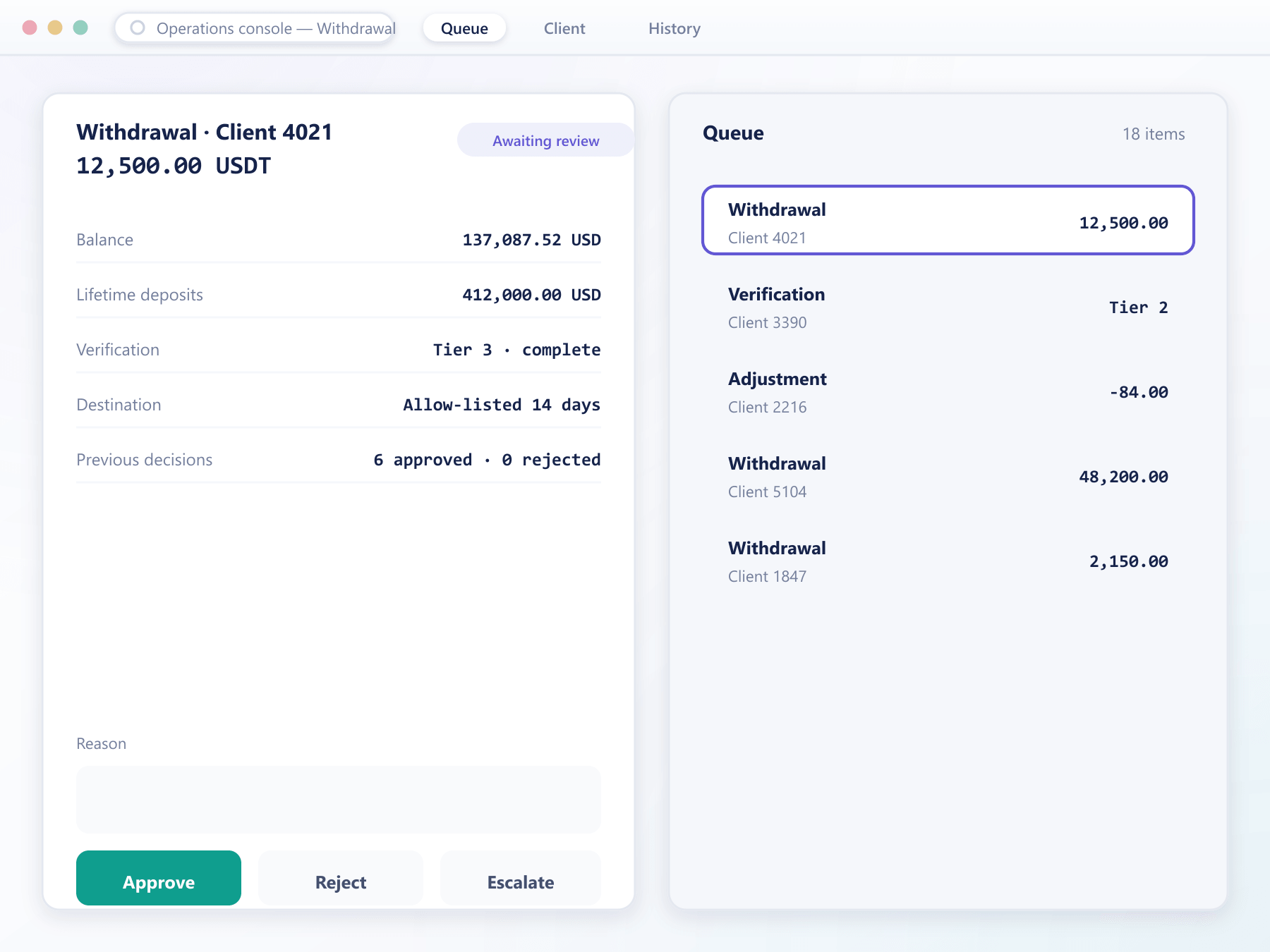
A queue item, start to finish
The design goal is a decision without a second screen
- 1Arrive
Items land with their context
A withdrawal request arrives with the client's balance history, recent activity and verification state already attached.
- 2Assess
Everything needed is present
Risk indicators, previous decisions on that client and any active safeguards are shown, so the operator does not open the client record separately.
- 3Decide
Approve, reject or escalate
Each outcome requires a reason, which is what makes later review meaningful rather than a list of bare decisions.
- 4Record
Written and visible
The decision, the reason and the operator are written to the client record and the audit log, and the client is notified.
No step here requires opening another screen. That is the entire point of the layout.
What throughput is worth
Operations cost scales with clients unless the tooling stops it.
More per operator
Context beside the decision is the single largest determinant of queue throughput.
Fewer mistakes
Role-scoped tooling means an operator is not presented with actions they should not take.
Faster clients
Quicker approvals mean withdrawals settle sooner, which clients notice more than almost anything.
Reviewable decisions
Reasons recorded against outcomes make internal quality review actually possible.
FAQ
Operations console: common questions
5 short answers to what teams ask before a demo.
Yes. Each operator is granted a role carrying a specific permission set, so support, risk and administration see different capabilities in the same console.
Yes. Where you enable it, an action is proposed by one operator and applied only after a second with the appropriate role approves it. Both steps are logged.
Yes. Group changes, notifications and adjustments can be applied across a filtered segment in one operation, with the affected clients recorded.
Yes. The object changed, previous and new values, the operator identity and the timestamp are written to the audit log for every action without exception.
Usually not. Queue items carry the client history, balances, risk state and previous decisions alongside them, which is what keeps throughput high.
Still have a question?
A specialist will answer it directly, with your set-up in mind.
Ask a specialistPut your operators in the console
We will give your team access during the call and work a real queue rather than showing screenshots.