Growth Tools
Support agents should not have to ask who they are talking to
A ticket that arrives with the client’s balance, verification state, recent deposits and open requests attached is resolved in a fraction of the time. That context is what the integration provides.
Ticket #4417
Your helpdesk“Where is my withdrawal?”
- Client
- Matched automatically
- Balance
- 137 087.52 USD
- Verification
- Tier 3 · complete
- Recent activity
- Deposit 2 days ago
- Open requests
- 1 withdrawal pending
The answer is on screen before the conversation starts
See it live
Alerts an agent actually needs
Open requests and account flags surface as a status list alongside the ticket, so an agent knows what is outstanding before typing a reply.
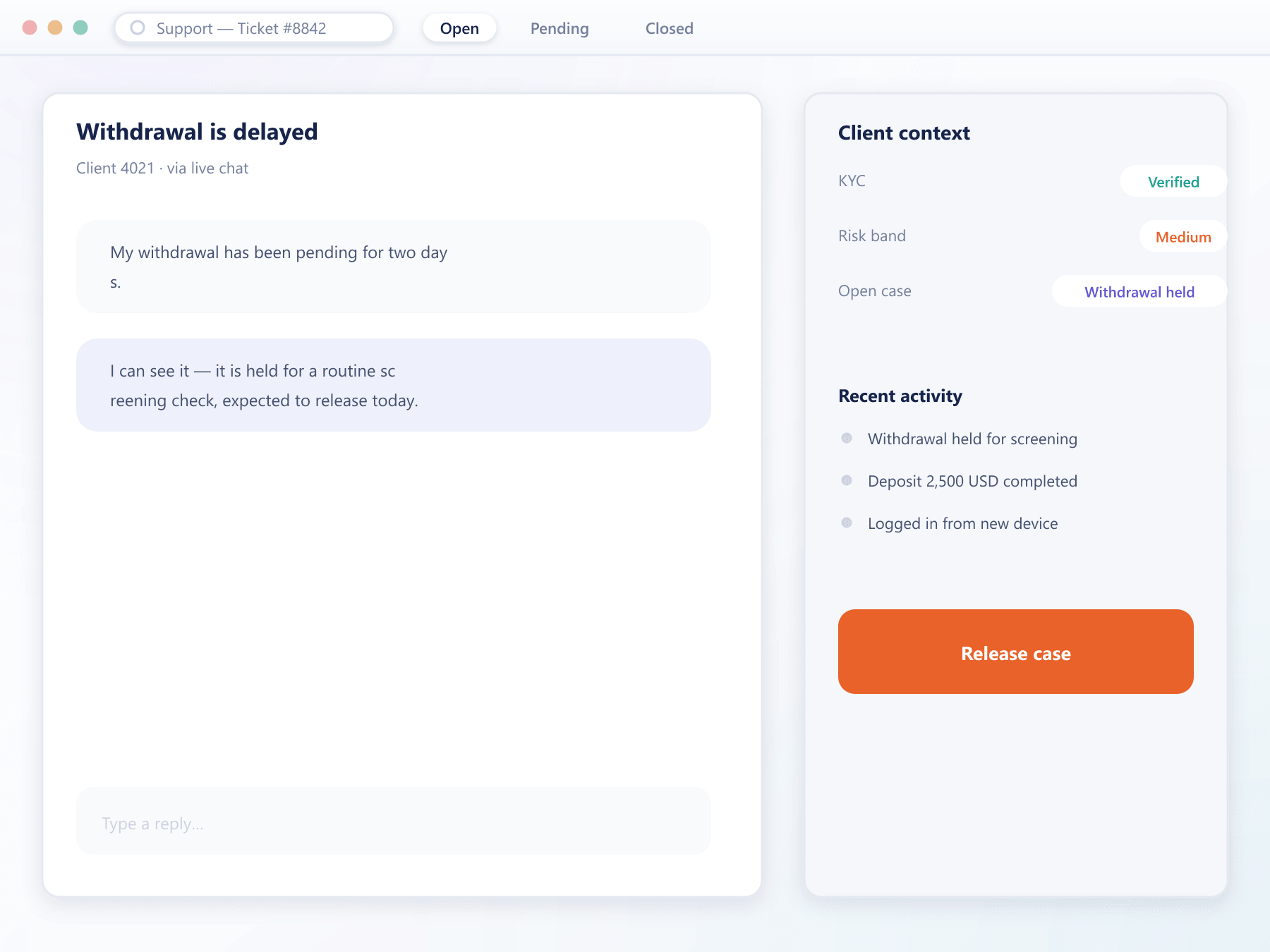
What the integration passes across
Every field here removes a question an agent would otherwise have to ask
Client identification
Tickets are matched to the client record automatically, so an agent is never working with an unidentified contact.
Account context
Balances, verification state, recent funding activity and open requests are shown alongside the conversation.
Provider agnostic
The integration works with the support platform you already run rather than requiring you to move.
Recorded on the record
Conversations are written back to the client record, so the next agent sees the history without opening another system.
In-platform contact
Clients can raise a ticket from the client area with their context attached automatically, which removes most identification steps.
A ticket from arrival to resolution
The identification step is where most support time is lost
- 1Raise
From the client area or elsewhere
A ticket raised in the client area carries the client identity automatically. Tickets from email are matched against client records.
- 2Enrich
Context attached
Balance, verification state, recent activity and any open requests are attached to the ticket before an agent opens it.
- 3Resolve
Without switching systems
The agent has what they need in one view. Where an action is required, it can be initiated by a colleague with the right console role.
- 4Record
Written back
The conversation and its outcome are written to the client record, so history follows the client rather than living in a separate tool.
Where support time actually goes
Most of a ticket’s life is spent establishing context, not solving the problem.
Faster resolution
Context on arrival removes the back-and-forth that precedes most answers.
Fewer transfers
An agent with the full picture escalates less often.
Continuity
History on the client record means the next agent is not starting from nothing.
Keep your tooling
Provider-agnostic integration means no migration of a system your team already knows.
FAQ
Support integration: common questions
5 short answers to what teams ask before a demo.
No. The integration works with the helpdesk you already run, so your team keeps the tooling and workflows they know.
Tickets raised from the client area carry the identity automatically. Tickets arriving by email are matched against client records by address, with unmatched ones queued for manual association.
Balances, verification state, recent funding activity, open requests and any risk indicators, attached to the ticket before it is opened.
Yes. The conversation and its outcome are written back to the client record, so support history follows the client rather than living only in the helpdesk.
Only within the console role they hold. The integration provides visibility; any action still respects the permission model and is recorded in the audit log.
Still have a question?
A specialist will answer it directly, with your set-up in mind.
Ask a specialistConnect your helpdesk with us
Tell us which support platform you run and we will map the integration and the context fields.