Client Area
Ask for documents when they are needed, not before
A prospect who is asked for a passport before they have seen the platform mostly does not come back. BrokerOS opens a working account first and requests verification as each permission actually requires it.
Illustrative tiers. What each one asks for and unlocks is yours to configure.
What makes onboarding convert
Every one of these exists because it measurably reduces drop-off
Short first step
Email or phone, a password, and a working account. Nothing else is required to look around the platform.
Tiered verification
Each tier unlocks specific permissions — funding, trading, withdrawal limits — so a client only completes what they need for what they want to do.
Your provider
Document capture happens in your client area and is handed to the verification provider you already contract with.
Status pushed back
Approval, rejection and requests for more information appear in the client area without anyone raising a ticket.
Resumable
A client who abandons partway returns to where they left off rather than starting again, which recovers a meaningful share of drop-offs.
See it live
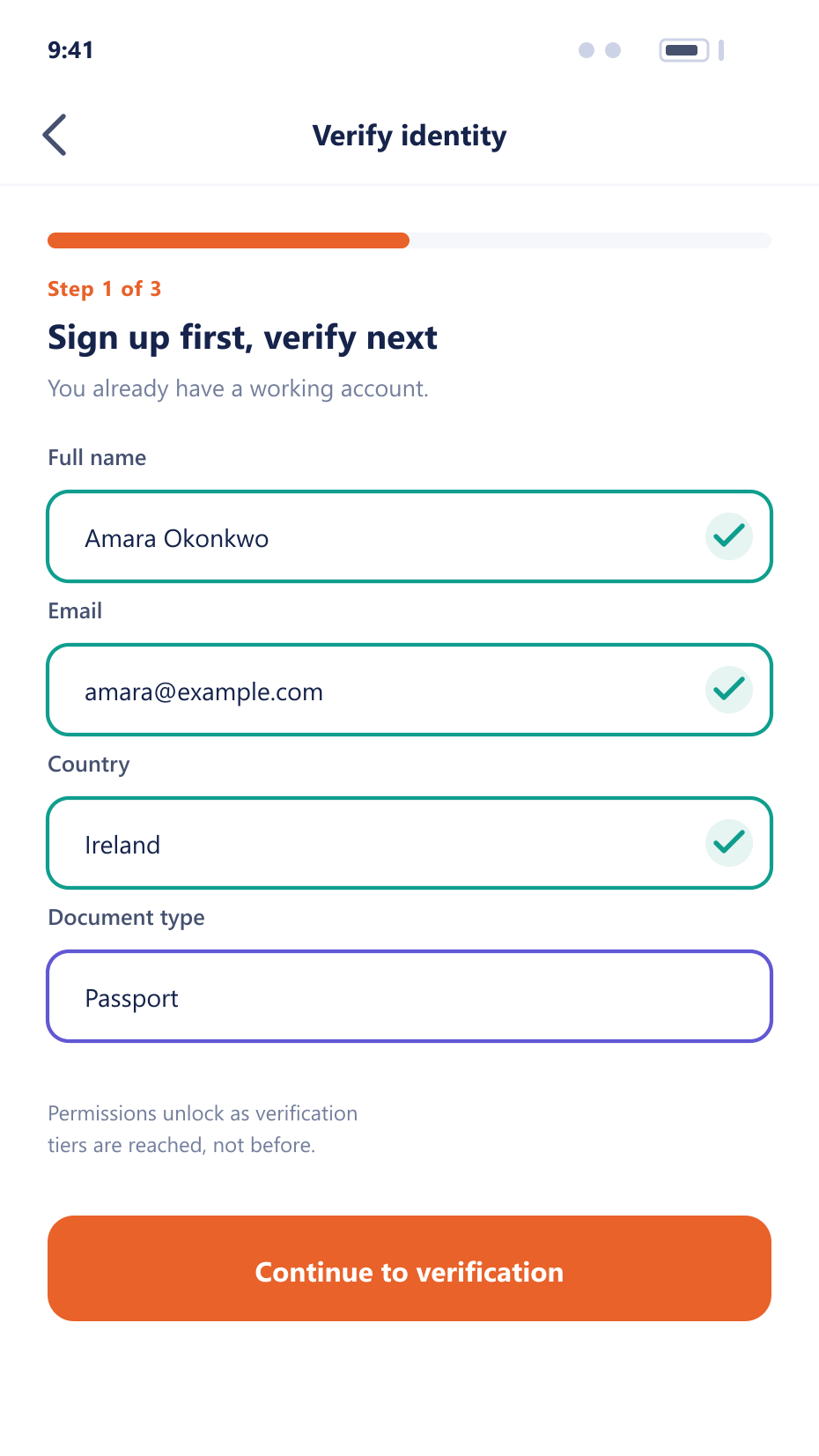
The first screen a prospect sees
A short signup gets them into a working account in under a minute — verification is asked for only once a gated permission is actually needed.
From landing page to first deposit
The order of these steps is the whole design
- 1Register
Minimum viable account
Contact details are verified immediately and the account exists. The client can explore the platform and open a demo account straight away.
- 2Request
Verification asked for in context
When the client attempts something a tier gates — funding, live trading — the requirement is explained at that moment rather than up front.
The deferred ask - 3Capture
Documents collected in your area
Capture and guidance happen on your domain, then the package is submitted to your provider through their integration.
- 4Resolve
Outcome unlocks permissions
An approval moves the client into the group carrying the new permissions automatically. A rejection explains what is needed next.
Where the conversion comes from
Onboarding is the largest single leak in most brokerages.
Lower drop-off
Deferring documents until they are needed keeps prospects in the funnel.
Fewer manual reviews
Provider integration and clear guidance reduce resubmissions considerably.
Compliance held
Tiers are enforced by the platform, so a permission cannot be used before its verification.
Recovered abandonments
Resumable flows bring back clients who would otherwise be lost entirely.
FAQ
Onboarding: common questions
5 short answers to what teams ask before a demo.
Yours. The integration is generic, so the provider stays your commercial and compliance decision and can be changed without rebuilding the onboarding flow.
Each tier unlocks specific permissions — funding, live trading, higher withdrawal limits. A client completes only the tier required for what they are actually trying to do.
They can explore and open a demo account. Anything gated by a tier — funding, live trading — remains unavailable until the corresponding verification is complete.
The client area explains what was wrong and what is needed, and the client resubmits without contacting support. The exchange is recorded on the client record.
Yes. An approval moves the client into the group carrying the new permissions, so trading or funding becomes available without a manual step from your team.
Still have a question?
A specialist will answer it directly, with your set-up in mind.
Ask a specialistWalk your onboarding flow with us
Bring your verification provider and tier requirements and we will configure the whole journey during the call.