Back Office
Find out something is broken before a client tells you
Most outages on a brokerage are not the platform going down. They are one trading server unreachable or one payment method quietly failing, and nobody notices until a ticket arrives.
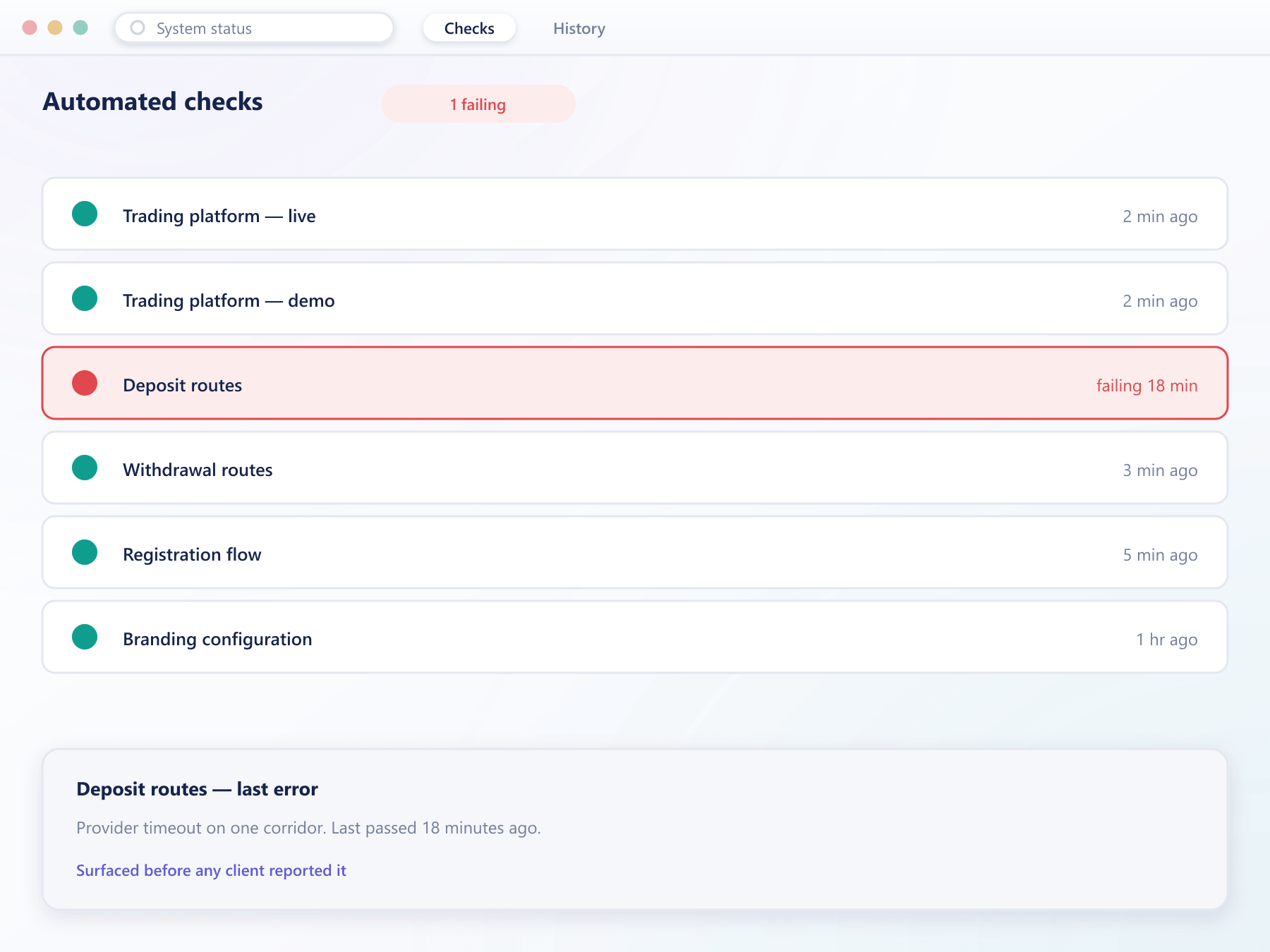
What is watched
Checks that run whether anyone is looking or not
Connectivity, configuration and the paths a client actually takes are tested on a schedule, and failures surface in the console rather than in support.
Trading platform connectivity
Every connected platform is probed on a schedule, so an unreachable server is visible to your desk before a client tries to open an account on it.
Payment method reachability
Configured deposit and withdrawal routes are checked, so a provider failing silently is caught rather than absorbed as a run of failed deposits.
Registration still works
The signup path is exercised end to end, because a broken registration form costs you every prospect that arrives while it is down.
Branding and configuration
Missing logos, unset colours and half-finished configuration are flagged, so a new deployment does not go live looking unfinished.
A warning where you will see it
A failing check raises an indicator in the console top bar rather than sitting in a log nobody opens.
How it runs
From check to resolution
Checks run on a schedule
Each area is tested automatically at an interval, without anyone starting a run.
Failures surface immediately
The console shows what failed, when it last passed and how long it has been failing.
The detail is there to act on
Each result carries the underlying error rather than a generic warning, so the first step is fixing it rather than reproducing it.
History is kept
Past results are retained, so an intermittent fault shows as a pattern instead of being dismissed as a one-off.
Monitoring questions
What this does and does not replace
4 short answers to what teams ask before a demo.
No. It watches the broker-facing surfaces of your deployment, such as platform connectivity and registration. Infrastructure monitoring for your own systems stays yours.
That is the intent. Checks run on a schedule rather than waiting for a client to hit the broken path, so the window between failing and knowing is minutes rather than tickets.
Yes. Each result carries the underlying error and the last known good time, so your team starts from the cause rather than from a red dot.
No. It reports rather than intervenes, because stopping deposits because a probe failed would usually cost more than the fault itself.
Still have a question?
A specialist will answer it directly, with your set-up in mind.
Ask a specialistSee what your deployment would report today
We will run the same checks against a live environment configured like yours and show you what surfaces.