Compliance
Decide who can reach what, before they reach it
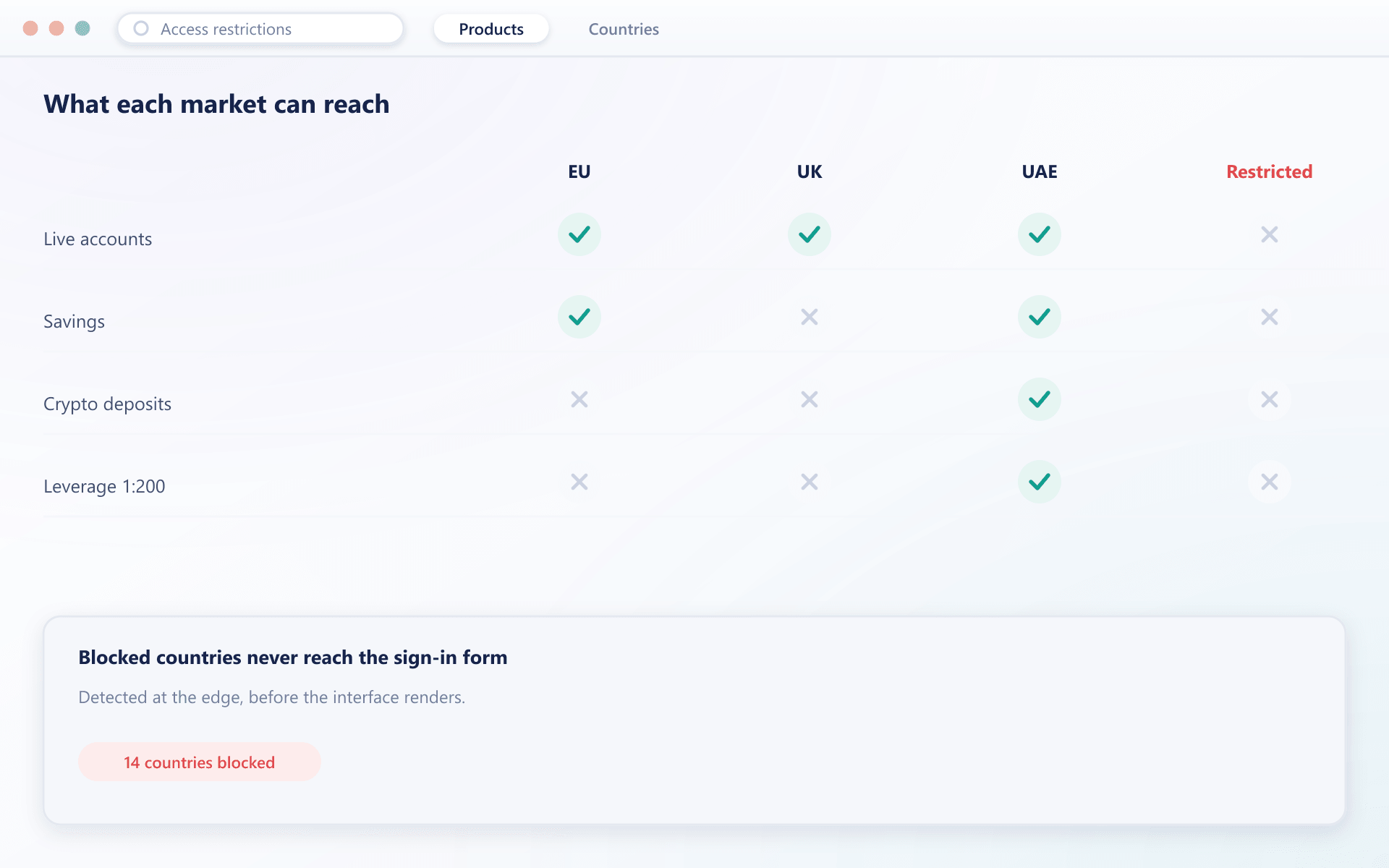
Serving a market you are not licensed for is not a conversation you want to have with a regulator. Restrictions decide what is visible and usable, based on where a client is and who they are.
What you can restrict
One place for every access rule
Countries, products, menu entries and whole surfaces are gated by the same set of conditions rather than by rules scattered across features.
Block a country outright
Visitors detected in a blocked country see a clear access message instead of a sign-in form, so you are not onboarding where you should not be.
Restrict individual products
An account type, payment method, savings programme or bonus can be hidden by country, jurisdiction, client type or verification level.
Shape the menu itself
Menu entries appear only for the clients they apply to, so a client is never shown a section that will refuse them.
Gate on verification level
Capability follows verification, so a partially verified client can look around while anything requiring more documents stays out of reach.
Rules that follow the partner
Restrictions can be scoped by introducing broker, so a partner operating in one market does not expose their clients to another.
How it runs
From licence to enforced rule
Map your licences
Each entity and jurisdiction is defined with the markets it may serve and the products it may offer.
Attach conditions
Products, methods and menu entries are tagged with the countries, client types and verification levels they are available to.
Clients are matched on arrival
Detected country and the client record decide what is rendered, so enforcement happens before a request is made rather than after.
Decisions are recorded
Who changed a restriction and when is retained, which is the part an auditor will ask about.
Restriction questions
How enforcement actually works
4 short answers to what teams ask before a demo.
From the connecting address at the edge, before the interface renders. A blocked visitor sees an access message rather than a sign-in form.
It hides it. A client is not shown an account type, method or menu entry that would be refused, because offering and then declining is worse than never offering.
A manually set jurisdiction is locked from automatic remapping, so a client travelling does not silently move into a different rule set.
Yes. Each entity carries its own markets and products, and a client is mapped to one of them, so a group with several licences is not reduced to its strictest one.
Still have a question?
A specialist will answer it directly, with your set-up in mind.
Ask a specialistMap your licences onto the platform with us
Tell us the entities and markets you operate and we will show the restriction set that follows from them.