Back Office
Payments are an operations problem, not just an integration
Which methods appear to whom, in what order, with what limits and fees — and what happens when a provider fails mid-transaction. That operational layer is what BrokerOS actually gives you.
One deposit, one technical decline, and a client who never found out.
What payment operations require
The integration is the easy part. These are the parts that consume your team.
Method availability
Which methods a client sees is resolved from their group and jurisdiction, so a regional rail appears only where it applies.
availabilityRouting and fallback
Where several providers can process a method, a failing one is bypassed so a deposit attempt does not simply fail.
routingLimits and fees
Per-transaction and rolling limits, and any fee you pass on, configured per method and per client group.
limitsPending handling
Payments stuck between states are surfaced in a queue rather than sitting invisibly until a client complains.
pendingReconciliation references
Every ledger entry carries the provider transaction reference, which is what makes month end a query rather than an investigation.
referencesSee it live
What the client sees when it works
Available methods, limits and fees are already resolved by the time the client picks one, so the deposit they attempt is one that can actually succeed.
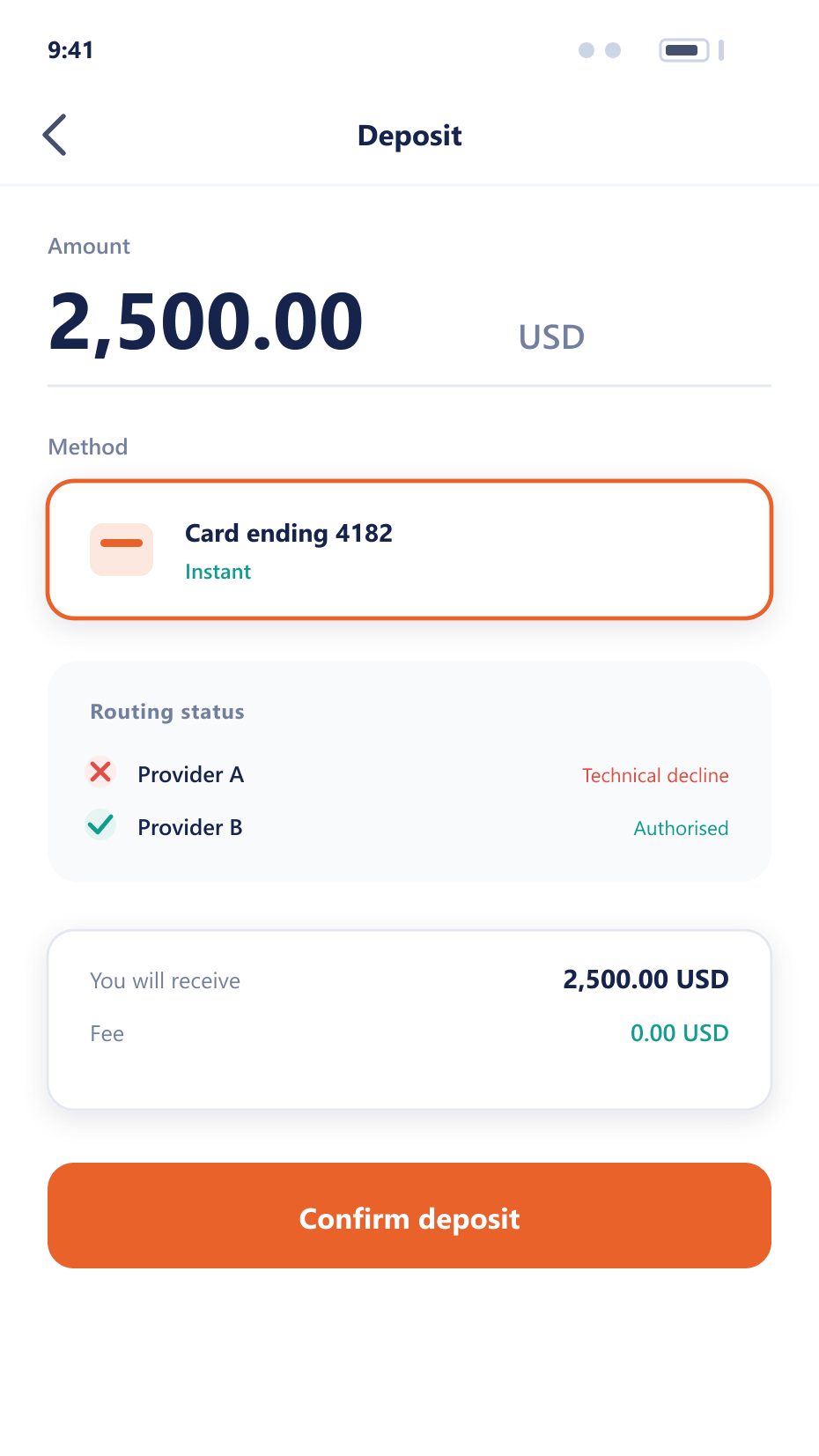
A deposit that does not go smoothly
The happy path is easy. This is what happens when it is not.
- Offer
Only what can work
The client is shown methods available for their group, jurisdiction and currency, so they do not select something that will be refused.
- Attempt
Routed to a provider
The transaction is sent to the provider selected by your routing rules for that method and amount.
- Fail over
A second attempt, not a dead end
If the provider declines for a technical reason, the transaction is retried through the next provider rather than being returned as a failure.
- Resolve
Stuck payments surface
Anything that ends in an indeterminate state enters an operations queue with the provider reference, so it is chased rather than forgotten.
Where the money is actually lost
Failed deposits are lost clients, and most of them are recoverable.
Higher deposit success
Fallback routing recovers transactions that would otherwise be abandoned.
Fewer stuck payments
An operations queue means an indeterminate transaction is chased rather than discovered by the client.
Provider leverage
Success and cost per provider is measured, which makes renewal discussions factual.
Clean month end
Provider references on every ledger entry remove most reconciliation work.
FAQ
Payment management: common questions
6 short answers to what teams ask before a demo.
No. BrokerOS routes to the providers you contract with. The commercial relationship and the rates stay yours, and providers can be added or replaced without rebuilding the funding flow.
Where the failure is technical rather than a decline, the transaction is retried through the next provider in your routing rules, which recovers deposits that would otherwise be abandoned.
Yes. Per-transaction and rolling-period limits are configured per method and per client group, alongside any fee you choose to pass on.
They enter an operations queue with the provider reference attached, so your team chases them deliberately rather than finding out when the client complains.
Every ledger entry carries the provider transaction reference, so matching a provider statement against your records is a query rather than a manual exercise.
Limits and fees are set per network rather than per currency, because the same asset costs a different amount to move on a fast chain than a slow one. The network-level configuration, listing criteria and settlement behaviour live in PayVault, which BrokerOS routes digital asset funding through.
Still have a question?
A specialist will answer it directly, with your set-up in mind.
Ask a specialistMap your payment stack
Tell us which providers you use and we will lay out routing, limits and fallback for your client groups.