Back Office
The month end that used to take a week
Every ledger entry carries the provider reference that produced it, so matching a provider statement is automatic. What is left is an exception queue of genuine breaks, which is the only part worth a person’s time.
Matched automatically
Last run2 exceptions to review
Illustrative run. The percentage is whatever your providers and your records produce.
What makes reconciliation tractable
The work is not matching. It is the exceptions, and getting to them quickly.
References on every entry
Each ledger movement carries the provider transaction reference that caused it, which is what makes automatic matching possible at all.
Statement import
Provider statements are imported and matched against the ledger automatically, with the matched proportion reported.
Exception queue
Unmatched items on either side are queued with the surrounding context, so a break is investigated rather than hunted for.
Point-in-time balances
Because the ledger is append-only, any balance can be reconstructed as it stood at a chosen moment for a statement or an audit.
Adjustments recorded
Where a manual adjustment is genuinely needed, it is a new entry with a reason and an operator, never an edit of an existing one.
See it live
Matches, exceptions, and nothing in between
Statement lines resolve against ledger entries automatically, leaving only the genuine breaks queued for a person to look at.
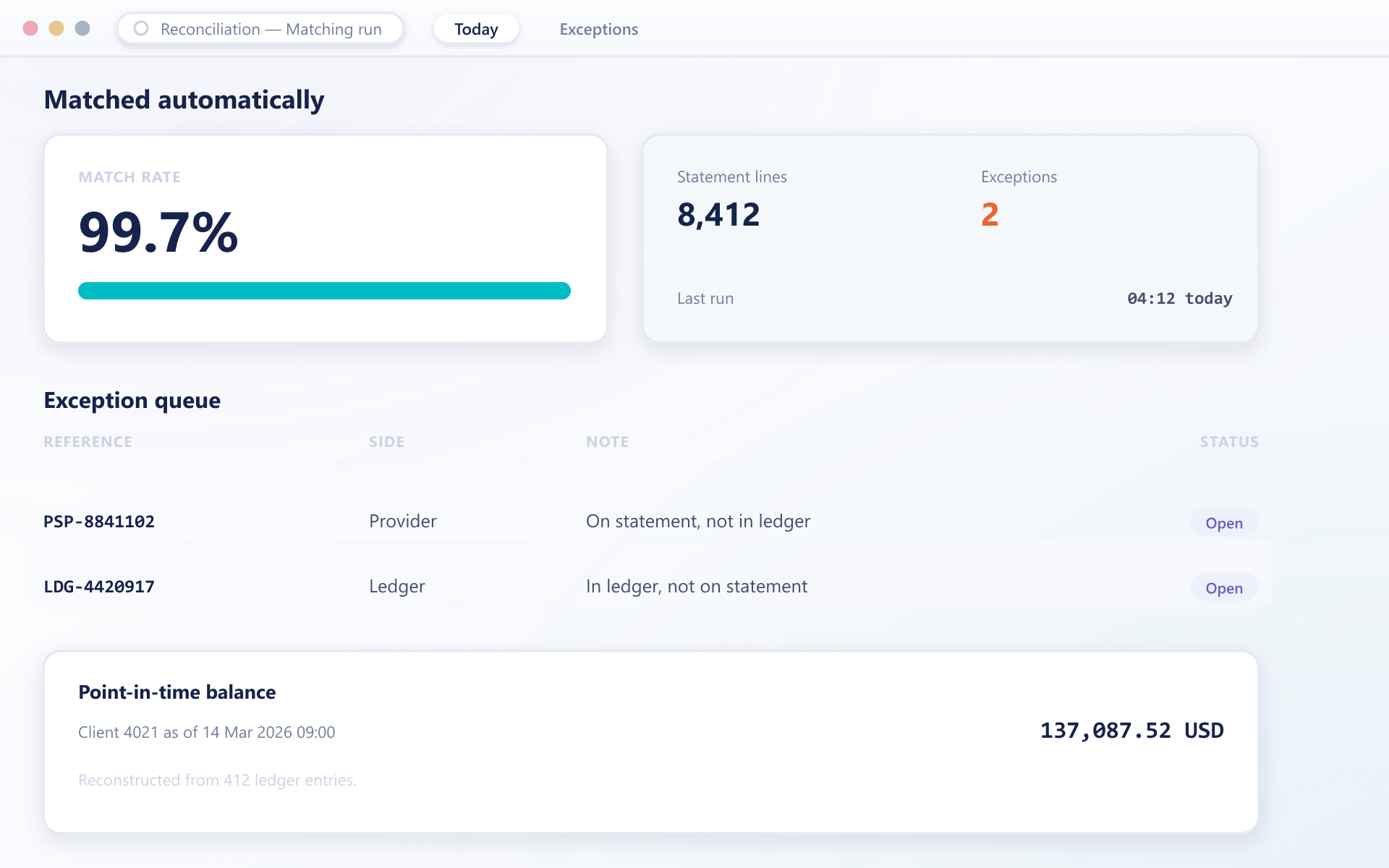
A reconciliation run
Most of it is automatic, which is what leaves time for the part that is not
- Import
The provider statement arrives
Statements are imported on a schedule or on demand, in the format the provider issues.
- Match
Matched on references
Entries are matched to statement lines by transaction reference and amount. The matched percentage is reported immediately.
- Except
Breaks queued with context
Anything unmatched on either side is queued with the client, the timing and the nearby entries, so the cause is usually obvious.
- Resolve
Corrections are new entries
A resolution writes a new ledger entry with its reason and operator. Nothing existing is modified, so the history stays intact.
What automatic matching frees
Reconciliation effort should scale with breaks, not with volume.
Shorter month end
Automatic matching leaves only genuine exceptions for a person to look at.
Breaks found early
Scheduled runs surface a discrepancy while it is still small and explicable.
Audit-ready
Point-in-time reconstruction answers an auditor's request without a project.
Trustworthy history
Corrections as new entries mean the original record is never lost.
FAQ
Reconciliation: common questions
5 short answers to what teams ask before a demo.
By the provider transaction reference carried on every entry, together with the amount. That reference is written when the movement occurs, which is what makes matching automatic rather than manual.
They enter an exception queue with the client, timing and surrounding entries attached, so the cause is usually apparent without a separate investigation.
Yes. The ledger is append-only and ordered, so any balance can be reproduced as it stood at a given timestamp for a statement, an audit or a dispute.
As new ledger entries carrying a reason and the operator identity. Nothing existing is edited, so the original record and the correction are both permanently visible.
Yes. Statement import and matching can run on a schedule, with only the exception count reported to your team unless something needs attention.
Still have a question?
A specialist will answer it directly, with your set-up in mind.
Ask a specialistReconcile a real statement with us
Bring a provider statement and we will run it against a demo ledger during the call.